Reply to: tickets(160249)

display City, State

Are you referring to these fields:
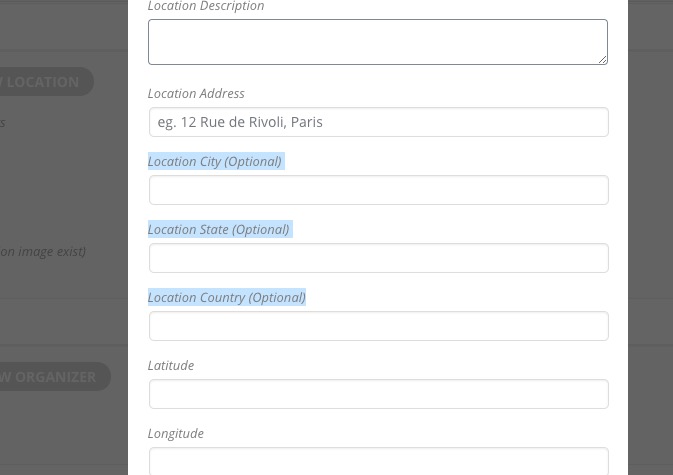
If so then, unfortunately, you cannot show them anywhere on the front-end. They are for admin only.

About Google Map. Please fix this error:

Geocoding Service: You must enable Billing on the Google Cloud Project at https://console.cloud.google.com/project/_/billing/enable Learn more at https://developers.google.com/maps/gmp-get-started  For more information on authentication and Google Maps JavaScript API services please see: https://developers.google.com/maps/documentation/javascript/get-api-key

Additionally,

Please add this CSS code to EventON > Styles (If you can’t see any change, EventON > turn off Write styles to header > save settings > turn on Write styles to header):

.eventon_events_list .eventon_list_event .evcal_desc span.evcal_desc2, .evo_pop_body .evcal_desc span.evcal_desc2 { text-transform: none !important }
Reply to: tickets(162457)

This is the code (below here). It works when I keep it as saying ‘business’ – see the code I’ve used below. BUT then it says ‘business’ on the tickets and email notifications when I actually want it to say something like ‘Menu Choice’.

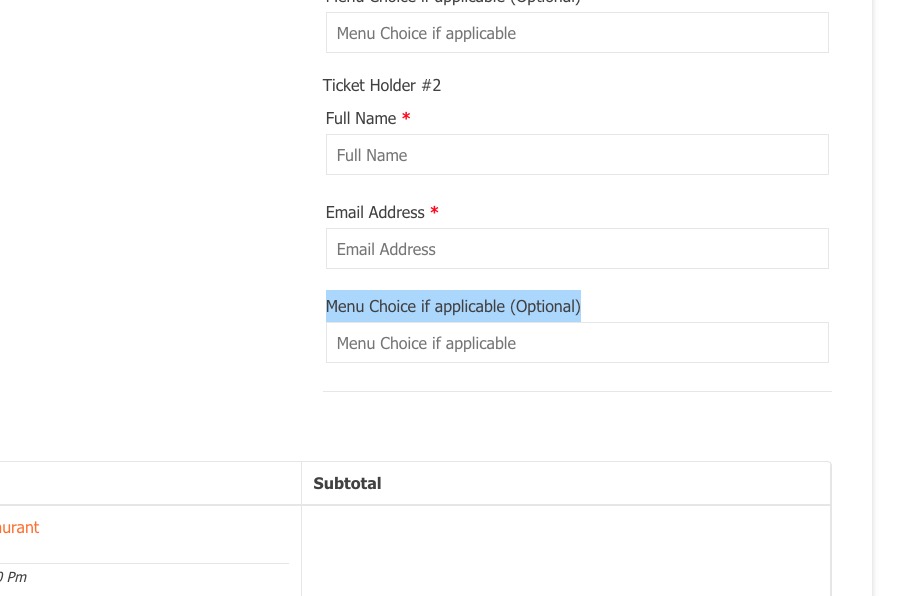
I also want it to be optional (as not all events will require it) but hide the *optional label as it might confuse people.

Eventually I also want to be able to export this field with the CSV guest list. I’ve read this but am not quite sure how to combine the two: https://docs.myeventon.com/documentations/how-to-add-additional-fields-to-download-attendees-csv-file/ Thank you!


add_filter(‘evotx_checkout_additional_fields_settings’,’evotx_2′,10,1);
function evotx_2($fields){
$fields[‘business’] = __(‘Menu Choice’,’evotx’);
// you can add other fields like this similarly
return $fields;
}
add_filter(‘evotx_additional_ticket_info_fields’, ‘evotx_1’, 10,1);
function evotx_1($fields){
// additonal field code block
$fields[‘business’] = array(
‘type’=>’text’,
‘label’=> evo_lang(‘Menu Choice if applicable’),
‘required’=> false,
);
// you can use same code block for more fields
return $fields;
}
add_filter(‘evotx_get_attendees_for_event’, ‘evotx_3’,10, 3);
function evotx_3($arr, $event_id, $_th){
if(!isset($_th[‘business’])) return $arr;
$arr[‘oD’][‘business’] = $_th[‘business’];
// the above 2 lines can be used for all other new fields
return $arr;
}

Reply to: tickets(161558)

  1. I think this was a cacheing issue at my end. Seems fixed now.
  2. No. I was following the exact code in this article of yours: https://docs.myeventon.com/documentations/how-to-add-additional-fields-at-checkout/ it works IF I keep it saying ‘business’ but I want it to say ‘Menu Options’ or ‘Menu Choices’ or similar. BUT if I change code in functions.php, it stops working properly.

This is code I added:

add_filter(‘evotx_checkout_additional_fields_settings’,’evotx_2′,10,1);
function evotx_2($fields){
$fields[‘business’] = __(‘Menu Choice’,’evotx’);
// you can add other fields like this similarly
return $fields;
}
add_filter(‘evotx_additional_ticket_info_fields’, ‘evotx_1’, 10,1);
function evotx_1($fields){
// additonal field code block
$fields[‘business’] = array(
‘type’=>’text’,
‘label’=> evo_lang(‘Menu Choice if applicable’),
‘required’=> false,
);
// you can use same code block for more fields
return $fields;
}
add_filter(‘evotx_get_attendees_for_event’, ‘evotx_3’,10, 3);
function evotx_3($arr, $event_id, $_th){
if(!isset($_th[‘business’])) return $arr;
$arr[‘oD’][‘business’] = $_th[‘business’];
// the above 2 lines can be used for all other new fields
return $arr;
}

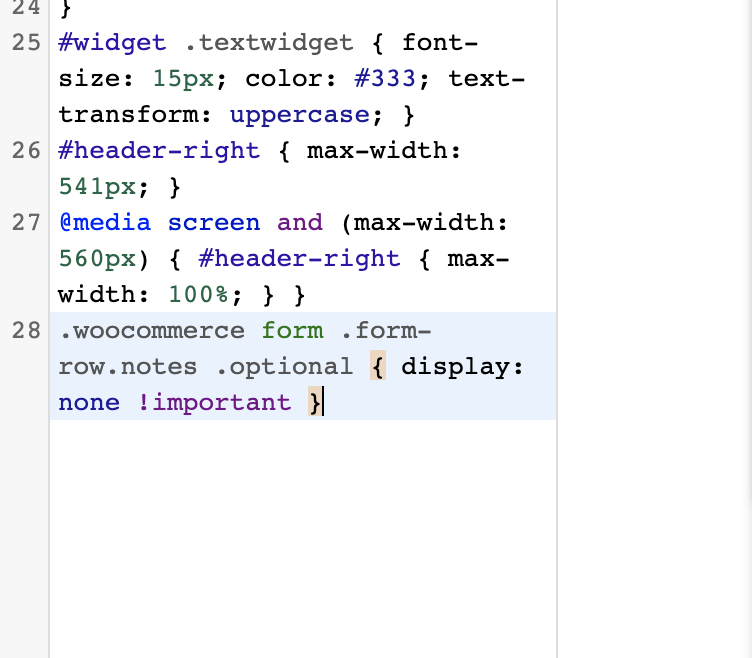
3. I have. It did not work (see screenshot of code).

Reply to: tickets(161558)

1. The event doesn’t have Edit Event > Tickets > Manage Ticket Stock enabled OR any number in Edit Ticket Option > Ticket Variation Stock Quantity. Could you show me where do you check “the ticket stock numbers”?

2. Have you managed to solve this:

Please note that unfortunately, we unable to help with customizations. You can send us a customization job request by creating a new ticket in here and selecting Customization Request as the category.

3. Please try adding it to wp-admin > Appearance > Customize > Additional CSS.

Reply to: tickets(162457)

Hi,

Thank you for your message.

To understand what is the issue, please share for us the code so we can be able to help.

Reply to: tickets(162352)

I haven’t been able to figure out the selectors after hours of trying. some of the objects in the eventtop have such small fonts they really just don’t work.

I don’t want to request customization – just asking for the same thing you provided above for span.ev_ftig. is that considered customization?

I think there are a lot of people out there trying to figure this out – from what I’ve seen in support threads. it would be really helpful to add to your documentation.

Reply to: tickets(162480)

Hey there,

thank you very much for your help – I really hope that we can work out on this, would be great! Thank you very much!


All the best,

Franz

Reply to: tickets(162337)

So what is the full price of the calendar with everything?

I am afraid yes. You can also wait for BlackFriday. Usually we have a sale during this time.

Also, am I also to understand that none of your plugins give the ability to review the event manager rather than just the event so people can see if the event will be any good before purchasing?

Yes. Users can only review the event itself at the moment. Please create a new ticket and select Feature Request as category so others can vote to get it moved into development faster.