Hello,
The latest version of Daily View is 1.0.11 https://www.myeventon.com/addons/daily-view/. Could you update?
Replies for tickets on suppota
Hello,
The latest version of Daily View is 1.0.11 https://www.myeventon.com/addons/daily-view/. Could you update?
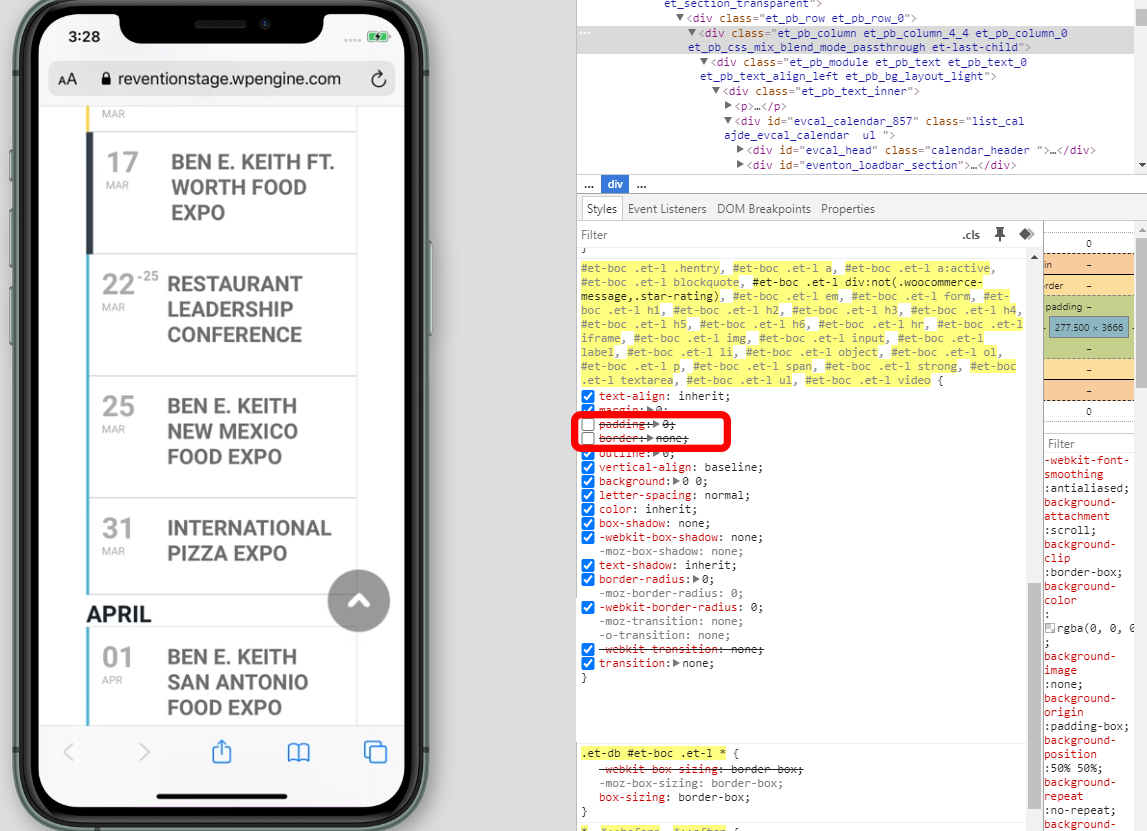
Please also note that this code #et-boc .et-l div:not(.woocommerce-message,.star-rating) (https://helpdesk.ashanjay.com/wp-content/uploads/2020/02/002-1.png) affects every div on the page which is not right in terms of theme design.
According to this message Feb 6,2020 AT 2:37PM – Posted 3 Days Ago – #162082 the problem is in your theme or a third-part plugin. Could you please try the instructions mentioned in this documentation to make sure.
Do you have the same issue on our test server: https://demo.myeventon.com/?
Instead of Countdown please check this add-on: https://www.myeventon.com/addons/dynamic-pricing/
Hello,
Please check these add-ons: https://www.myeventon.com/addons/event-tickets/ and https://www.myeventon.com/addons/event-countdown/.
If you want users to be able to add events from the front-end please also check this add-on: https://www.myeventon.com/addons/action-user/
Hello,
… is the “sync” feature … the “map feature”.
Could you elaborate more? Do you want to exchange Sync add-on for Map add-on?
Better install Contact Form 7 or similar plugin and then add one to Event Card by following https://docs.myeventon.com/documentations/show-additional-custom-data-eventcard/ OR https://docs.myeventon.com/documentations/setup-use-custom-meta-fields-events/.
Hello,
Please install this add-on: https://www.myeventon.com/addons/event-tickets/. Now you can create multiple discount codes users can put during the checkout process. Try on http://dev.myeventon.com/wp-admin/
We are glad your issue is resolved, if you have any further questions or concerns please create a new ticket .If you have a moment, we would greatly appreciate if you could kindly leave us a review at codecanyon! from your account > downloads. Cheers!

I did not have an option to attach a file when submitting my ticket. The attached image is an example of what I am trying to achieve.