you literally ignored my entire post to post something useless too just check me off…?
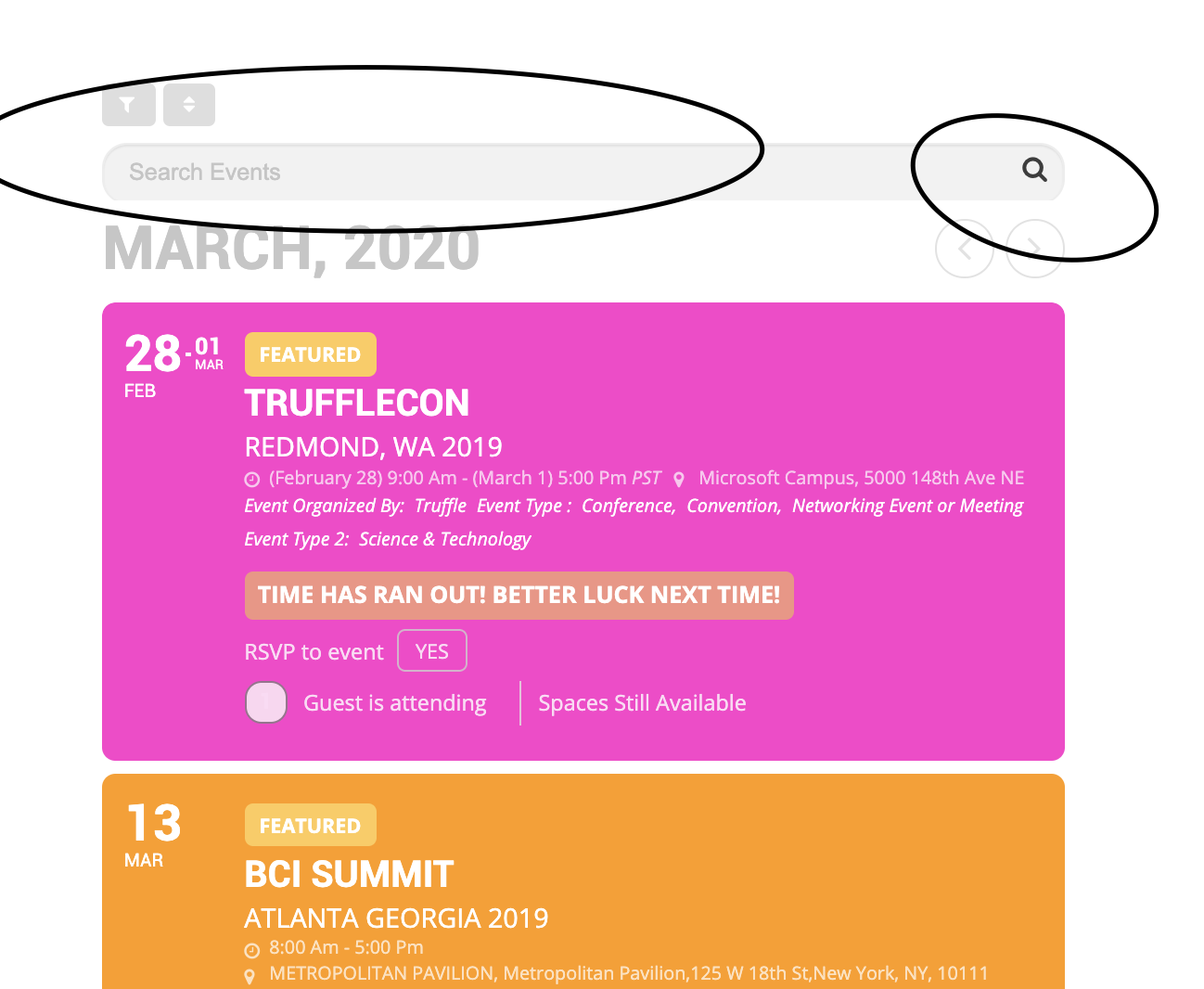
anyways thanks for ignoring me. i figured out most of it but the search bar seems too be cut off everywhere like it doesnt have enough margin or padding around it.
Hi,
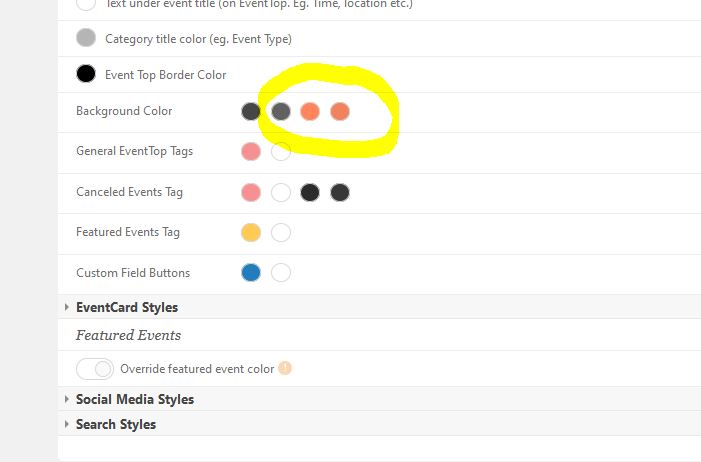
Sorry, I didn’t expect such a quick reply so I was playing around with settings. There must be something wrong. I was looking desktop like admin and mobile not logged in. Now I can see the same colors as you said. But I have different settings in the admin panel. See attachment or log in and you will see.
Regards
Drago
I did not think it was required to just show a location map? The help popup said:-
“Not required with Gmap API V3, but typing a google maps API key will append the key and will enable monitoring map loading activity from google.“
Hi,
Thank you for your patience.
Yes, we will be releasing an update really soon for our clients.
Hi Monika,
No tip unfortunately, but something that maybe needs for us to look a little bit close, so we appreciate the patience if we come up with an idea.
Hi Oleg,
I tested this, they work.
Ashan will take it over from here.
Hi Devon,
You can send us a customization job request by creating a new ticket in here and selecting Customization Request as the category.
Hi Drago,
I checked your web site over mobile through console and the color does seem to be the one we can see you have assigned.
Hi Dave,
Have you enabled the API key of yours and did all the process to enable the maps properly?
Hey Dave,
Thank you for your message.
We do not have this functionality yet available, but it is something we are considering.
If you enable Debug mode at Elementor, still u get this error?