OK, this now makes the calendar not work at all. This is really confusing.
Can I suggest one thing, can you make a new page, add the shortcode generated there, so we can see what is happenin?
Replies for tickets on suppota
OK, this now makes the calendar not work at all. This is really confusing.
Can I suggest one thing, can you make a new page, add the shortcode generated there, so we can see what is happenin?
Also a quick side note, how easy would it to be to add the subtitle to the page just below the header. If you view https://www.investinangus.com/events/the-creativity-code/ you’ll see i’ve applied some CSS and would like to drop the Subtitle directly below the header.
Hello Ashish, Thats got the page structure the way we want it. i will go and apply some custom CSS to the original file to style the page more in line with the rest of the site.
I’ve noticed now that i’ve fixed the Google API Console, the Map vanishes on load now? I’m seeing Invalid LatLng: (Nan,Nan) since this update. Any suggestions?
Hello, could you check this problem? our website is public, and we have problems with PDF-s. its pretty ugly.
SOME SUCCESS!! i used the api code for a single event and it worked! https://www.beniciaonthebay.com/go/
so why isn’t the full calendar working?
Maybe there is something inside of events that can cause this? Please go to https://www.sfonthebay.com/wp-admin/admin.php?page=eventon&tab=evcal_ap#evoapi > switch Number of months to show in API to 1 > hide events from February (make them Draft) and then show one by one.
Possible isuee:
I have not found in your pages a tutorial that fully explains how to set the settings between Actionuser plus and Woocommerce and how they must work together.
Thanks in advance
Hello,
the fields above and below the picture, how to remove them?
You can send us a customization job request by creating a new ticket in here and selecting Customization Request as the category.
In the admin panel, I set the element colors – but the colors are not saved when you click the save changes button.
…
And here is the same:
…
When turned on, this is what happens:
…
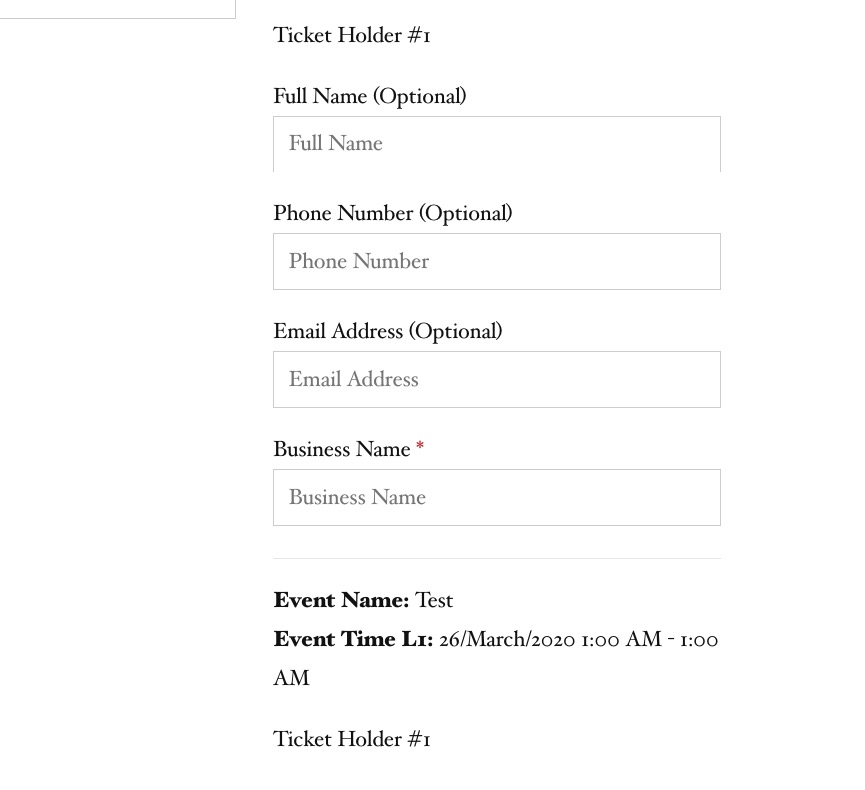
We chose two tickets, it is assumed that the name of the owner can be specified for each ticket, strange, the ticket number is the same everywhere – 1
Thank you for your messages, I am going to assign this ticket to Ashan and he will be able to take it from here and find you a solution. Please allow some time for him to get back to you, we greatly appreciate your patience and thank you for being a eventon customer! Also please disable any IP blocking on your site if there are any.
We conduct trainings and we have a training class (see screenshots above). We would like to:
1. & 2. & 3. Thank you for your great suggestions, at the moment they are not supported. However please create a new ticket and select Feature Request as category so others can vote on your idea and get it moved into development faster. OR You can send us a customization job request by creating a new ticket in here and selecting Customization Request as the category.
I’d like to be able to highlight part of the text in bold or color. Is it possible to enable html in this place?
Unfortunately, no. You can send us a customization job request by creating a new ticket in here and selecting Customization Request as the category.
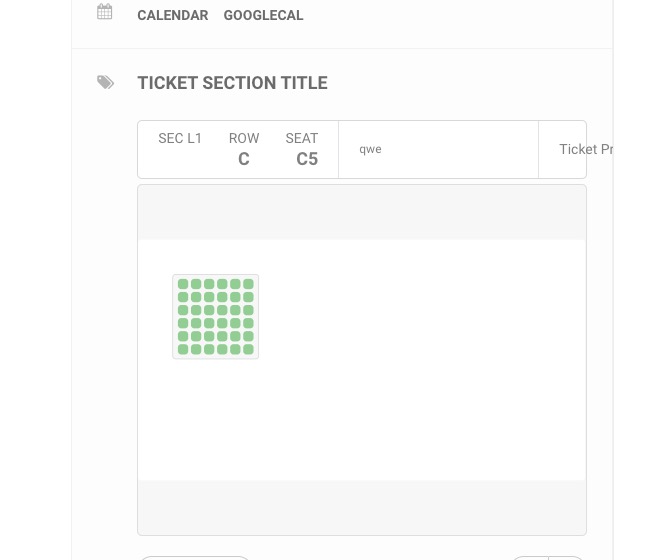
When you select seats, the “row 3” appears on the event page. The seat map editor lists the numbers for rows 1, 4, 5. Why do I see “row 3”? See the four pictures below.
Open Seat Map editor > press Select Rows:
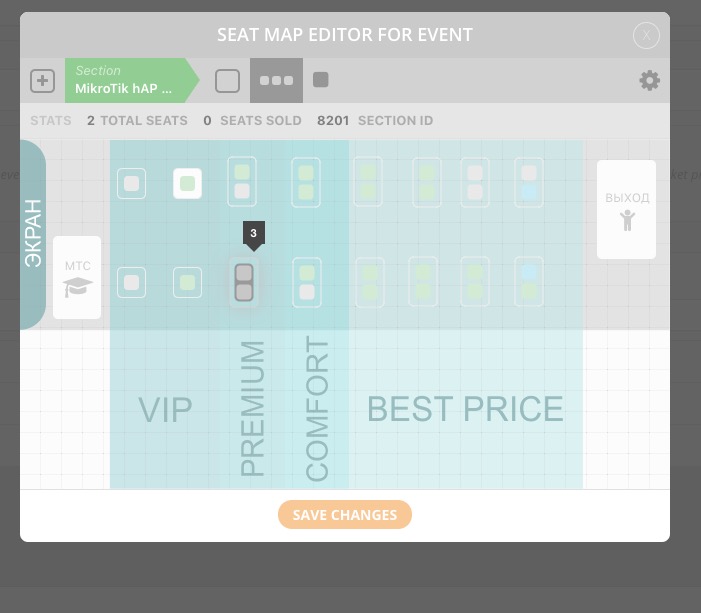 You can see that they have Row Index 3.
Please create a separate ticket for RSVP questions.
Ashan,
We chose two tickets, it is assumed that the name of the owner can be specified for each ticket, strange, the ticket number is the same everywhere – 1
On dev2:
Ashan,
In the admin panel, I set the element colors – but the colors are not saved when you click the save changes button.
…
And here is the same:
The same on dev2: http://dev2.myeventon.com/wp-admin/post.php?post=20456&action=edit
The format of the hall is possible only in landscape orientation, please add a portrait
Can you add one or do I need to ask the customer for a customization request?
When turned on, this is what happens:
On dev2:
Could you send us FTP access? I would like to try a couple of customizations to remove Archive from /scholarships/ page title.