Ok, I am not registered on https://www.myeventon.com/my-account/ because we purchase this plugin on ENVATO.
So if I need to register on your page let me know how to do that because of license..
My e-mail: max@imagine.si
and payment and all staff from the company are: finance@imagine.si
website www.imagine.si
Many thanks, max
I do not know what’s the problem. just if you update WP Google Analytics Events then the button in Eventon RSVP stops working.
In this case the only possible solution is to customize the source code. You can send us a customization job request by creating a new ticket in here and selecting Customization Request as the category.
Hello,
Please check https://docs.myeventon.com/documentations/shortcode-generator/ > “If you are using Gutenberg…”.
You can test EventON without activating the license. Use this guide to create shortcodes: http://docs.myeventon.com/documentations/shortcode-guide/
Please note that Envato (CodeCanyon) requires you to have a separate license for each domain ( or a separate EventON installation).
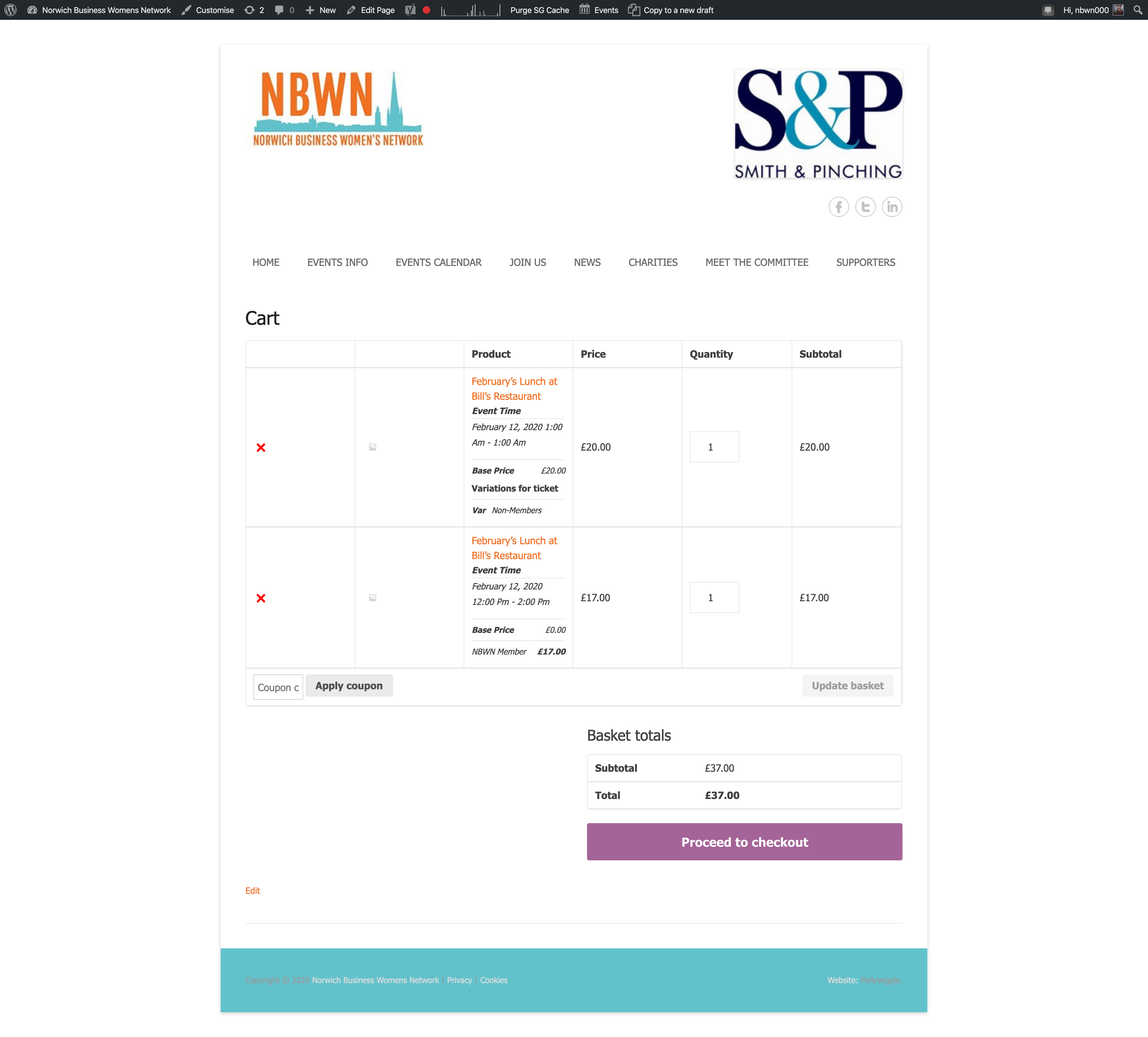
Please do not edit my actual event post. Please create a new draft if you need to – thank you 🙂
Your suggestion (on the new post you created) does not work as I need to be able to add multiples of either members or guests.
If I do it my way – as in this post – you see this in the cart – attached. See it says base price. How can I get rid of that? While also enabling people to add multiples of each ticket variation type.
Hi,
Access information is
https://dev1.jamaicatoday.com/wp-admin
User Name: skataria
Password: b!gnight44
Please check also there are lots of other problems, I have opened tickets for that.
I am sorry, the access information you have provided did not work for us. Please check them and post the correct login information as a private message, thank you!
Could you try adding this to the shortcode:
cal_init_nonajax=”yes”
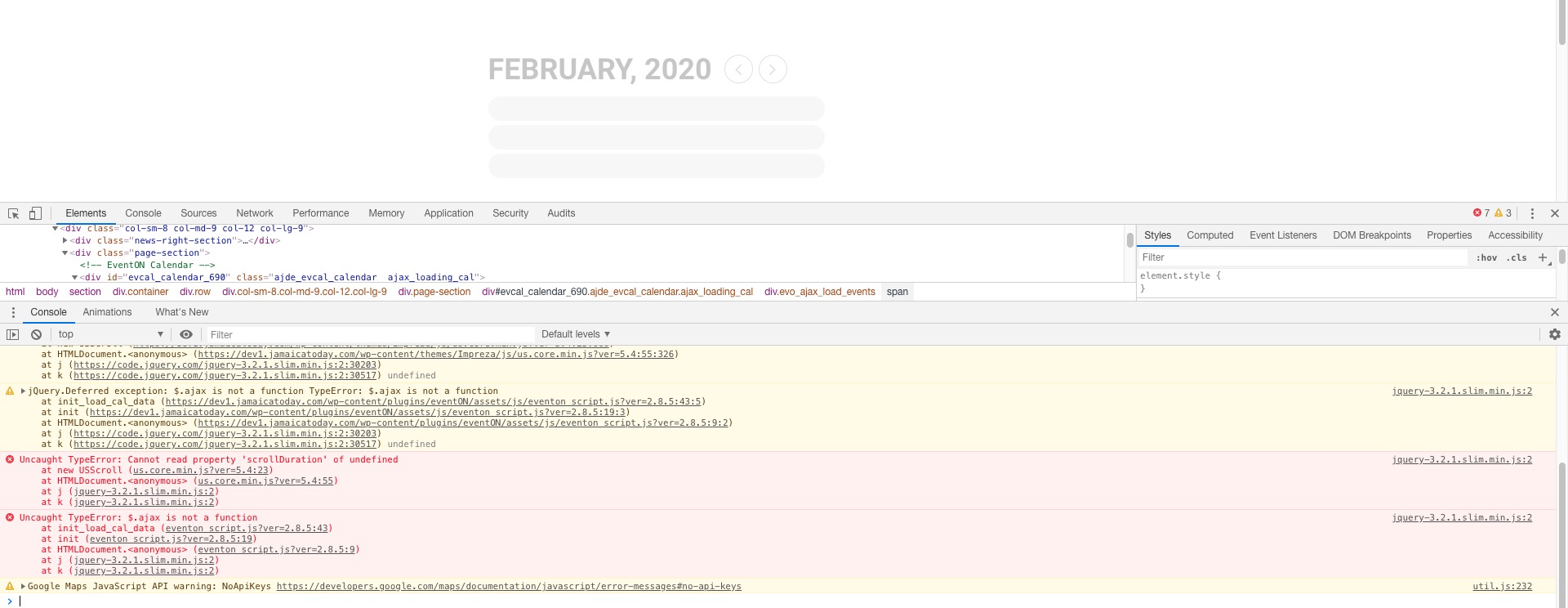
It seems your website have javascript errors caused by other plugins/theme:
You can find and resolve them by following this guide. Once these javascript errors are fixed, eventon scripts will be able to run properly and will resolve your issue.
Hello. The event calender is not showing on https://www.farmsforsaleireland.com/event-directory/. Yees go ahead and thry the instructions to try resolve the issue. I updated my theme and your plugin yesterday and made a few other changes so not sure why this has happened.
I don’t see an Autoupdate link or button, do I need to install something?