are you saying it will cost $150 US dollars to make this work?
Archives: Replies
Replies for tickets on suppota
Reply to: tickets(161684)
I see now there is an option to auto re-stock the tickets on failed payments.
Reply to: tickets(161665)
…everything works now, that was the problem.
You have no idea how lame I feel right now, especially since I went through that page to get to user level permissions to check to see if there was a problem there about a dozen times.
Thanks.
Reply to: tickets(160664)
Steven,
I have installed a custom plugin. There is another folder that needs to be installed inside the theme folder. But I could not find the theme you are using with ftp.
Please download zip file from link below, unzip it, and then install it inside your theme folder.
Also, you are using very old version of eventon plugin. Please update it and check everything.
Reply to: tickets(161635)
Hello,
If you are unable to update automatically, please do it manually.
To update eventon to latest version: You can go to codecanyon your account > download and get the latest eventon version as zip file. Then you can go to your website, deactivate old eventon, activate (Do not delete eventon settings & data when EventON is uninstalled) from eventon settings, delete old eventon, install new one and activate. This link will further explain the process it. Also you can follow us on twitter to get real-time announcements on updates!
Reply to: tickets(161649)
Hello,
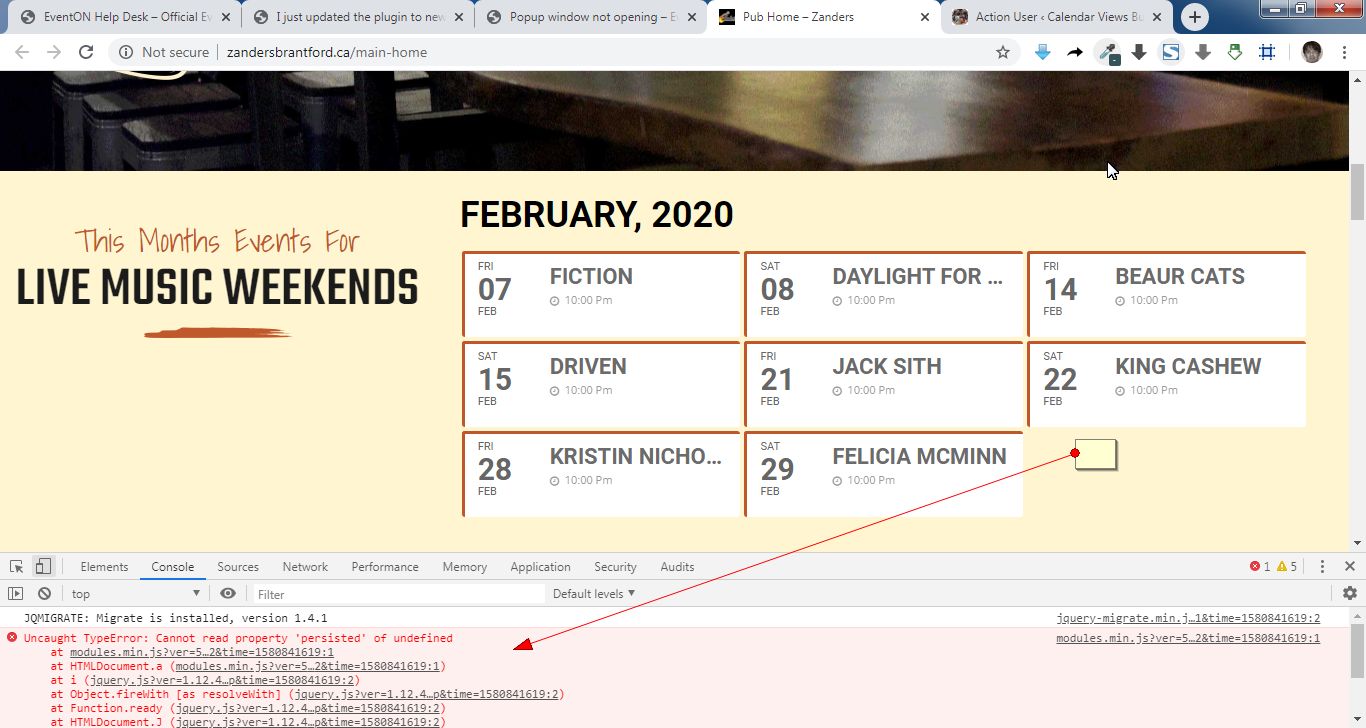
It seems your website have javascript errors caused by other plugins/theme. You can find and resolve them by following this guide. Once these javascript errors are fixed, eventon scripts will be able to run properly and will resolve your issue.
Reply to: tickets(161457)

It looks normal on my end.
Can you show us what you are seeing please?
Reply to: tickets(161665)
Hello,
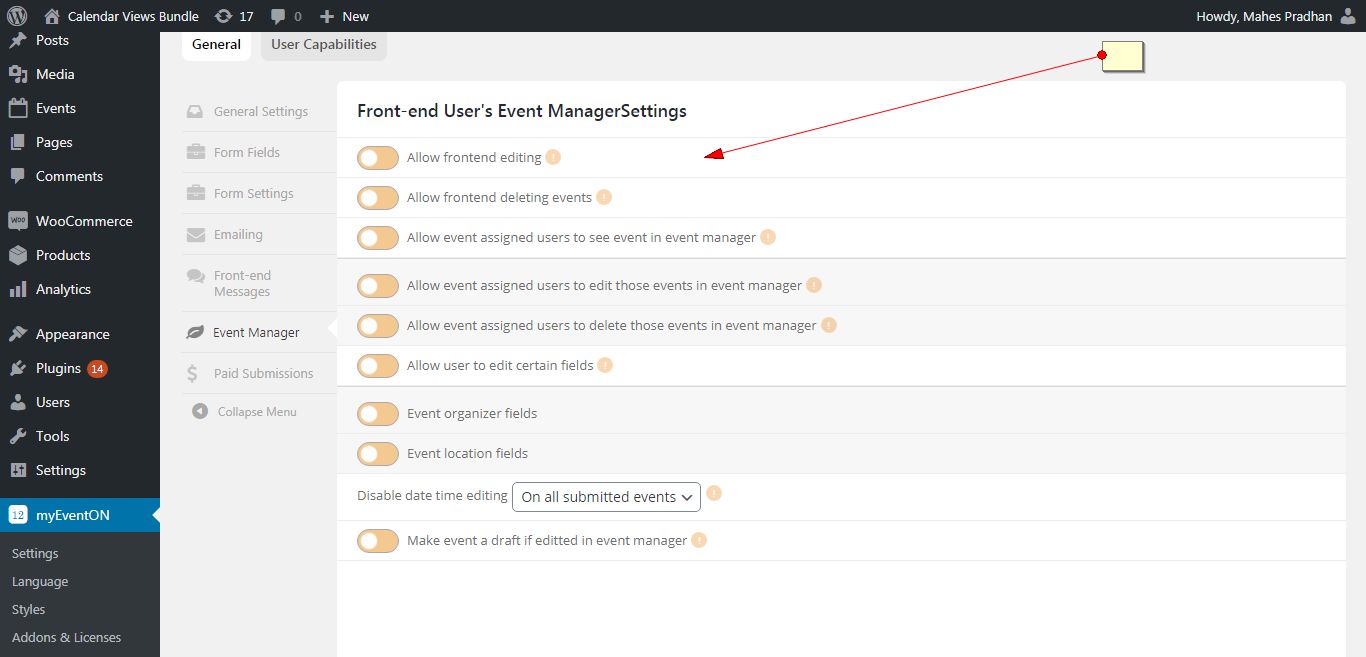
Please go to myeventon>action user >event manager and make sure those options are enabled.
Reply to: tickets(161633)
Ashish has accepted the job for 150
Reply to: tickets(161574)
Can you share your website address too?