Okay, I got that fixed… resaved permalinks, strange. Thanks for your help-
Archives: Replies
Replies for tickets on suppota
Reply to: tickets(161241)
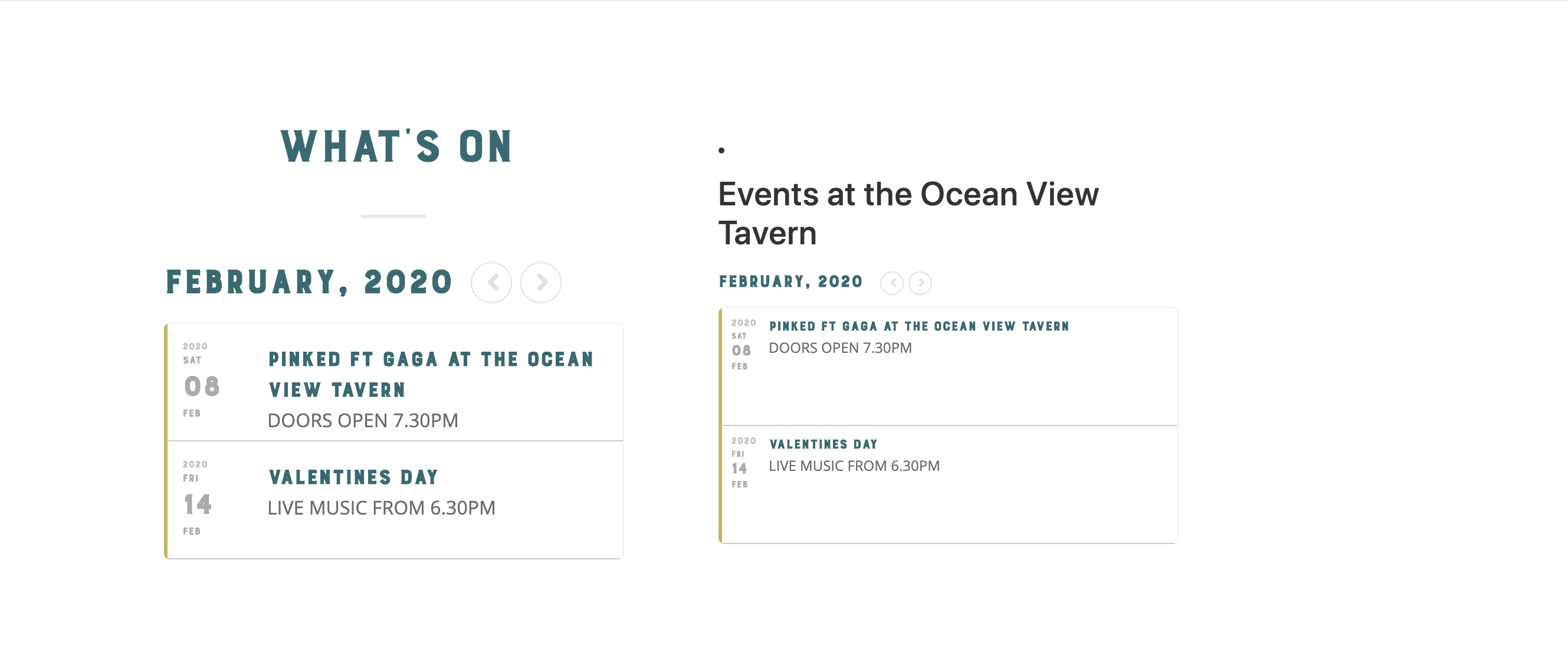
thats just showing the same thing.
Is there a way to show a calendar on the right rather than the same thing?
Reply to: tickets(161571)
Ok, done. But the reason I was doing the update is still happening. You can see on my home page, https://northforkcreative.org, it says there are no Feb events, which is not the case.
And on the Events page itself, it is all messed up broken. April is showing up under February, and the other months are not working. https://northforkcreative.org/event-list/ Can you help?
Reply to: tickets(161461)
Customer completed payment of 200 for the job.
Reply to: tickets(161572)
I’m a novice at this, I can’t code so I’m learning as I go. I don’t understand your question 🙁
I was trying to create a dropdown of the the same item with options offered on the other test page. I thought I followed all the instructions per the guide:
http://docs.myeventon.com/documentations/set-variable-prices-tickets/
I created the item, I used the guide to create the variables, each has a unique SKU, price & is in stock. What have I done wrong ?
…and you have my login info, so I assume you’ve looked ?
Reply to: tickets(161457)
Hi,
Ok that has fixed mobile, I can’t recall why we put that in place.
What about Desktop?
Reply to: tickets(159120)
Thank you for the update and letting us know 🙂
Reply to: tickets(161587)
you can use wordpress@ashanjay.com but we still need to have the details here so we can access as we do not receive this email.
Reply to: tickets(161572)
Hey Matt,
Do those variables have available options to be purchased so they can be shown?
Reply to: tickets(160423)
Hi,
You need to instal Loco Translate and if you search the string there you will be able to translate it.