Hello,
Please fix this issue:
Geocoding Service: This API project is not authorized to use this API. For more information on authentication and Google Maps JavaScript API services please see: https://developers.google.com/maps/documentation/javascript/get-api-key
More info https://elfsight.com/blog/2018/06/how-to-get-google-maps-api-key-guide/
Hello,
Please check this add-on https://www.myeventon.com/addons/rsvp-events/ OR You can add 0.00 to Edit Event > Tickets > Ticket price ($) (Required*). Unfortunately, customers still have to go through the checkout process.
EventON’s events aren’t visible on WooCommerce Shop page by default. Please go to Products > Edit > change Catalog visibility to visible.
Try our add-ons on http://dev.myeventon.com/wp-admin/
Hello,
Please use this shortcode:
[add_eventon_el number_of_months=”6″ tiles=”yes” tile_bg=”1″ tile_height=”500″ ]
Replace 500 with any tile height you like.
Please remove my code and then go to EventON > Language > MONTHS AND DATES > replace thursday with Thursday, june with June and so on.
Hello,
This whole ticket is private now. Please send us the updated info. This link http://pacifica.temp.domains/~gravitycheck/calendar shows 404 page.
I am sorry but where in the backend do you see this? Could you send us a screenshot?
I’m confused on why its showing on google search console that there is nothing there.
It should have links to events with these issues. Could you send a couple of them to us so we can check?
At the bottom of each event where it says “Add SEO Additions”… what kind of things can I add there?
Any text you like. Google requires that every event must have some text in these fields.
How do I get rid of this “more” button and just have the entire page/image show without having to click “more?” Is that possible?
Please go to EventON > EventCard > enable Show full event description.
FTP upload without updating the add-ons gives similar errors.
Do we need to purchase both add-ons to update?
eventon-event-lists
eventon-single-event
Hello,
Thank you for your messages, I am going to assign this ticket to Ashan and he will be able to take it from here and find you a solution. Please allow some time for him to get back to you, we greatly appreciate your patience and thank you for being a eventon customer!
Ashan,
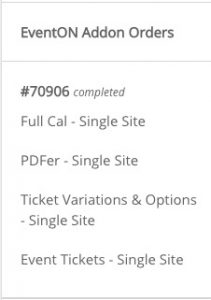
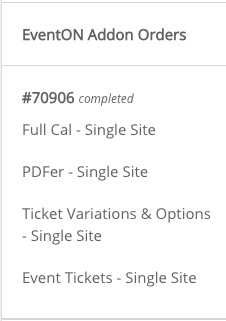
It seems that you didn’t refund Ticket Variations & Options add-on: