Hi,
That’s not going to work, because when that’s removed from the shortcode, it displays:
JANUARY 2020
THERE ARE NO UPCOMING EVENTS AT THIS TIME.
FEBRUARY 2020
THERE ARE NO UPCOMING EVENTS AT THIS TIME.
…and so on, for 12 months.
Is there another way to do this? Rather than month-by-month, because EventON knows there are no upcoming events?
Hello,
Please remove hide_empty_months=”yes” from the shortcode.
Unfortunately, there is no direct compatibility between EventON and your translating plugin. Could you contact the plugin developers, maybe you can somehow assign a specific language to EventON’s events like you do to Pages: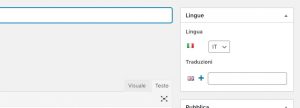
Hi,
Thank you for the suggestion. I installed Loco and found several templates for the EventOn plugin and addons. However, I did not see any source text labeled “Event Over”. I used their Source tab that allowed me to search the complete file to insure I was not missing any labels.
Do you have any other suggestions? Thanks.
Hello,
Unfortunately, I cannot see EventON Settings page:
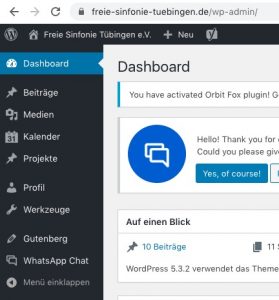
Could you go to EventON > ICS Import > enable Enable event time adjusting based on this website’s timezone?
Please comment .evcal_evdata_img { height: 370px !important; } and go to EventON > EventCard > Feature image display style: Direct Image OR 100% Image height with stretch to fit OR 100% Image height with propotionate to calendar width.
Hello,
Unfortunately, the only possible solution is to customize the source code.
Please send us a customization job request by creating a new ticket in here and selecting Customization Request as the category.
Please check http://docs.myeventon.com/documentations/shortcode-guide/
We are glad your issue is resolved, if you have any further questions or concerns please create a new ticket.
If you have a moment, we would greatly appreciate if you could kindly leave us a review at codecanyon! from your account > downloads. Cheers!
Could you instead send me the files with instructions on how to set it up, please? You previously mentioned that the changes would be kept in a separate plugin so I assumed it would be a simple matter of uploading and activating that custom plugin.
Thanks
When “I inactivated/deleted via WP Admin” did you enable EventON > Do not delete eventon settings & data when EventON is uninstalled? It seems that, unfortunately, the only possible solution is to restore the backup that was made before the update.