Hi Artem,
any update on this?
Replies for tickets on suppota
Hi Artem,
any update on this?
Please replace the code above with this one:
@media (max-width: 960px) { .ajde_evcal_calendar.boxy.boxstyle1 .evo_boxtop, .ajde_evcal_calendar.boxy.boxstyle2 .evo_boxtop { height: 140px !important; } .ajde_evcal_calendar.boxy.boxstyle1.tbg1 #evcal_list .eventon_list_event .desc_trig { padding-top: 150px !important } }
Should look like this:
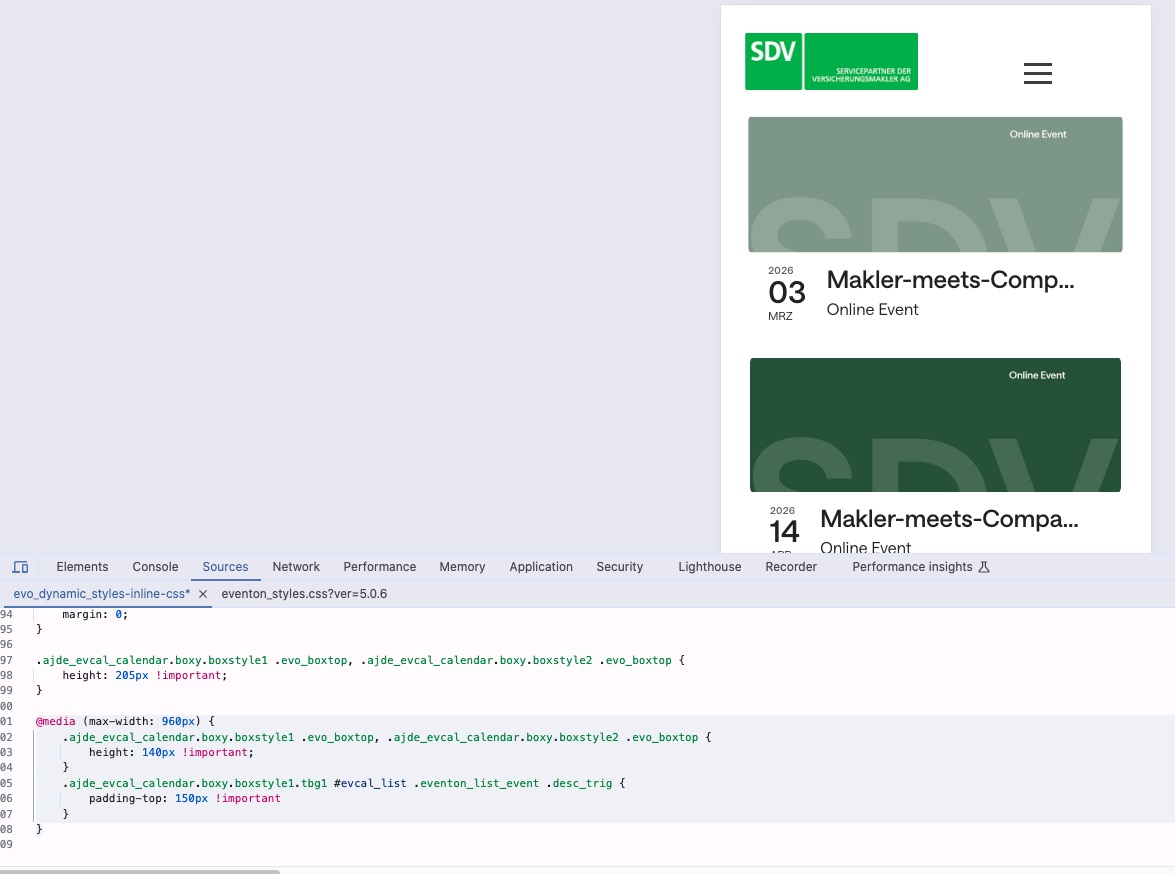
If you don’t see any change, EventON > Scripts & Styling > turn off Write dynamic styles to header > save settings > turn on Write dynamic styles to header.
You can also add this code to wp-admin > Appearance > Customize > Additional CSS.
Could you also send us the guide you used to create the link?
Are you sure that you can create a link that doesn’t require users to sign-in?
Jo, it is done !We have switched over your lists and items to lists EXT addon.
Ashan,
Please check
I re-created the event on dev2:
https://dev2.myeventon.com/events/virtual-3/
The thing I am not sure if you can actually create a public link in teams so you don’t need to login with a Microsoft account.
Could you check?
Peter, Do not buy that! We offer support via helpdesk here as long as you have
1. eventON active license
2. or active license of EventON addon.
So just ignore it. Truth be told, we are probably going to move away from Codecanyon sometime later this year. Codecanyon has been dying down for some time now.
Thank you for your messages!
I am going to escalate this ticket to development to help in here. Please allow us some time to address this, and we truly appreciate your patience. Thank you for being a valued EventON customer!
Even after I use the temp login link, I still cannot access the event as it asks me to login.
Could you check and let me know?
We are glad your issue is resolved, if you have any further questions or concerns please create a new ticket.
We are glad your issue is resolved, if you have any further questions or concerns please create a new ticket.
If you have a moment, we would greatly appreciate if you could kindly leave us a review at EventON WordPress Page OR EventON > My Account > Downloads. Your review helps us a lot in continuing EventON improvements!