An other strange thing is that the date is in english even if WordPress is configured in French Canadian and the shortcode contain ux_val=”1″ and I translated the month name in the L1 language setting page od EventOn.
Archives: Replies
Replies for tickets on suppota
Reply to: tickets(158087)
Hi Artem or support team. I just find that activating EventON – Weekly View Version 1.1 disable the editing capability of the Zion builder of the Kallias Theme.
Reply to: tickets(160291)
Regarding eventon-full-cal, it looks like the hook ‘evofc_daybox_html’ was removed. Is there any other way to hook into the day event data on the full cal?
Reply to: tickets(160291)
Hello, yes thanks, this update in deed fixes it, but breaks some js functionality we had built upon the previous versions.
How much has changed? I have noticed the day box HTML that used to hold a bunch of useful data now has only two data attributes left: data-su and data-d. I Assume data-d is the day of the month number. But what is data-su? It looks like a timestamp. Is there anything that can identify an event other than the <i> element’s title?
Thanks,
Wassim
Reply to: tickets(158087)
Problem fixed with the php.ini file.
Have you worked on the date display problem?
Reply to: tickets(160290)
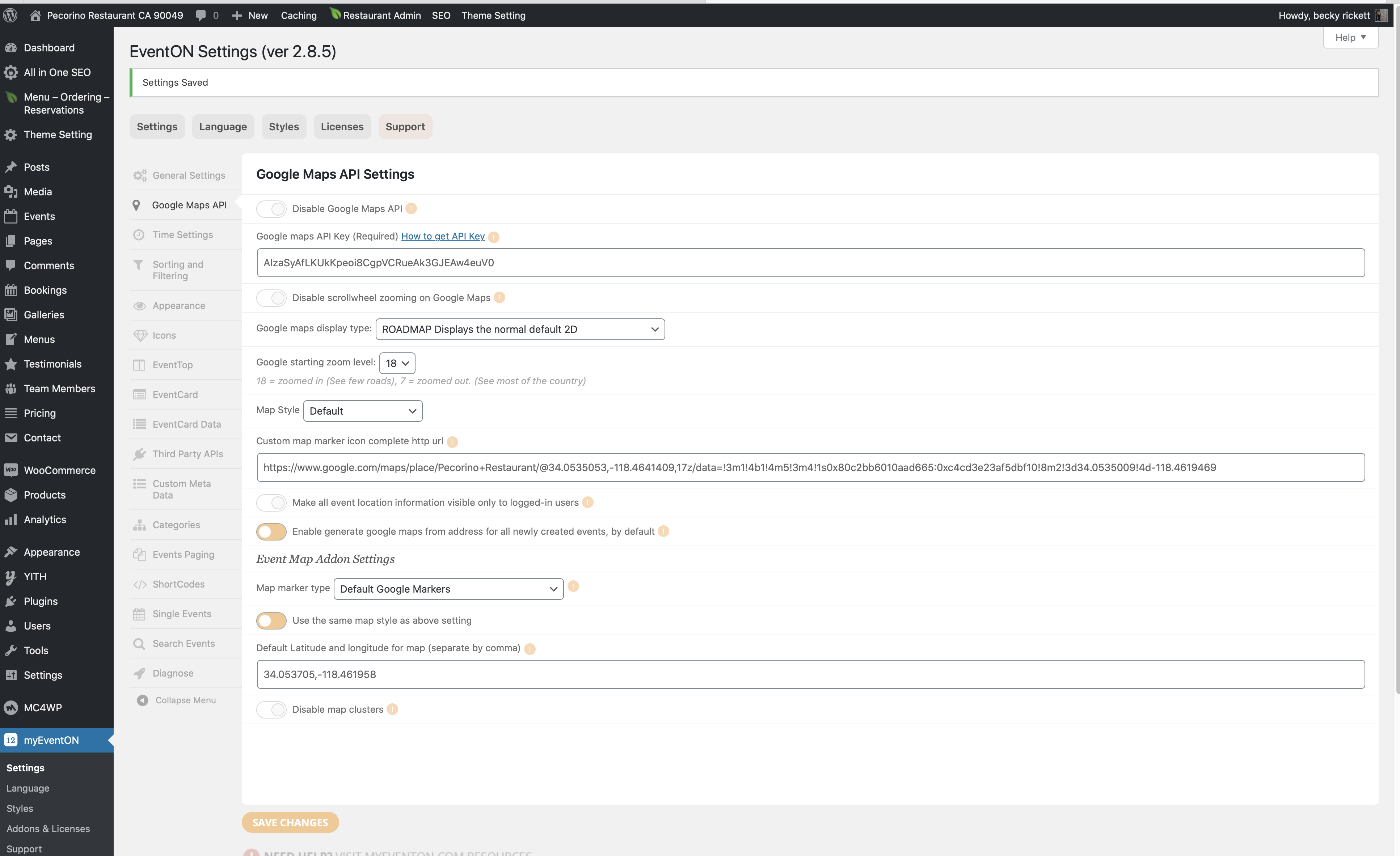
Thank you so much. I see what I was doing wrong. It works perfect. but can you help me with Google maps? I just can’t seem to get it to show the map?
Please click Valentines event located here: https://pecorinorestaurant.com/event-directory/?epc_purge_all=1
Reply to: tickets(160214)
Perfect – thanks so much!
Reply to: tickets(159993)
Hi.
Really Appreciate your quick response.
Just remembered that our security plugin stops users from certain regions.
but the link you sent over solved it anyway, The permalinks change solved it.
It must have been up update to the newer version of WordPress the other day.
All seems to be working now.
Thanks again for all your help.
Reply to: tickets(160042)
It’s been set to “100% Image height with propotionate to calendar width” the whole time but changing it to Direct image did it.
Thank you very much!
Reply to: tickets(160359)
Hi,
That’s not going to work, because when that’s removed from the shortcode, it displays:
JANUARY 2020
THERE ARE NO UPCOMING EVENTS AT THIS TIME.
FEBRUARY 2020
THERE ARE NO UPCOMING EVENTS AT THIS TIME.
…and so on, for 12 months.
Is there another way to do this? Rather than month-by-month, because EventON knows there are no upcoming events?