Hello,
Please backup your current data. After go to EventON > enable Do not delete eventon settings & data when EventON is uninstalled. Now try updating to EventON 2.8.5. Or follow 2.1 – FTP Way. This link will further explain the process it.
Replies for tickets on suppota
Hello,
Please backup your current data. After go to EventON > enable Do not delete eventon settings & data when EventON is uninstalled. Now try updating to EventON 2.8.5. Or follow 2.1 – FTP Way. This link will further explain the process it.
Hello,
Please add this to the shortcode:
ux_val=”4″
Or this one:
ux_val=”4a”
More info: http://docs.myeventon.com/documentations/shortcode-guide/
Hello,
Please add this to the shortcode:
ux_val=”3″
More info http://docs.myeventon.com/documentations/shortcode-guide/
Hello,
Could you tell us why do you want to refund this add-on? If you have any issues please let us know so we can help.
To cancel addon subscription please follow https://docs.myeventon.com/documentations/how-to-cancel-addon-subscription-before-auto-renew/
Hello,
1. Thank you for your great suggestion, at the moment it is not supported. However please create a new ticket and select Feature Request as category so others can vote on your idea and get it moved into development faster. OR You can send us a customization job request by creating a new ticket in here and selecting Customization Request as the category.
2. Did you add this to the shortocode:
wishlist=”yes”
Please check https://www.davincitraininginstitute.com/19331-2/:
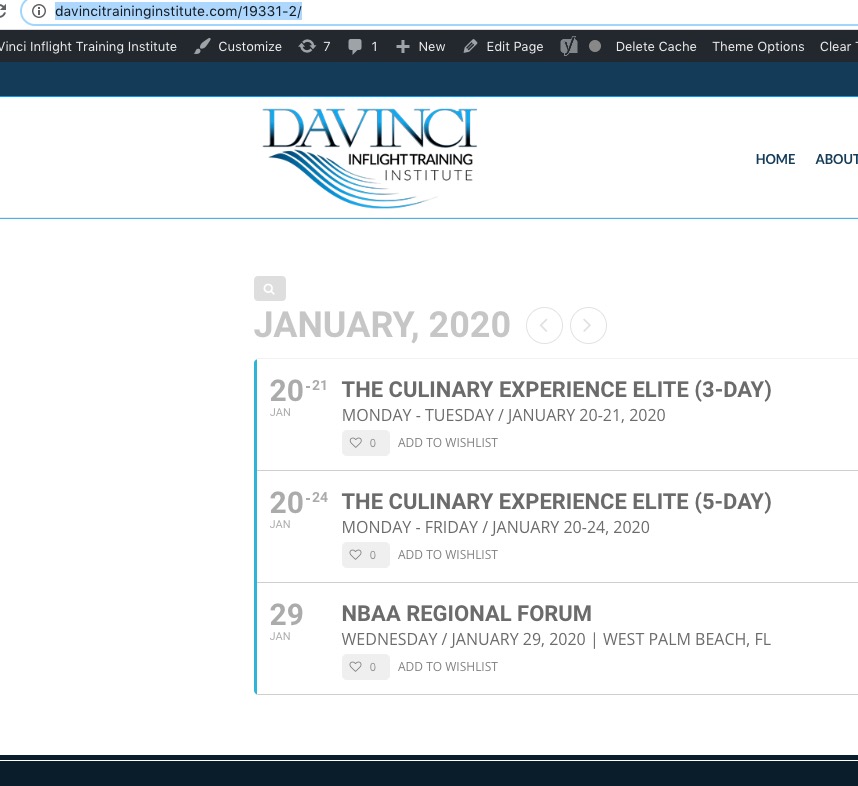
3. Unfortunately, no. You can send us a customization job request by creating a new ticket in here and selecting Customization Request as the category.
HI,
This is so strange. I have a current events page that has been in use since 2012. When I put this code [add_eventon_list number_of_months=”12″ hide_empty_months=”yes” ] in there, it doesn’t work, I just see the same 2 events for January and no other months
When I installed the enventon plugin it automatically generated a page called Events_directory
I am not using that page, but when I put the code on your auto generated events page it works but NO images showing. I would want to show about 3 months at a time not 12. Why do you think it is not working on my events page?
We are glad your issue is resolved, if you have any further questions or concerns please create a new ticket.
If you have a moment, we would greatly appreciate if you could kindly leave us a review at codecanyon! from your account > downloads. Cheers!
Please fix this error:
[27-Jan-2020 20:12:14 UTC] PHP Fatal error: Allowed memory size of 385875968 bytes exhausted (tried to allocate 72 bytes) in /home/hsvmarketing/public_html/explorethevillage.com/wp-includes/meta.php on line 954
Try https://docs.myeventon.com/documentations/increasing-wordpress-memory-limit/ and https://docs.myeventon.com/documentations/why-my-site-and-eventon-page-loading-slow/
Strange but the category page calendar works https://dev2.quoifaireaukamouraska.com/municipalcommunautaire/
Hi Artem. Have you done something on my site this weekend? My front page calendar does not load today. https://dev2.quoifaireaukamouraska.com