Please check https://docs.myeventon.com/documentations/taxonomies-eventon/ > Get Event’s Terms.
Archives: Replies
Replies for tickets on suppota
Reply to: tickets(160402)
Please check now.
Reply to: tickets(160132)
Go to wp-admin > Pages > find this page https://socialcrowdmedia.com/event-directory/ > press Edit > copy the shortcode from the content of the page.
JSON. Please go to Edit Event > add Location > add Organizer > add Featured Image > add SEO Additions for Event.
Reply to: tickets(159594)
Is it possible to also have a full month view on our calendar page like this? https://bellsfarm.org/calendar-2/
You need this add-on: https://www.myeventon.com/addons/full-cal/. Try on http://dev.myeventon.com/wp-admin/
Also, in the widget, is it possible to have the date go horizontally above the event name? Or is this not possible?
Thank you for your great suggestion, at the moment it is not supported. However please create a new ticket and select Feature Request as category so others can vote on your idea and get it moved into development faster. OR You can send us a customization job request by creating a new ticket in here and selecting Customization Request as the category.
Reply to: tickets(159125)
Please update EventON to 2.8.5 and then go to Edit Event: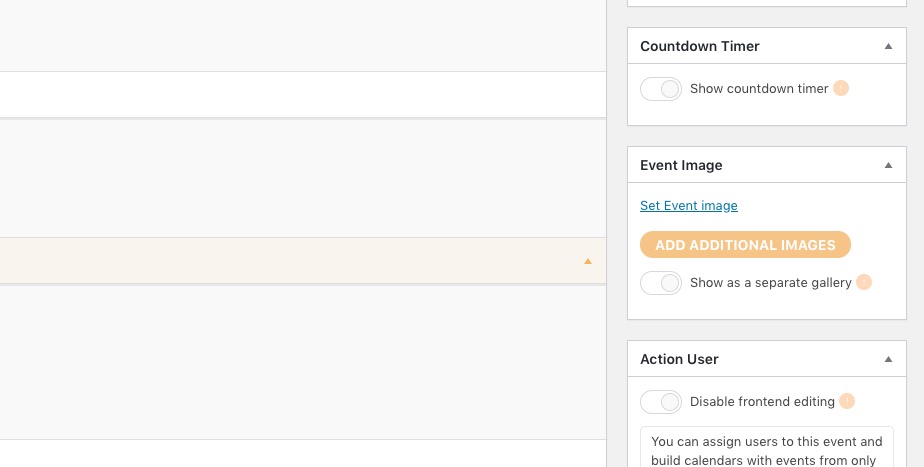
How can I change a seat number. the client made a mistake, I have to remplace 2.10 (mistake) by 1.12 ( good one ) for #21966 Salomé Naman ( on ZIZE event ).
Please update Tickets and Seats add-ons to the latest versions. You can check for latest version of software from here.
Please go to WooCommerce > Orders > Edit > set Status to On Hold > now you can edit the seat number:
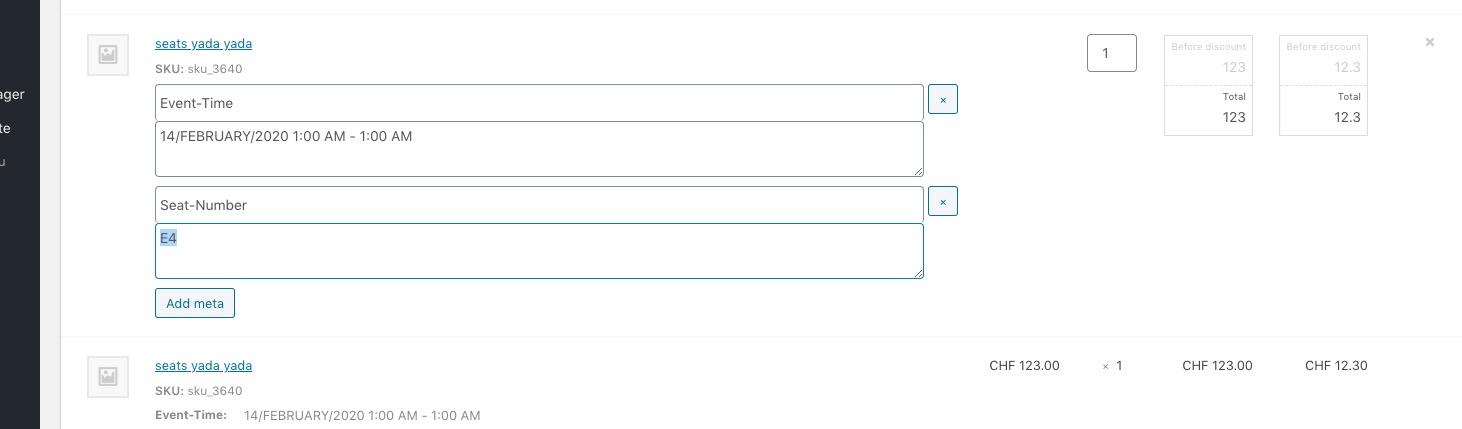
After go to Edit Event > Tickets > Open Seat Map > change the seat number manually.
Reply to: tickets(160518)
Hello,
No issues from my side:
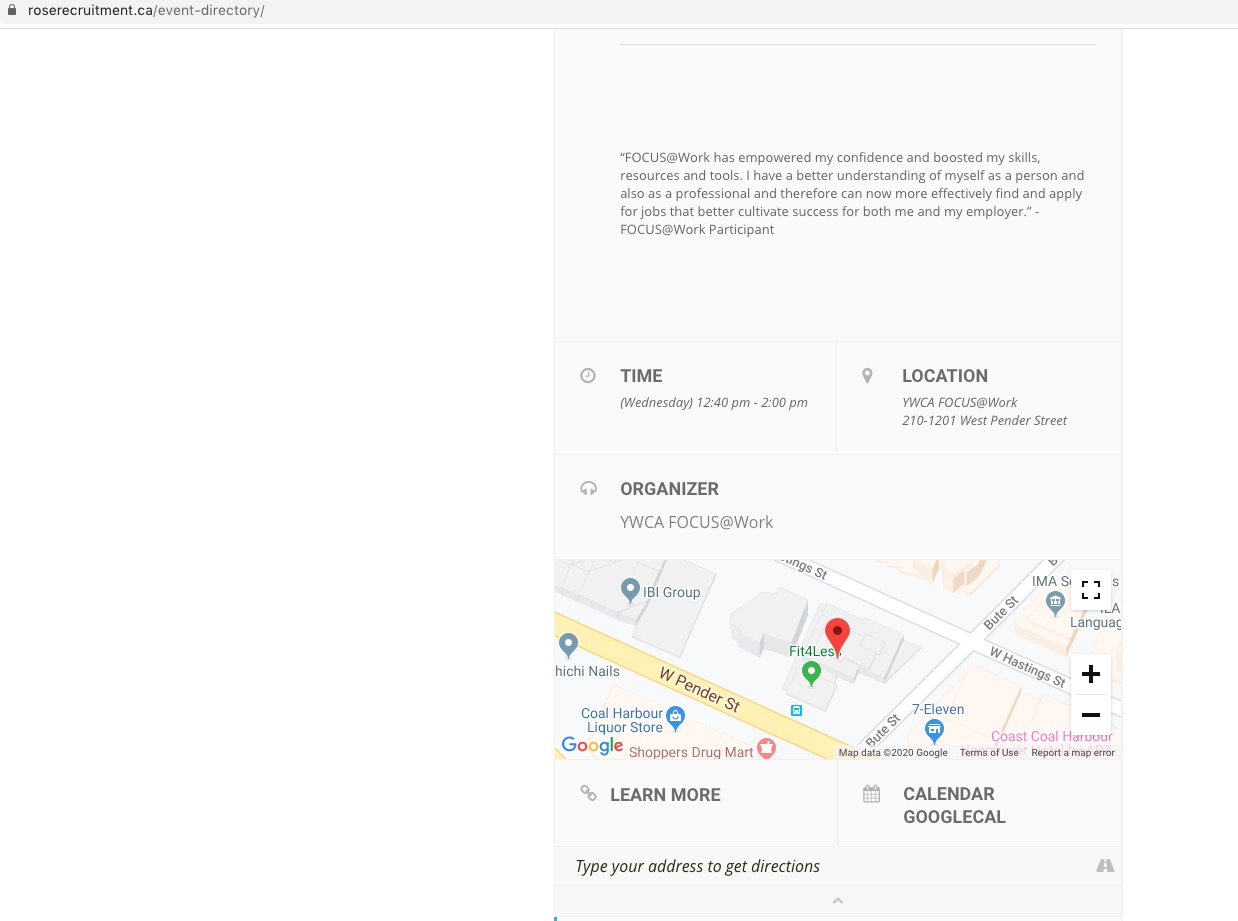
Could you send us a screenshot?
Unfortunately, EventON is not compatible with Eventbrite. Please contact the plugin developer to fix this issue. If you can export events in .csv or .ics files please check these add-ons:
https://www.myeventon.com/addons/ics-importer/
Reply to: tickets(160395)
Thank you for your great suggestion, at the moment it is not supported. However please create a new ticket and select Feature Request as category so others can vote on your idea and get it moved into development faster. OR You can send us a customization job request by creating a new ticket in here and selecting Customization Request as the category.
Reply to: tickets(160400)
We are glad your issue is resolved, if you have any further questions or concerns please create a new ticket. If you have a moment, we would greatly appreciate if you could kindly leave us a review at codecanyon! from your account > downloads. Cheers!
Reply to: tickets(160501)
Hello,
Please use this shortcode:
[add_eventon_list event_count=”5″ lang=”L2″ show_limit=”yes” show_limit_redir=”http://filmi-za-zivljenje.si/vsi-dogodki/” filter_type=”default” show_year=”yes” show_et_ft_img=”yes” number_of_months=”3″ hide_empty_months=”yes” ]
Now because you enabled EventON > Enable language corresponding events please go to Edit Event > select Language for Event: L2. Please check http://filmi-za-zivljenje.si/407-2/ and http://filmi-za-zivljenje.si/wp-admin/post.php?post=411&action=edit. More info: https://docs.myeventon.com/documentations/setup-language-corresponding-events/
Reply to: tickets(160500)
Hello,
Please use this shortcode:
[add_eventon_list number_of_months=”12″ hide_empty_months=”yes” tiles=”yes” tile_bg=”1″ tile_style=”1″ exp_so=”yes” event_count=”10″ show_limit=”yes” show_limit_ajax=”yes” ]