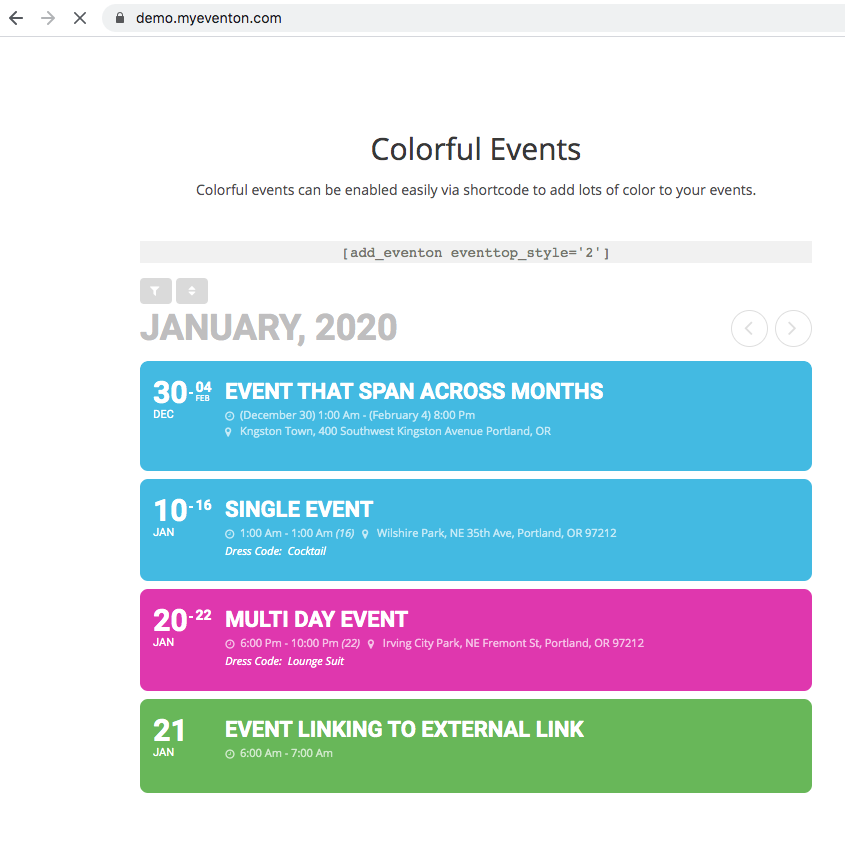
why not try eventtop colors like this?
I actually took the liberty to change it on your site hope you dont mind 🙂
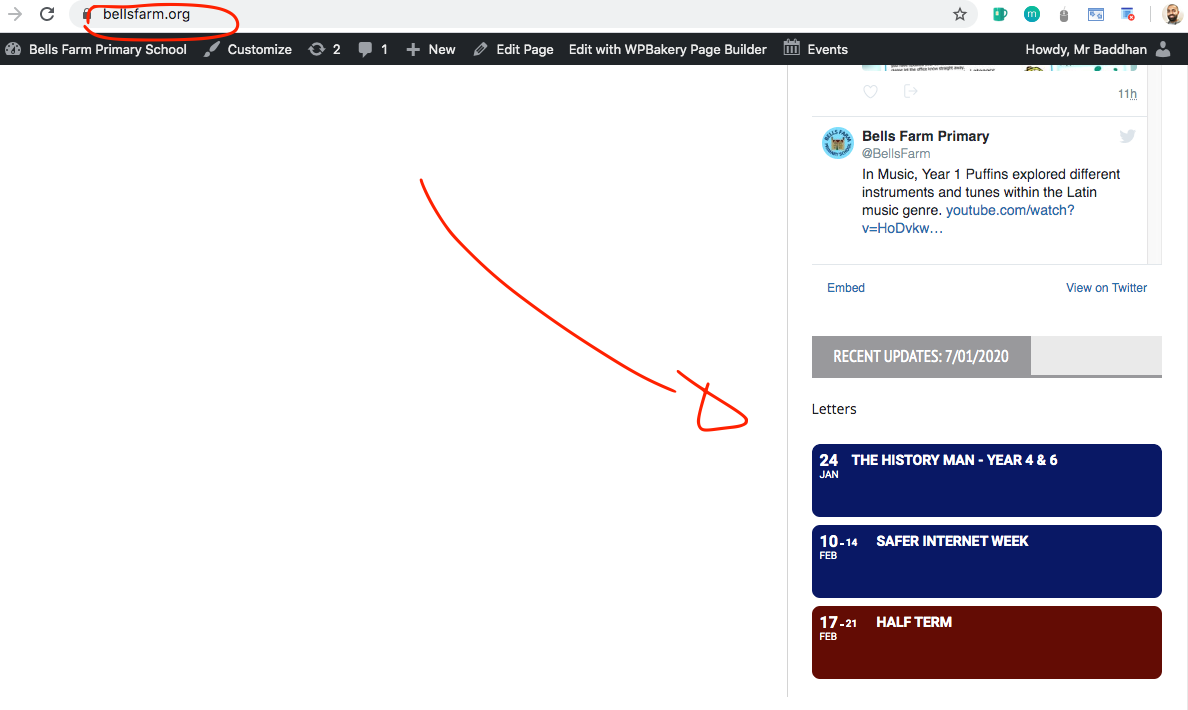
I believe this answers your issue?
Replies for tickets on suppota
why not try eventtop colors like this?
I actually took the liberty to change it on your site hope you dont mind 🙂
I believe this answers your issue?
No it is when people are visiting the website.. IT is not testing it is real customers trying to inquire… We get the email, but when we go to reply, it replies to the admin address of the website.. Not the visitors email address they entered into the form..
hi ther eplease update to weeklyview 1.1.1 http://docs.myeventon.com/documentations/changelog-weeklyview/ that should resolve compatibility issue.
OOOO I get it now. You were not very clear exactly where the date needed to be changed.
Ok so this is hardcoded and you can change the code in the location below to show full date range.
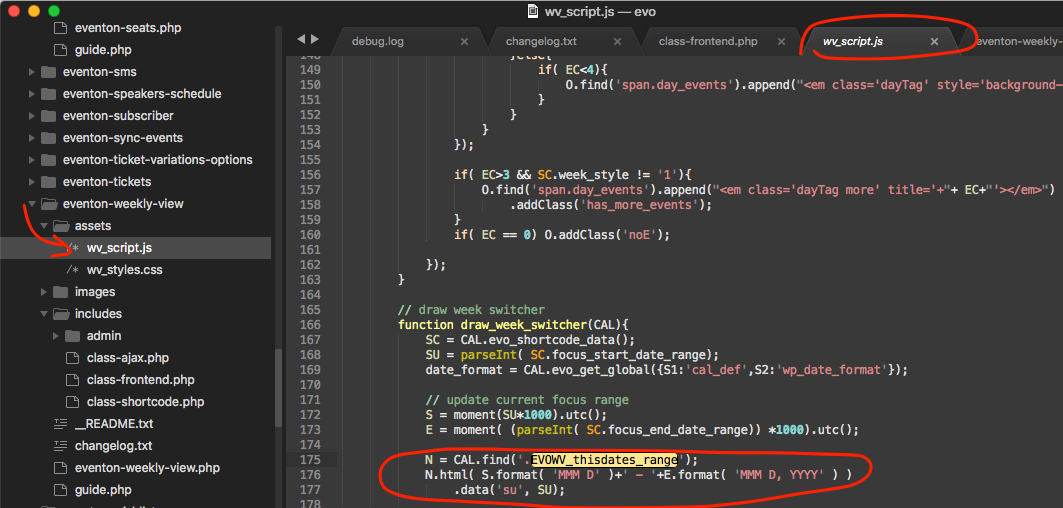
For the date format you need the line should look like this
N.html( S.format( ‘MMM D, YYYY’ )+’ – ‘+E.format( ‘MMM D, YYYY’ ) )
as for language make sure you set language value in calendar shortcode.
I believe that resolve all your issues?
Hey JP, long time ago we actually had the update checker run in all pages wp-admin and it took down our server because of the traffic we got. So that is why the update requests are limited to those pages. But once on that page, the new update information should be saved, so aywhere else inthe site it should show as there is a new update. Anyways we will be doing more updated to our auto update process in the coming months 🙂
If you have more questions, kindly send us a new ticket and we would be more than happy to help you resolve your issues!
Hello adam, ok so lets try this.
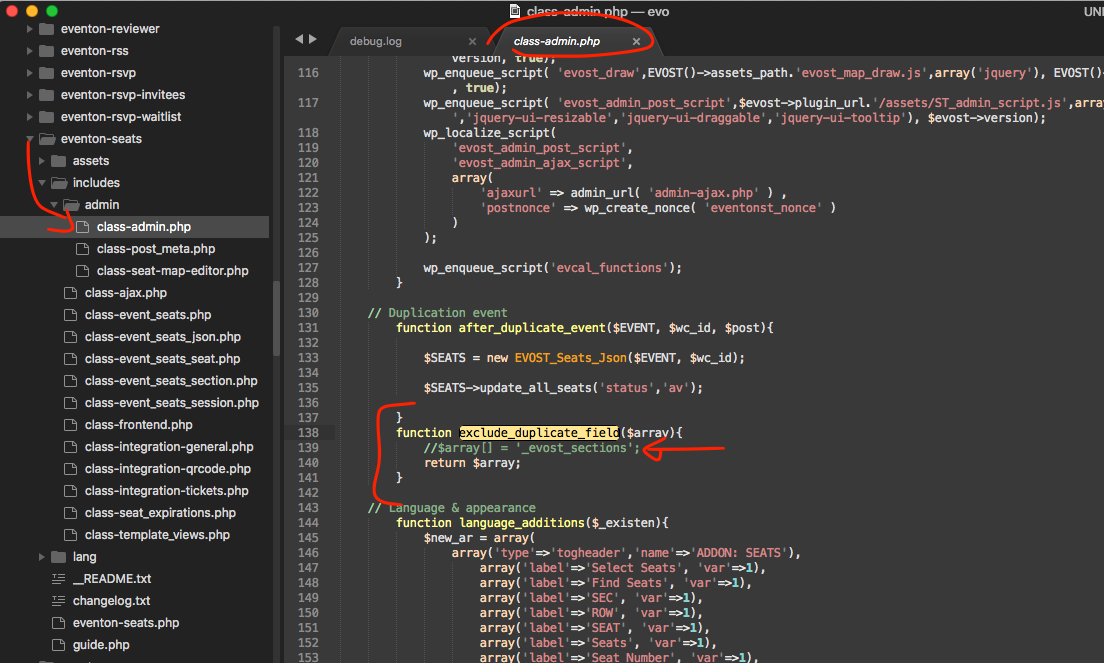
make sure in ur site the file in screenshot that line shown in arrow is commented out. That is the post meta value that holds the seats data array for the event. By commenting the field the seat map data get duplicated into the new event.
Alternatively you can copy the post meta value “_evost_sections” for the event with correct seat map and add that into duplicated event as a new post meta with same name and that will add all the seat data in new duplicated events — this will need to be done via database or php. Hopfully the above solution will work 🙂
Hi,
I’m very sorry to make you loosing your precious time. What I really need is study a bit about Shortcodes. I lost a couple of hours trying to understand what I did before until I discovered that was the shortcodes.
Thanks and Best Regards (sorry again)
Joao
“Hi,
Indeed, you’d the bad rules, you can try again with same acces.
Sorry for the mistake.
https://isratickets.com/wp-admin/
ID : visitor
password : isratickets@2020.com
Regards,”
Ashan: Are you able to find a solution to my issue this week? Thank you.
I just emailed you again. Thank you.
I already this before I contacted you and they said the same thing. So now you guys blame each other and I am in the middle of it.
They specifically said:
The EventOn plugin only pushes the update to the following pages, which is the reason why we are able to see the update on the wp-admin page and not in the IWP admin panel.
plugins.php
update-core.php
admin.php
admin-ajax.php
plugin-install.phpA simple solution would be that the plugin should register the update when someone visits the WordPress site as an admin user.
Note: InfiniteWP doesn’t visit the update-core.php page. It only sends a call to your site URL as an admin User to fetch the updates.
The fact that InfiniteWP does see updates from other premium plugins that come from CodeCanyon proves to me that the issue is not on their end but on your end.