Could you elaborate more? What Running Club 1 exactly is?
So i want a possibility for the people that can filter for example by location.
Can filter from where? Calendar?
Replies for tickets on suppota
Could you elaborate more? What Running Club 1 exactly is?
So i want a possibility for the people that can filter for example by location.
Can filter from where? Calendar?
Could you please try the instructions mentioned in this documentation to make sure your issue is indeed coming from eventon.
Hello,
Please check this:
calendar_url: URL to calendar page on this website to redirect when clicked on an event on the API Calendar. If a URL is not provided the clicks on events would redirect to single event pages. If you want the event clicks to redirect to single events page, leave calendar_url:”, as blank.
Please leave calendar_url as blank to fix this issue.
Hello,
The problem is in iThemes Sync. For some reason it doesn’t load EventON which leads to this error. Please try updating to EventON 2.8.5.
You can also try the instructions mentioned in this documentation.
Hi Artem,
Many thanks for your reply. I will do this tomorrow. Is that what is causing the button not to appear?
I have viewed source and it’s definitely not lurking about anywhere.
Thank you again
Stephen.
Hello,
Please update Action User to 2.1.17.
To update eventon addons: You can download latest eventon addons from myeventon > my account. Then you can go to your website, deactivate old addon and install new one and activate then delete the old addon. This link will further explain the process. Also you can follow us on twitter to get real-time announcements on updates!
The problem is in this style:
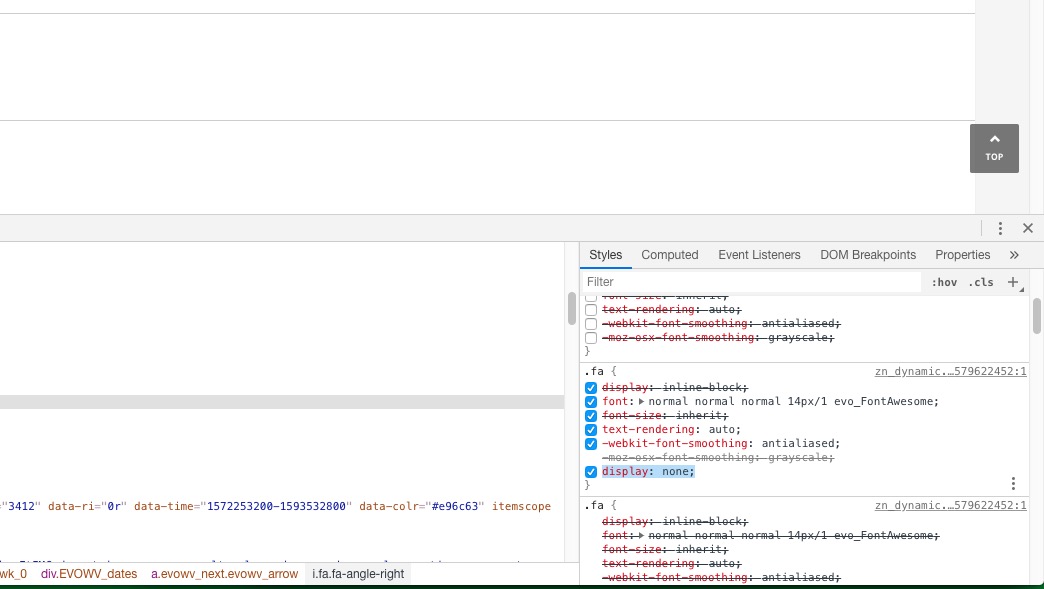
Please add this CSS code to EventON > Styles (If you can’t see any change, EventON > turn off Write styles to header > save settings > turn on Write styles to header):
.ajde_evcal_calendar .fa { font-family: evo_FontAwesome !important; display: inline-block; }
No issues on our test server: http://dev2.myeventon.com/20244-2/
It seems your website have javascript errors caused by other plugins/theme:
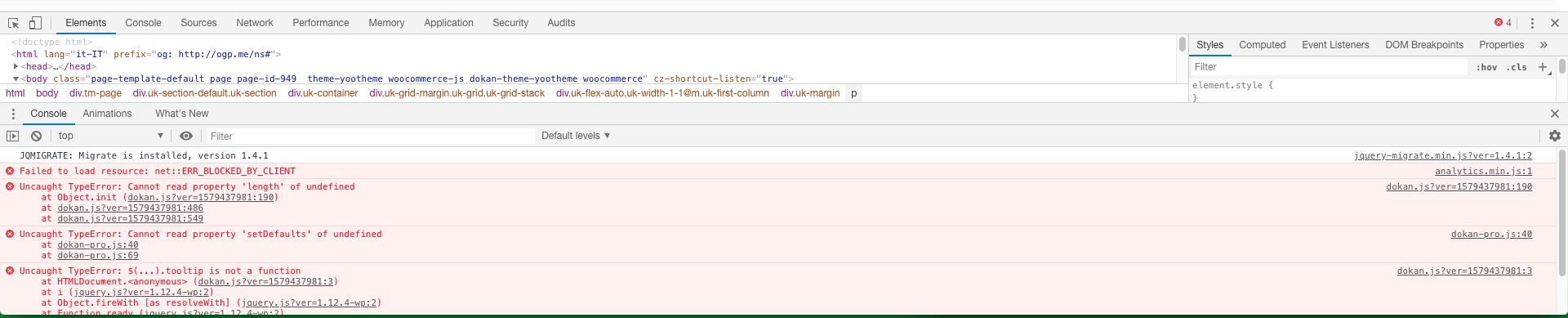
You can find and resolve them by following this guide. Once these javascript errors are fixed, eventon scripts will be able to run properly and will resolve your issue.
I don’t think the problem is in your installation. Please go to EventON > Google Maps API > check if Google Maps API key is present. Please also check if you created it correctly: https://elfsight.com/blog/2018/06/how-to-get-google-maps-api-key-guide/
Thank you for the assistance. That did resolve the problem. I assumed it might be a conflict associated with FontAwesome but hadn’t fully examined the issue.
I suspected the conflict after the official Font Awesome plugin sent me an incompatibility alert for the EventON plugin. Integrating with the official FontAwesome plugin might be worth considering if this is something other EventON users will experience when they incorporate FontAwesome 5. I’m happy to make that suggestion in the forum if it would be useful.