Okay, to add some more to this:
1. The slider is breaking the functionality of the calendar. When I have it enabled, and I click on an event in my calendar on the page, it pops the event pop-up. If I disable the slider and click on an event in the calendar, it goes to the external URL like it is supposed to. So I have disabled the slider on EVERY page except:
https://www.streamingvideoalliance.org/calendar-test/
2. the Year-view is still not displaying correctly. It just doesn’t resolve with styles. I have had WP Engine exclude the page https://www.streamingvideoalliance.org/calendar/ from the CDN and server cache. I added the year-view calenadar on it and it displays like the one on the /calendar-test/ page. So it’s just broken.
These are my two major issues right now. I need the slider to work and I need the year-view to resolve correctly.
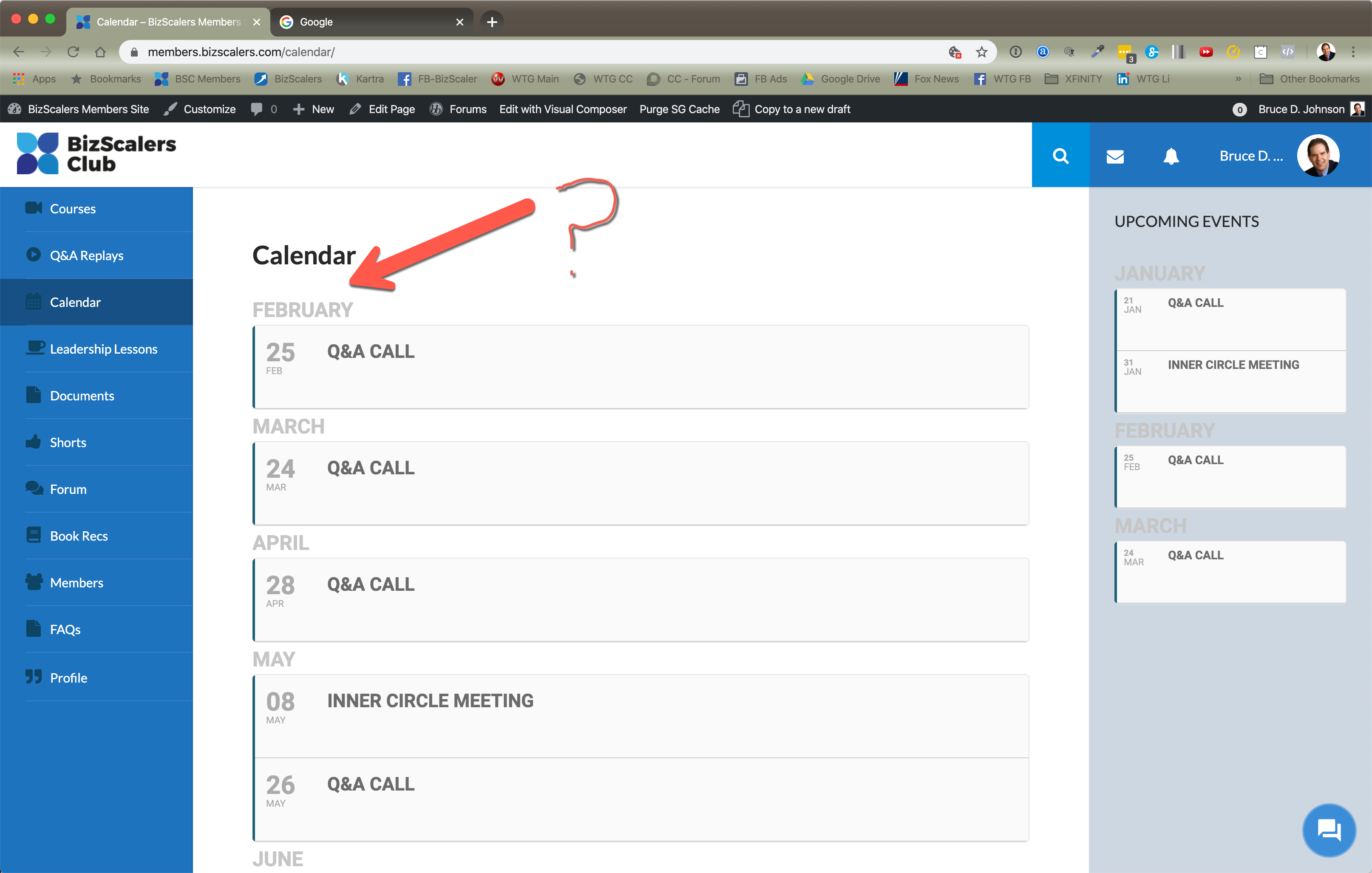
Just an FYI. I cleared my cache and had the same issue in Safari. So, I logged out and logged back in on Chrome and had the same issue. No January on the calendar main page section. See attached image.
Seriously? I have to pay to do something that seems like a fairly obvious request? Why would someone expect a calendar item added to a slider (where the default is to display the featured image) to have a hover effect where the image is completely covered and when the slider is set to “no interact?” I mean that alone, not having an interaction, would seem to be an obvious reason for not having ANY kind of hover behavior on the slider.
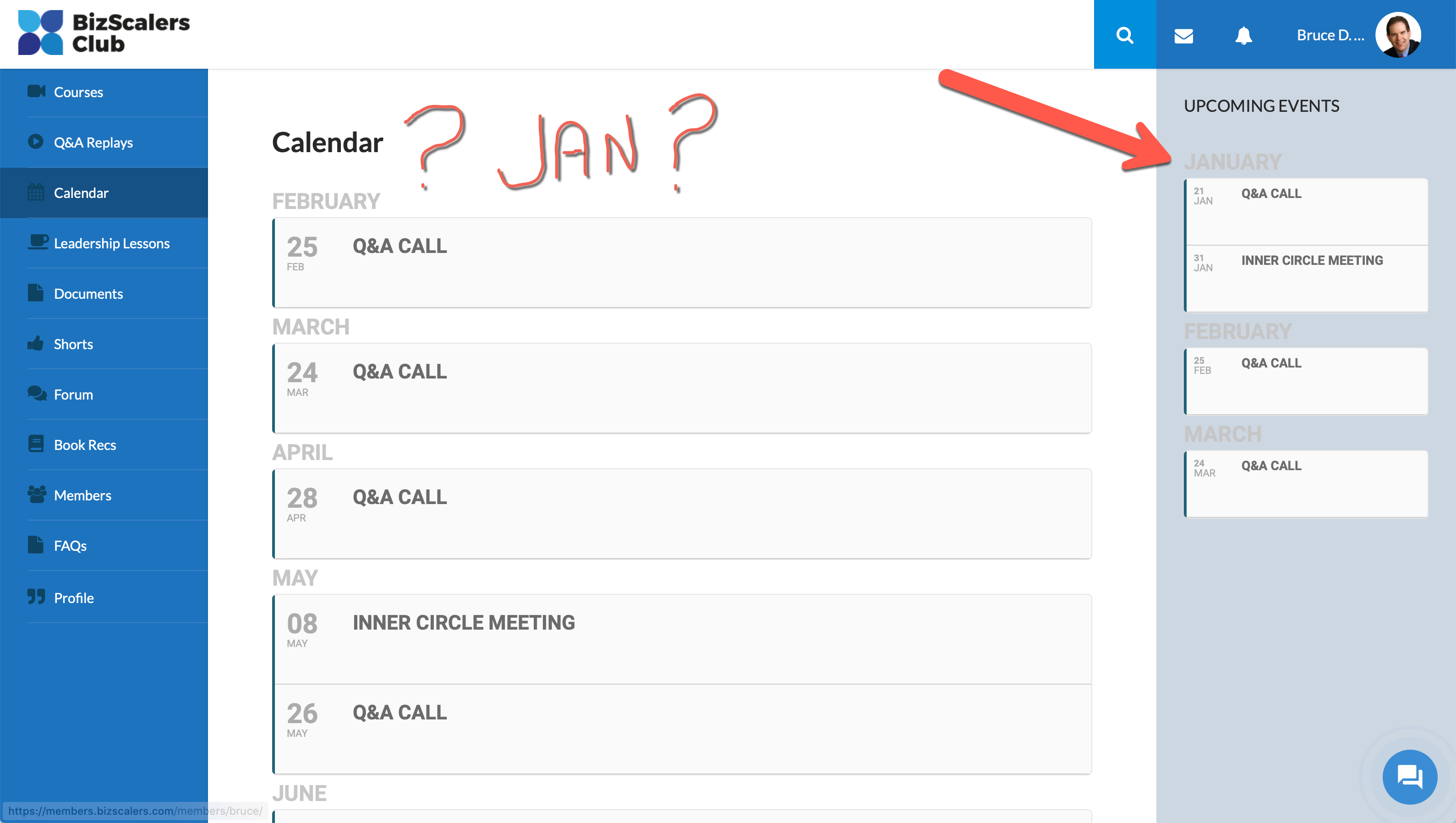
Thanks for checking. But I’m still not seeing it in the main section (only the right sidebar). But I need it to show in the main area. See attached image.
Oh shnap! I thought I only pasted the schema error from Search Console. Sorry about that.
The error is stating that the schema tag for description is missing. Is there a setting to pull this in to the sidebar widget (SCE) for Eventon I’m using?
Here’s the results from one of my pages showing the sidebar.
https://search.google.com/structured-data/testing-tool/u/0/#url=https%3A%2F%2Fwww.danvillesocial.com%2Fbusiness-spotlight%2Fdreamland-baby-with-tara-williams%2F
Yes this makes sense, how would you want it to work?
Hey Eran,
generally yes as we do fix all of those issues. And if it does not now it will be for sure on one of our upcoming versions as we are pushing releases almost once per week to fix all bugs that come up. If you are actively using the plugin, I would suggest to do keep a subscription active. It is the best for you.
Hey Mark,
You can send us a customization job request by creating a new ticket in here and selecting Customization Request as the category.
Hey Radael,
This is because of Elementor loading a different font library.
If you need this compatibility we would have to do a lot of work to make it happen., u can discuss this as a customisation
Hi, didn’t know this needed a customization request.
I was just asking for the CSS classes so I could do the customization on my own; do you think you can provide those? Or is this a big thing?