When you are logged-in as a Phoenix member the calendar takes your user role and shows you events that has Phoenix member assigned in Edit Event > Action User > Manage Assigned Users. You don’t need to specify the user role, calendar does that automatically.
Description of “Show only events from current loggedin user role”:
This will show events that have been assigned with current logged-in user role type
Please either go to EventON > enable Hide Calendars from front-end OR add this to the shortocode: event_past_future=”future”
Hello,
The latest version of Daily View is 1.0.11 https://www.myeventon.com/addons/daily-view/. Could you update?
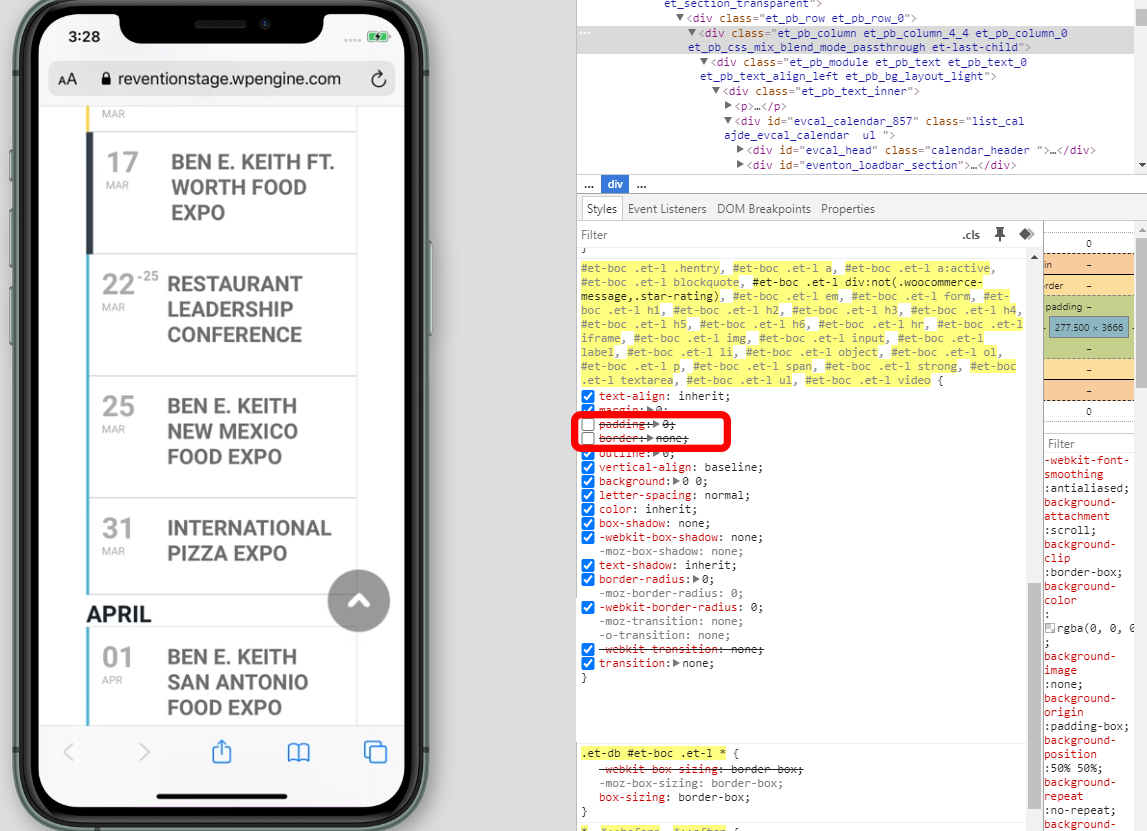
Please also note that this code #et-boc .et-l div:not(.woocommerce-message,.star-rating) (https://helpdesk.ashanjay.com/wp-content/uploads/2020/02/002-1.png) affects every div on the page which is not right in terms of theme design.
According to this message Feb 6,2020 AT 2:37PM – Posted 3 Days Ago – #162082 the problem is in your theme or a third-part plugin. Could you please try the instructions mentioned in this documentation to make sure.
Do you have the same issue on our test server: https://demo.myeventon.com/?
Hello,
… is the “sync” feature … the “map feature”.
Could you elaborate more? Do you want to exchange Sync add-on for Map add-on?