here are some pictures to show you what I mean
Archives: Replies
Replies for tickets on suppota
Reply to: tickets(379701)
Hi Ashan.
On the invoice sums problem:
You can download the invoice example from here: Rechnung-R-BWA-2024161.pdf
Reply to: tickets(382540)
It doesn’t seem to have done anything?
Reply to: tickets(381755)
I don’t think this is a solution because when I set the virtual event end time and test it still shows on both months before the hourly import has had a chance to reset anything. Also ICS import does not reset the virtual event time, I use it all the time to get rid of the date in brackets displaying when events go past midnight.
Reply to: tickets(382026)
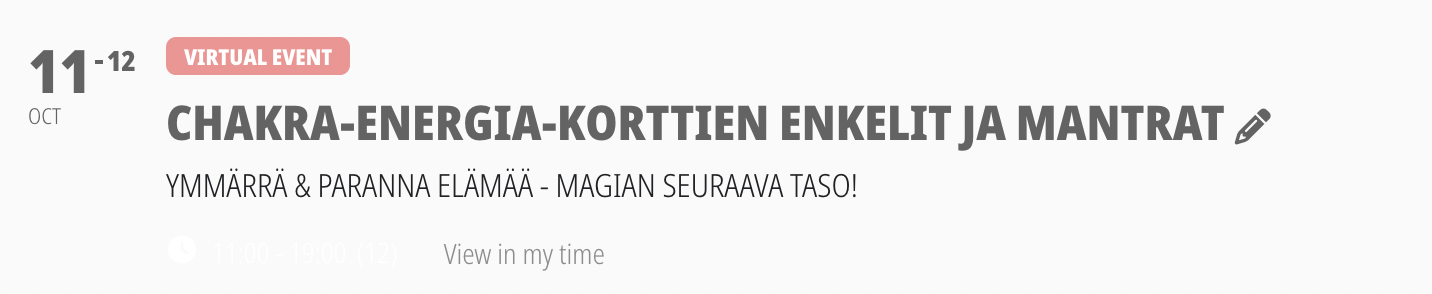
I am glad to hear, that you will add <h5>
However, I followed Artem’s advice
I did not add text with HTML-tags
The extensive code is produced by eventON
Please try and format the event above
It’s IMPOSSIBLE to get a clean and clear text, as it it supposed to be
and as it is in other events
in addition, event times are not showing (see screenshot)
Reply to: tickets(381527)
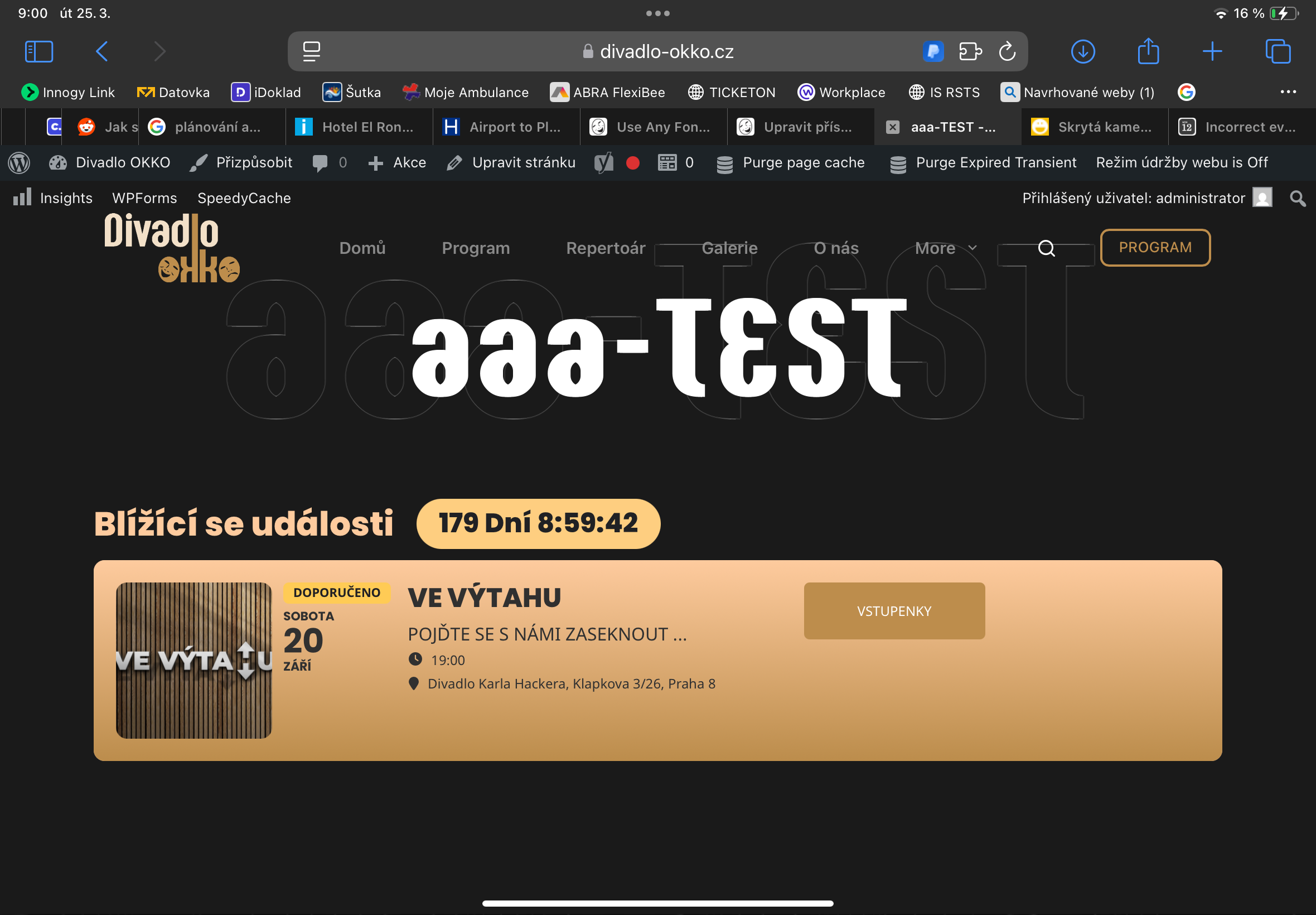
According to the attached attachment, you can see the time the picture was taken at 9:00 (:18) hours, according to the countdown, the time until the beginning is 8:59:42. When I add these times it comes out to me at 18:00, but the start is at 19:00, so one hour less.
Reply to: tickets(382671)
https://www.tsg-weinheim.de/wp-admin/
User: EventOn
Password: $2U3uQFNqdrt5e!pcfyZJf%4
Reply to: tickets(382671)

Yes, we use the EventOn translation extension to translate. The status comes from the translation. But what is this status? In the past, someone who put themselves on the waiting list was automatically set to the status ‘Waitinglist’. How can I prevent it from getting the check-in status? We only need the waiting list.
Reply to: tickets(382534)
Hello.
Ok, please make for time Class, then i display none it by CSS, it is not problem.
I am sending you simulation of issue:
https://www.uschovna.cz/zasilka/RXGS8RECNZ3KH983-2XY/
Thank you a lot, Best regards.
Lukas
Reply to: tickets(381352)
Could you please try the instructions mentioned in this documentation to make sure your issue is indeed coming from eventon.
as soon as you add number of months it stuffs up- having the shortcode without number of months it shows up right- its an odd error
the documentation above will let us know if a plugin is causing the error and then once we know that- we can then figure a solution