Thank you. I am still waiting on the latest version files of RSVP invitees to get going with going online with the feature for our members.
Archives: Replies
Replies for tickets on suppota
Reply to: tickets(382280)
Ok. When Ichange to
define( ‘WP_DEBUG’, false )
appear a file errog.log with this message:
[25-Mar-2025 13:27:59 UTC] PHP Fatal error: Allowed memory size of 536870912 bytes exhausted (tried to allocate 20480 bytes) in /home/portugf0/public_html/wp-includes/meta.php on line 1195
After I put again true, no error.
Can you help?
Reply to: tickets(382804)
Hello,
What that means is that please go to Cart and Checkout pages and make sure that they use WooCommerce’s default shortcodes:
https://woocommerce.com/document/woocommerce-shortcodes/#doc-title
[woocommerce_cart]
[woocommerce_checkout]
Reply to: tickets(351032)
Hello,
We are sorry for the delay.
I cannot access your website, because of
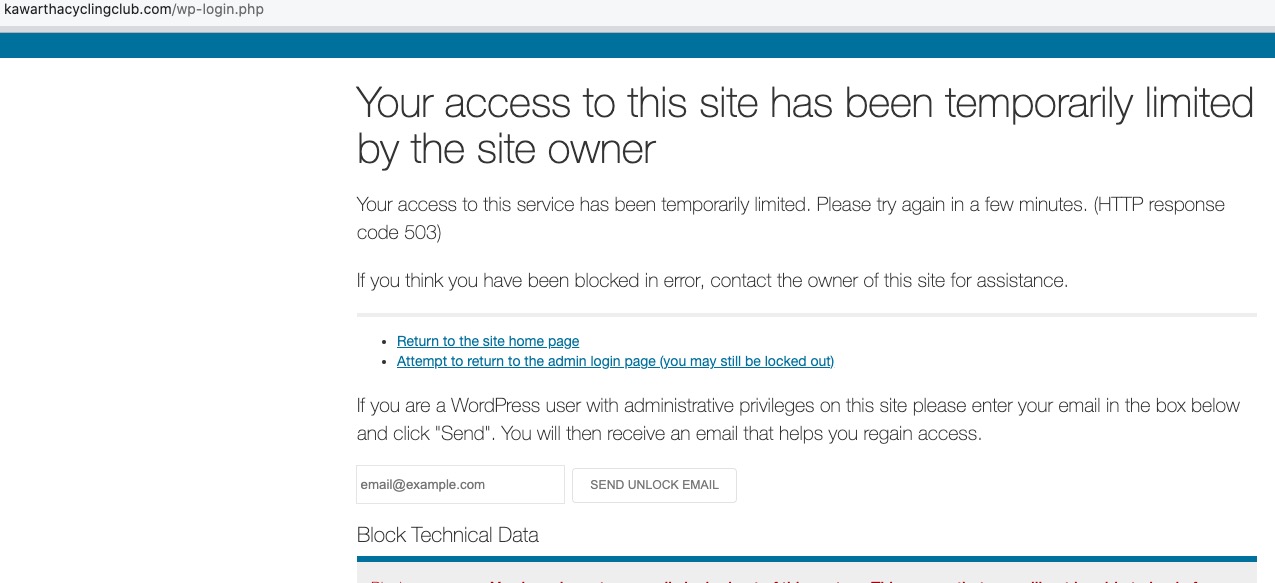
Could you check?
Reply to: tickets(374429)
I also can see the error, but the page is loading for me: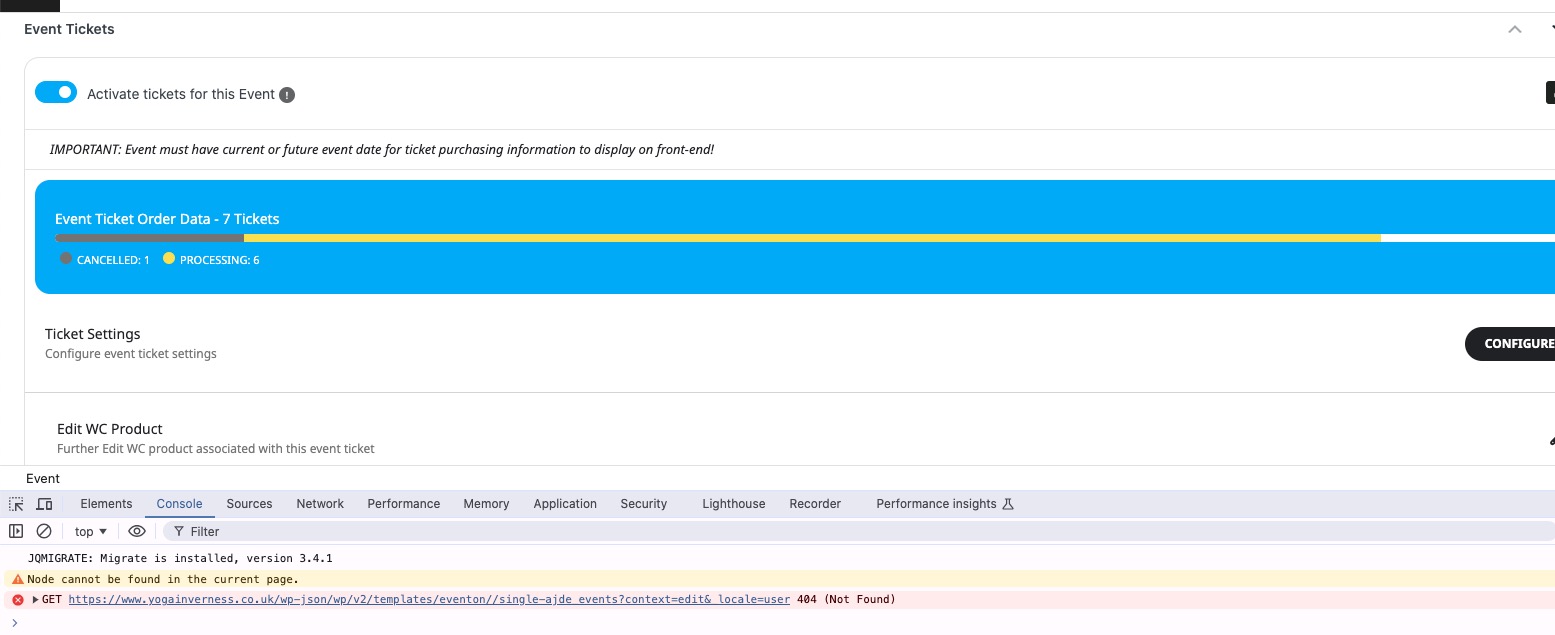
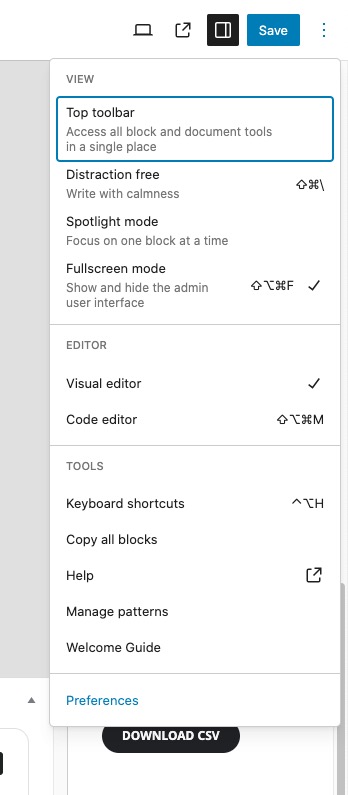
Could you go to Preferences:
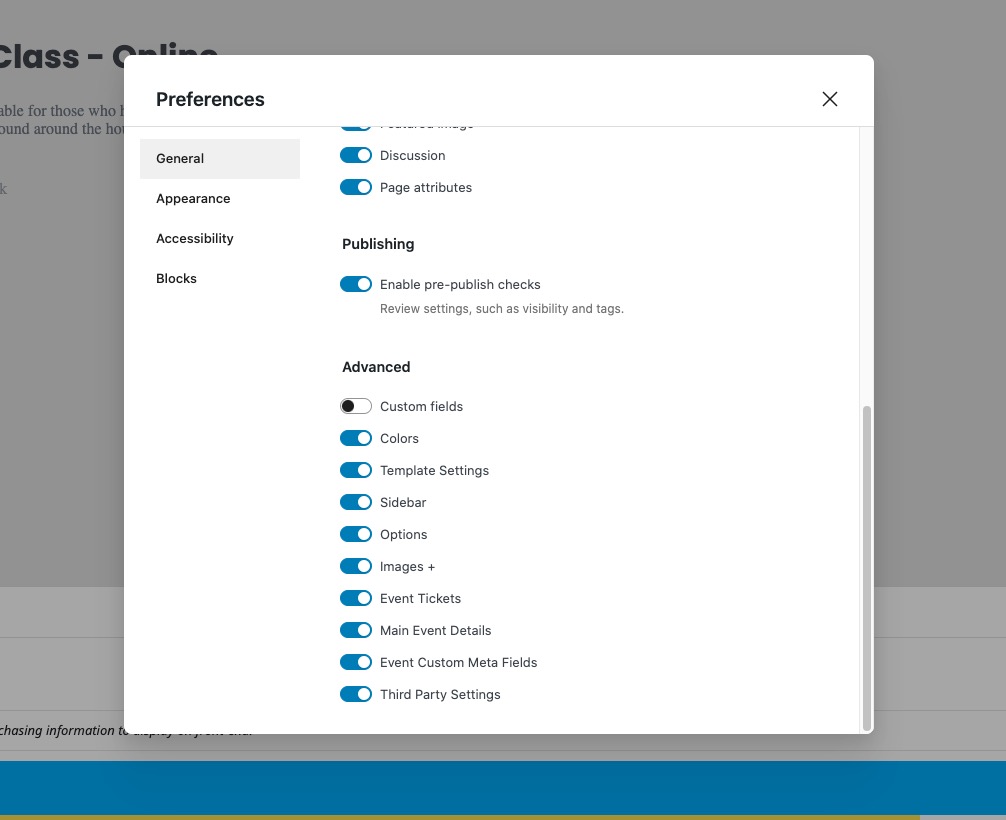
Make sure that all of these are enabled:
Reply to: tickets(381131)
There are warnings in wp-admin because WP_DEBUG is enabled. Please follow this guide to hide them from the front-end and write them to debug.log file instead:
https://docs.myeventon.com/documentations/how-to-debug-for-php-code-errors/
Also please update EventON and other add-ons on clone site, so we can check debug.log for any errors.
Reply to: tickets(382671)
Could you update EventON and all of add-ons?
Which plugin exactly are you using to translate EventON’s back-end? I need to check the translation.
Reply to: tickets(382026)
There are inline styling that directly affects the text: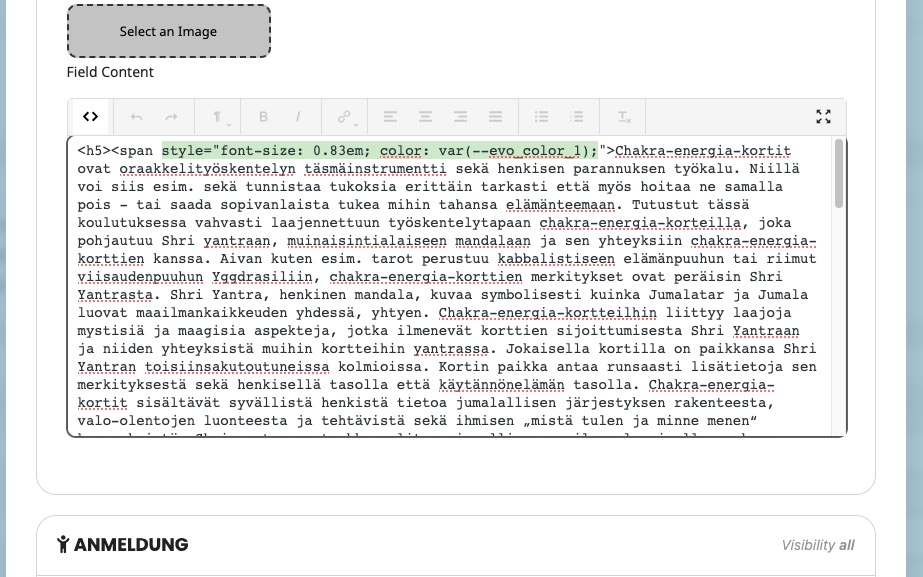
Please select the whole text and then click on “Remove format”:
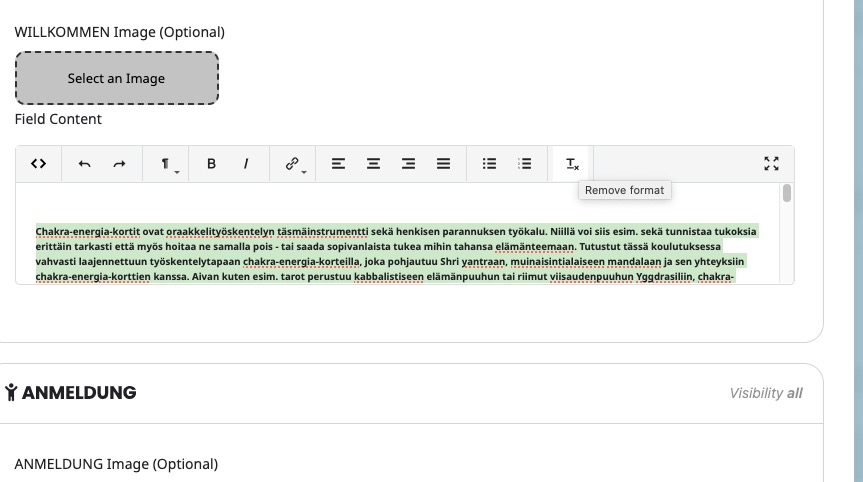
Save everything and see if there is any difference. Now you can edit the text so any inline styling doesn’t affect your own changes.
in addition, event times are not showing (see screenshot)
Please add this CSS code to EventON > Styles (If you don’t see any change, EventON > Scripts & Styling > turn off Write dynamic styles to header > save settings > turn on Write dynamic styles to header):
.eventon_events_list .eventon_list_event .evcal_desc .evcal_time { color: #636363; }
Reply to: tickets(382540)
Since you use EventON > EventTop > Select Default Calendar EventTop Style: Colorful with gap between events, please go to Edit Event > Event Color and change it to affect these two:
https://helpdeskx.s3.amazonaws.com/wp-content/uploads/2025/03/24065048/colours.jpg
Reply to: tickets(382790)
Hello,
4.9.1 has an issue when switching timezones EventON doesn’t save it.
Could you try apply this patch from Ashan:
Thank you for letting us know. Event though it shows as london the value is saved in settings. Just the correct saved value is not showing. We will correct this in the next version update. In the mean time here is the patch fix to resolve this issue.
code:
https://dev2.myeventon.com/codeshare/Wv1YD1jvnKMN/
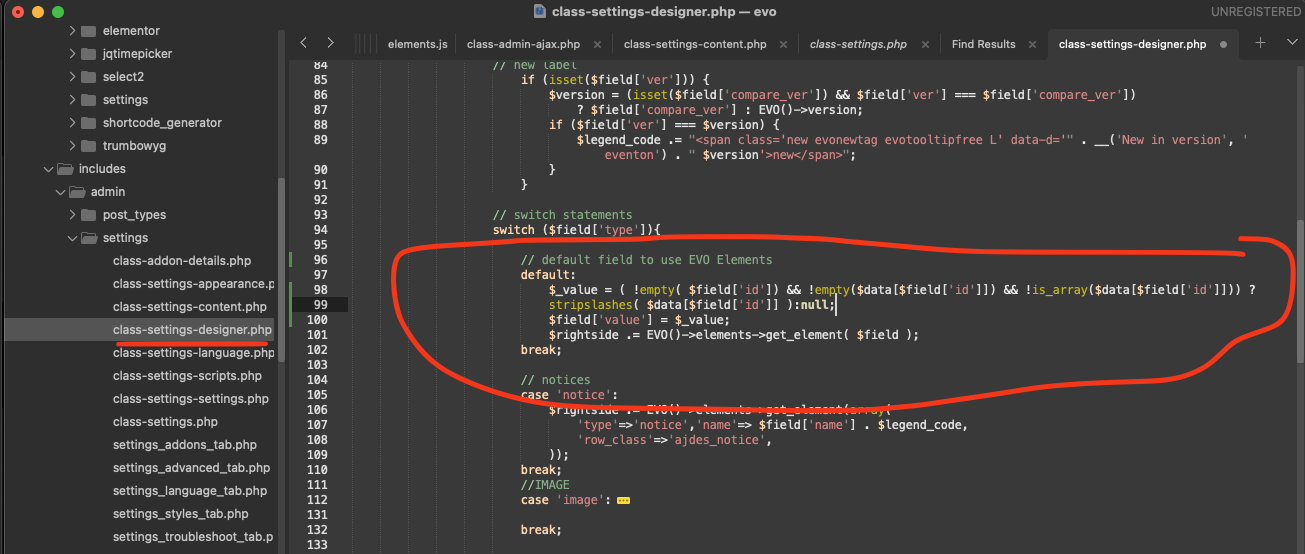
After applying it, please let us know.