Ashan,
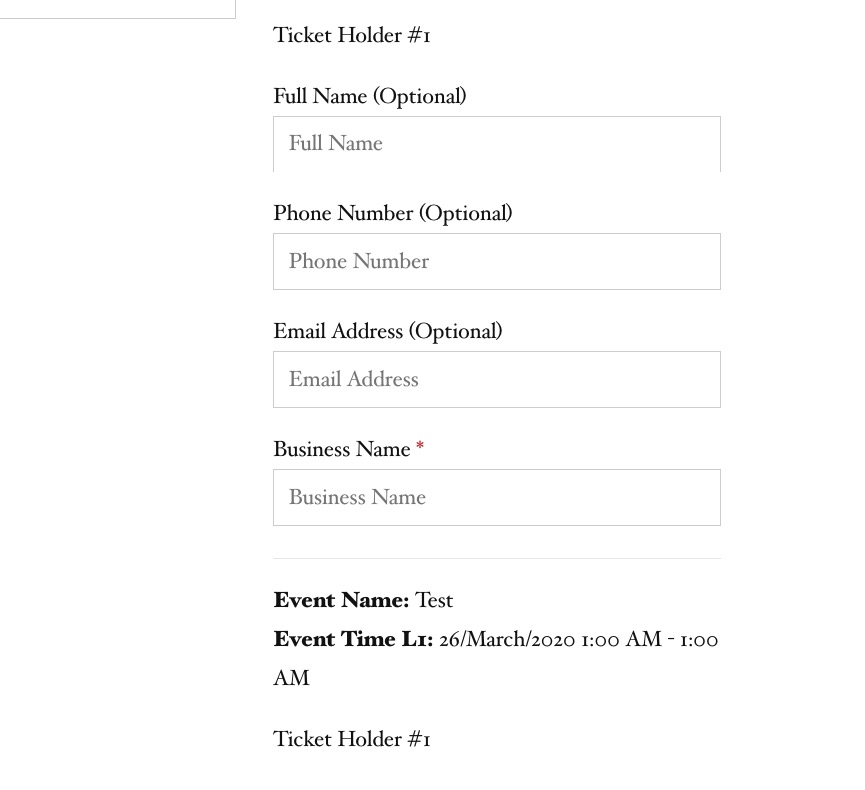
We chose two tickets, it is assumed that the name of the owner can be specified for each ticket, strange, the ticket number is the same everywhere – 1
On dev2:
Replies for tickets on suppota
Ashan,
We chose two tickets, it is assumed that the name of the owner can be specified for each ticket, strange, the ticket number is the same everywhere – 1
On dev2:
Ashan,
In the admin panel, I set the element colors – but the colors are not saved when you click the save changes button.
…
And here is the same:
The same on dev2: http://dev2.myeventon.com/wp-admin/post.php?post=20456&action=edit
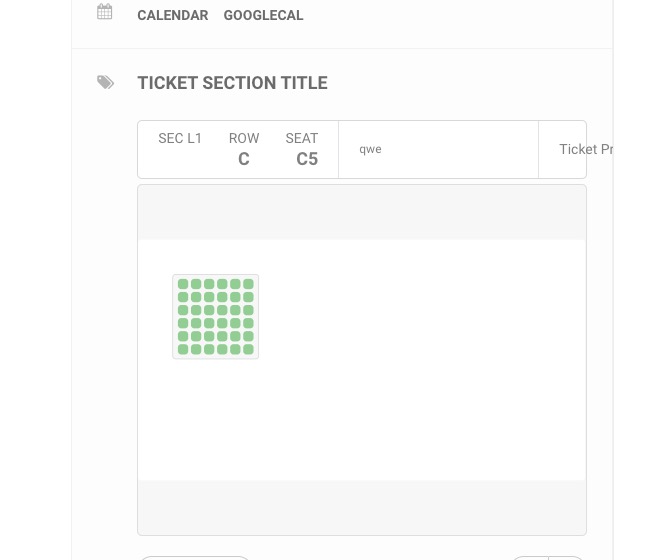
The format of the hall is possible only in landscape orientation, please add a portrait
Can you add one or do I need to ask the customer for a customization request?
When turned on, this is what happens:
On dev2:
Could you send us FTP access? I would like to try a couple of customizations to remove Archive from /scholarships/ page title.
I have uploaded new files. Please check
Hello Guys,
Just checking in to see if its possible to review the above items? To confirm the issues we’ve spotted are as follows;
Also as a side note, i’ve gone in and applied a lot of custom CSS to style the page. Please leave this as is.
You can try contacting Facebook about this. Maybe their support team can help.
Please use a different editing software: https://helpdesk.ashanjay.com/wp-content/uploads/2020/02/Eventon_events_09-02-20_TEST-1.csv
Imported event on our test server: http://dev2.myeventon.com/events/algemene-ledenvergadering/
Ok, thanks. Can you possibly please help me with a couple more questions…
1.When I ‘buy’ a ticket, it isn’t coming off the ticket stock numbers and isn’t showing me as guest. Is it because I’m using the test payment gateway and not the live one?
This is the event I’m ‘buying’ tickets for: https://www.nbwn.co.uk/events/februarys-lunch-at-bills-restaurant/
2.Previously, I managed to create a ‘Menu Options’ field in the checkout but it was showing as ‘business’ on the order summary. I want to change it to read ‘Menu Choice’.
This is the code I’m using in my theme’s functions.php:
add_action( ‘after_switch_theme’, ‘catcheverest_setup_options’, 100 );
add_filter(‘evotx_checkout_additional_fields_settings’,’evotx_2′,10,1);
function evotx_2($fields){
$fields[‘business’] = __(‘Menu Choice)’,’evotx’);
// you can add other fields like this similarly
return $fields;
}
add_filter(‘evotx_additional_ticket_info_fields’, ‘evotx_1’, 10,1);
function evotx_1($fields){
// additonal field code block
$fields[‘business’] = array(
‘type’=>’text’,
‘label’=> evo_lang(‘Menu Choice if applicable’),
‘required’=> false,
);
// you can use same code block for more fields
return $fields;
}
add_filter(‘evotx_get_attendees_for_event’, ‘evotx_3’,10, 3);
function evotx_3($arr, $event_id, $_th){
if(!isset($_th[”])) return $arr;
$arr[‘oD’][‘business’] = $_th[‘business’];
// the above 2 lines can be used for all other new fields
return $arr;
}
I changed where it says ‘business’ but the field stopped working properly and even now I’ve restored it, it’s not showing the menu choices on the emails etc like it was previously.
3.Also – I added your css from above but it didn’t hide the ‘optional’ wording…
Your theme provide design for Cart. Please contact them about this issue.
Hello,
Please try adding this style to Appearance > Customize > Additional CSS:
span.ev_ftImg { width: 200px !important; height:200 !important; }