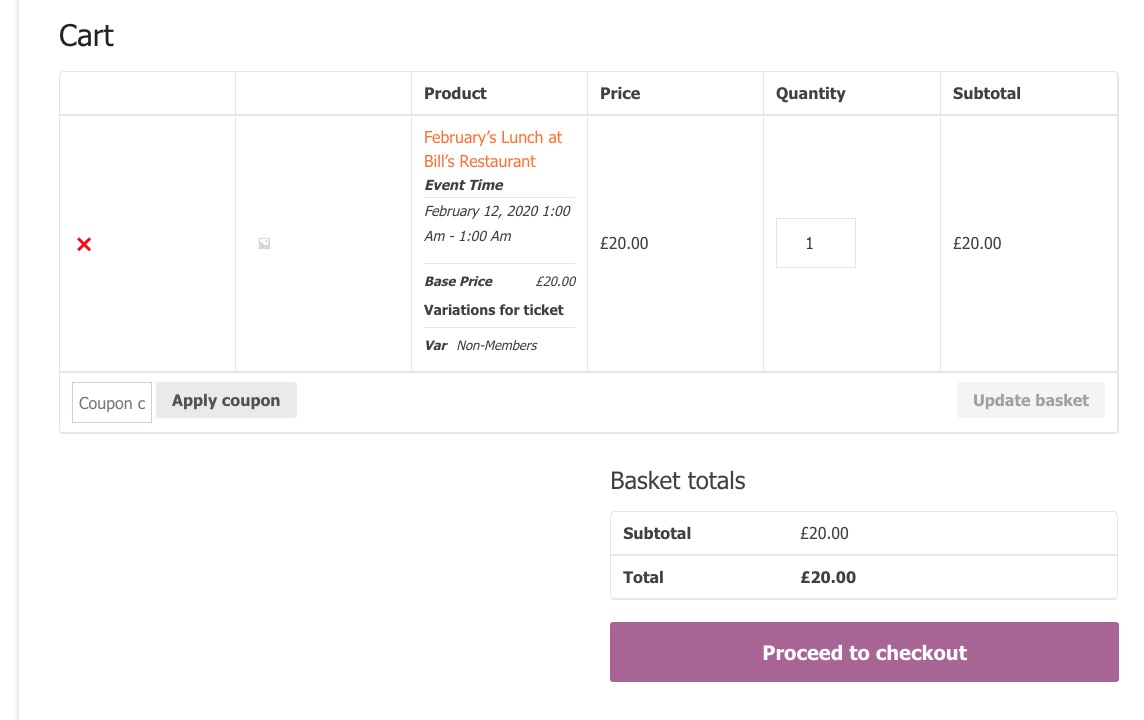
in the cart looks confusing…
Could you send me a screenshot? From my side:
i.e. two ticket price variations and then for each ticket the guest can choose a menu option.
Could you elaborate more? Like this:
https://www.nbwn.co.uk/events/februarys-lunch-at-bills-restaurant-2/

A quick update. It seems to be some sort of conflict with Cloudflare settings.
I had SSL/TLS encryption set to full, moved it to Flexible and it started working. Then moved it back to full and it appears to be working now. Not sure why that would cause an issue with only your plugin though.
Any thoughts?
Hi Basilis –
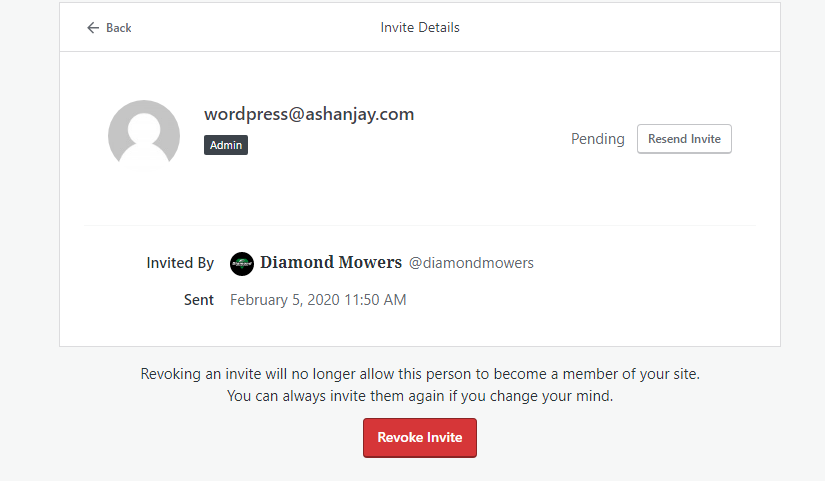
See screenshot. The only way to invite a User on WordPress (that we are aware of) is to do it via email. However, it has to be an email you can access – as YOU will need to create your own Password, to login.
Is there another email you can use?
FYI – we did send an invite to the wordpress@ashanjay.com
Thanks and hear back.
Ben
Also calendar is not showing on events page
The only custom work I did was change wording for better English.
Because of the delayed response, I managed to get it to work by modifying the custom-functions.php file:
- commented out lines 22-23 and lines 505-507
- uncommented line 511
i will let you know tomorrow.
Are you referring to how the calendar changes from month to month? Because what we have done is we have removed the animation bar ( orange/grey) between the month name and the calendar when it is about to change
Hi Basilis,
Haven’t heard anything from Ashish or seen any other comments on the job that wasn’t accepted. Not sure what I should do at this point.
Gab
Please let me know if I can get a refund for the booking script and I will just purchase the RSVP add on instead.
Thank you, if you can exchange it that would also work for me.
Just bumping this ticket up, please can someone take a look?
It’s six days since I asked the question.
NW