i changed quotes and it doesnt make a difference
Archives: Replies
Replies for tickets on suppota
Reply to: tickets(161558)
Yes, it works well ‘in the main’ 9though does there have to be ‘base ticket cost’ – can’t I just set it up with the two variations (£17 and £20) – having a base cost of £0 in the cart looks confusing…
BUT I also need to be able to offer menu option choices as well – i.e. two ticket price variations and then for each ticket the guest can choose a menu option.
How can I do this so it’s foolproof and slick please?
Reply to: tickets(156326)
Hello prem couture,
Could you create a separate ticket with login info so we can check this?
Please also note that you don’t need to use month_incre=”-12″ in Event Lists: Ext shortcode since it has Select Event List Type option:
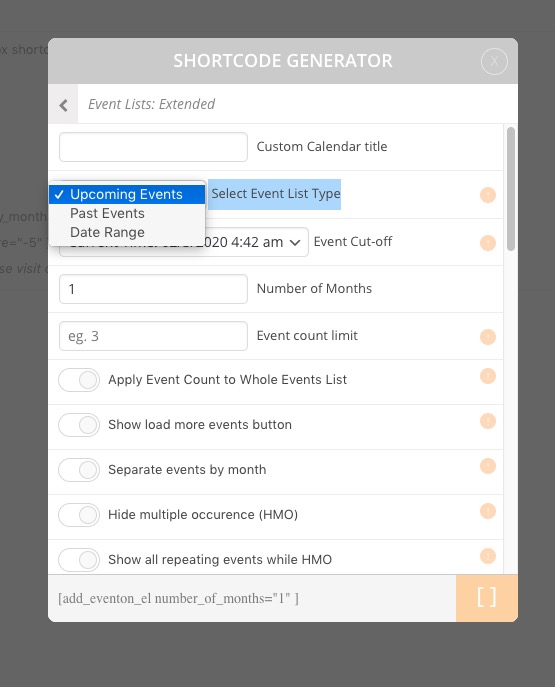
Please also check maybe the problem is in quotes: hide_mult_occur=’yes’ show_repeats=’yes’. Could you replace ’ with “?
Reply to: tickets(161665)
We are glad your issue is resolved, if you have any further questions or concerns please create a new ticket.
If you have a moment, we would greatly appreciate if you could kindly leave us a review at codecanyon! from your account > downloads. Cheers!
Reply to: tickets(161241)
Could you elaborate more? What kind of “calendar” are you talking about? FullCal: http://addons.myeventon.com/full-cal/?
Reply to: tickets(161571)
We are glad your issue is resolved, if you have any further questions or concerns please create a new ticket. If you have a moment, we would greatly appreciate if you could kindly leave us a review at codecanyon! from your account > downloads. Cheers!
Reply to: tickets(161657)
Hello,
Please check https://docs.myeventon.com/documentations/hook-eventtop/
You can also send us a customization job request by creating a new ticket in here and selecting Customization Request as the category.
Reply to: tickets(161572)
You need to select Create variations from all attributes and then Go:
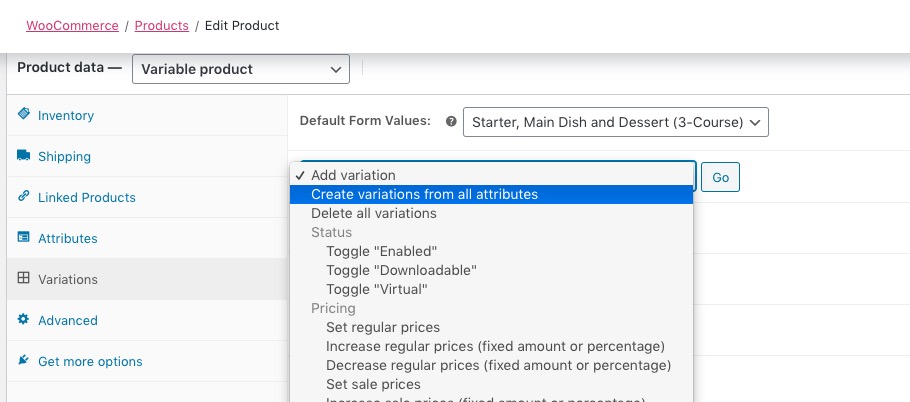
This creates a variation for each price:
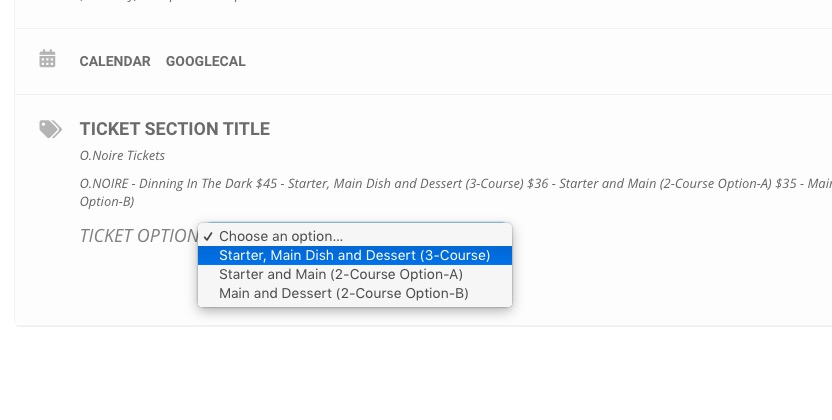
Please note that you also can follow this guide: https://docs.myeventon.com/documentations/how-to-setup-and-get-started/. This creates variations using our own Variations & Options add-on, you’ve already purchased and installed, with no need to go to Edit Product. Please check and let me know if you have questions.
Reply to: tickets(161558)
Not really sure why it doesn’t work, but I re-created your event https://www.nbwn.co.uk/events/februarys-lunch-at-bills-restaurant-2/ and it seems to be working correctly. Could you please check the data is correct and let me know?
Reply to: tickets(161135)
Do you have the same issue in Chrome or Firefox? Could you please try the instructions mentioned in this documentation?