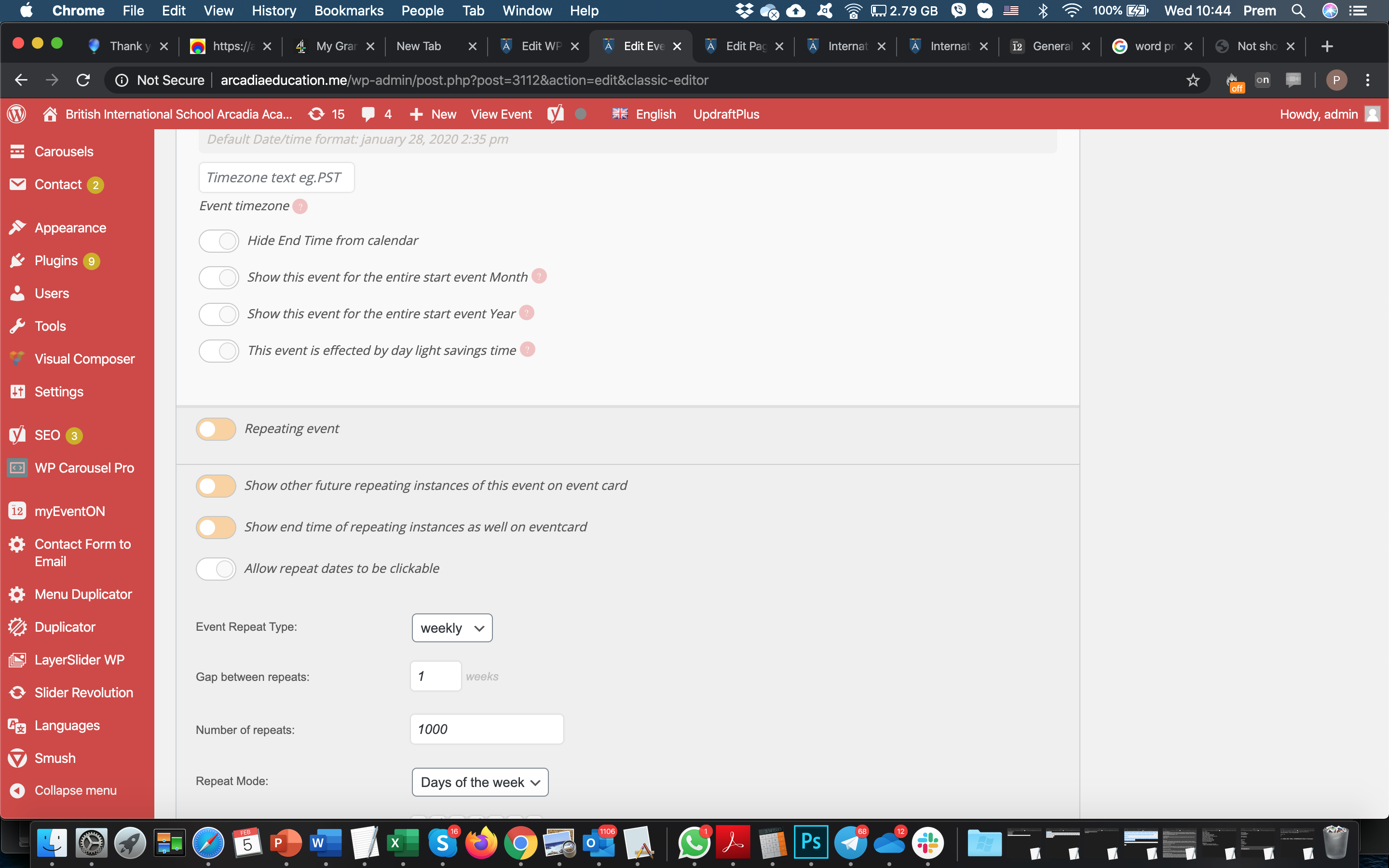
events set as repeating arent not showing
here is the code i use on the page
[add_eventon_el number_of_months=”6″ event_count=”6″ tiles=”yes” month_incre=”-12″ number_of_months=”24″ hide_mult_occur=’yes’ show_repeats=’yes’ tile_bg=”1″ tile_style=”1″ tile_count=”5″ tile_height=”300″ etc_override=”yes” hide_past=”no” ux_val=”4″ hide_month_headers=”yes” show_year=”yes” hide_end_time=”no”]
and for the event here is the screenshot to view the event settings that is repeated
Unfortunately, we aren’t able to help with customizations. Please send us a customization job request.
Morning,
The theme folder is BA501 – as soon as i install upload that file into the root of the BA501 folder as soon as i go to an event i get a critical error with that file in place.
I have updated the Eventon Plugin and tested again but same issue occurs.
Can you check please? I’ve removed the file just now.
I want to pay the fee, please give me some price
are you saying it will cost $150 US dollars to make this work?
I see now there is an option to auto re-stock the tickets on failed payments.
…everything works now, that was the problem.
You have no idea how lame I feel right now, especially since I went through that page to get to user level permissions to check to see if there was a problem there about a dozen times.
Thanks.
Steven,
I have installed a custom plugin. There is another folder that needs to be installed inside the theme folder. But I could not find the theme you are using with ftp.
Please download zip file from link below, unzip it, and then install it inside your theme folder.
Also, you are using very old version of eventon plugin. Please update it and check everything.
http://momothemes.com/eventons.zip
Hello,
If you are unable to update automatically, please do it manually.
To update eventon to latest version: You can go to codecanyon your account > download and get the latest eventon version as zip file. Then you can go to your website, deactivate old eventon, activate (Do not delete eventon settings & data when EventON is uninstalled) from eventon settings, delete old eventon, install new one and activate. This link will further explain the process it. Also you can follow us on twitter to get real-time announcements on updates!