Unfortunately, ux_val is not available for Yearly View add-on now. However please create a new ticket and select Feature Request as category so others can vote to get it moved into development faster. OR You can send us a customization job request by creating a new ticket in here and selecting Customization Request as the category.
You can also go to Edit Event > User Interaction for event click > select Open Event Page.
Ashish has accepted the job for 150
We are glad your issue is resolved, if you have any further questions or concerns please create a new ticket. If you have a moment, we would greatly appreciate if you could kindly leave us a review at codecanyon! from your account > downloads. Cheers!
We are glad your issue is resolved, if you have any further questions or concerns please create a new ticket.
Hi, here is the issue: the plug-in uses it’s on sidebar. This seems to block rendering of the page. We spoke with the The7 theme developer and did the following to test ist:
1. setting up a child them
2. include this code in the functions.php.
| add_action( ‘get_header’, ‘dt_event_sidebar’, 10 ); |
|
|
|
function dt_event_sidebar() { |
|
|
|
$config = Presscore_Config::get_instance(); |
|
|
|
if( is_singular( ‘ajde_events’ ) ) { |
|
$config->set( ‘sidebar_position’, ‘disabled’ ); |
|
} |
|
} |
3. result: page is showing results.
My suggestions: please add a capability in your next version to prevent this issue. Either by using a standard side bar or including the options in for the theme.
Thanks
Tom
Thanks for your reply! On the page I sent you the text ” berufsbegleitende Fortbildung” links to https://www.bundesakademie-trossingen.de/weiterbildungen/aktuelle-fachuebergreifende-aspekte/details/gordons-music-learning-theory-vom-hoeren-zum-verstehen-berufsbegleitende-fortbildung.html
But the link appearance is so hard to distinguish from the usual text appearance that it´s not really recognizeable as a link.
Hello,
I need an urgent solution please.
Thanks for your understanding.
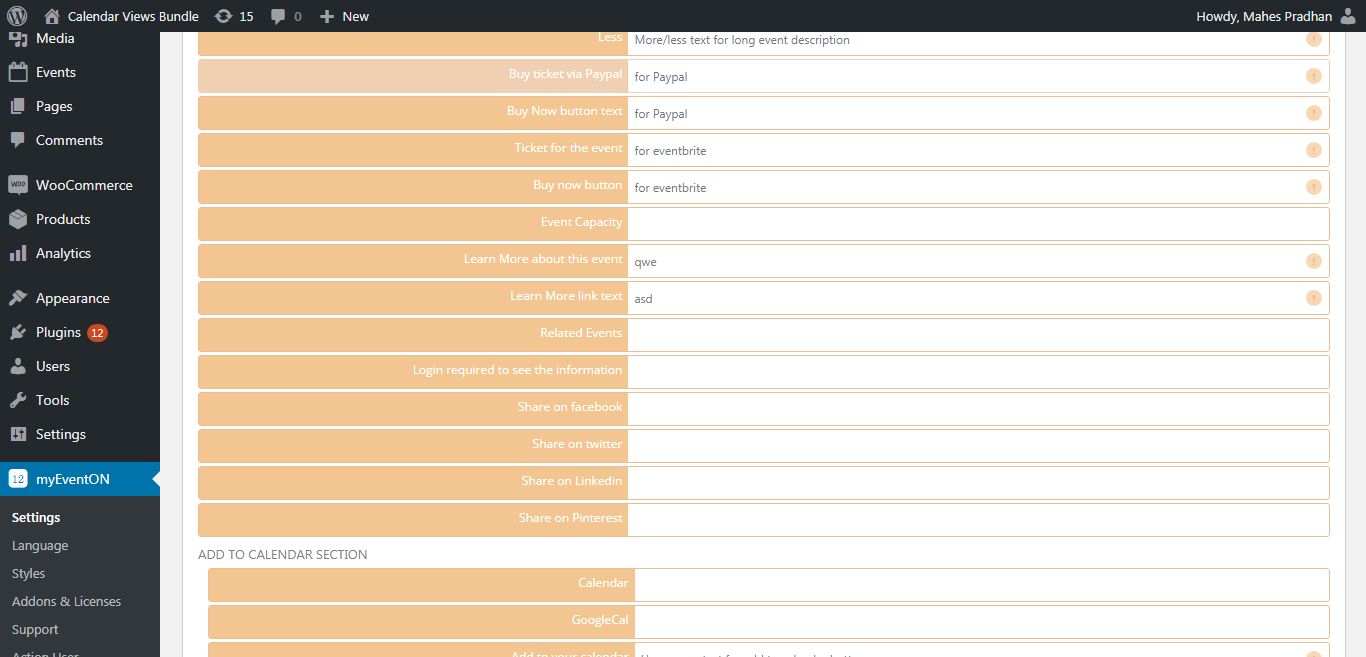
Please go to myeventon > language > event card and add your text in the field next to Learn More.
Hello,
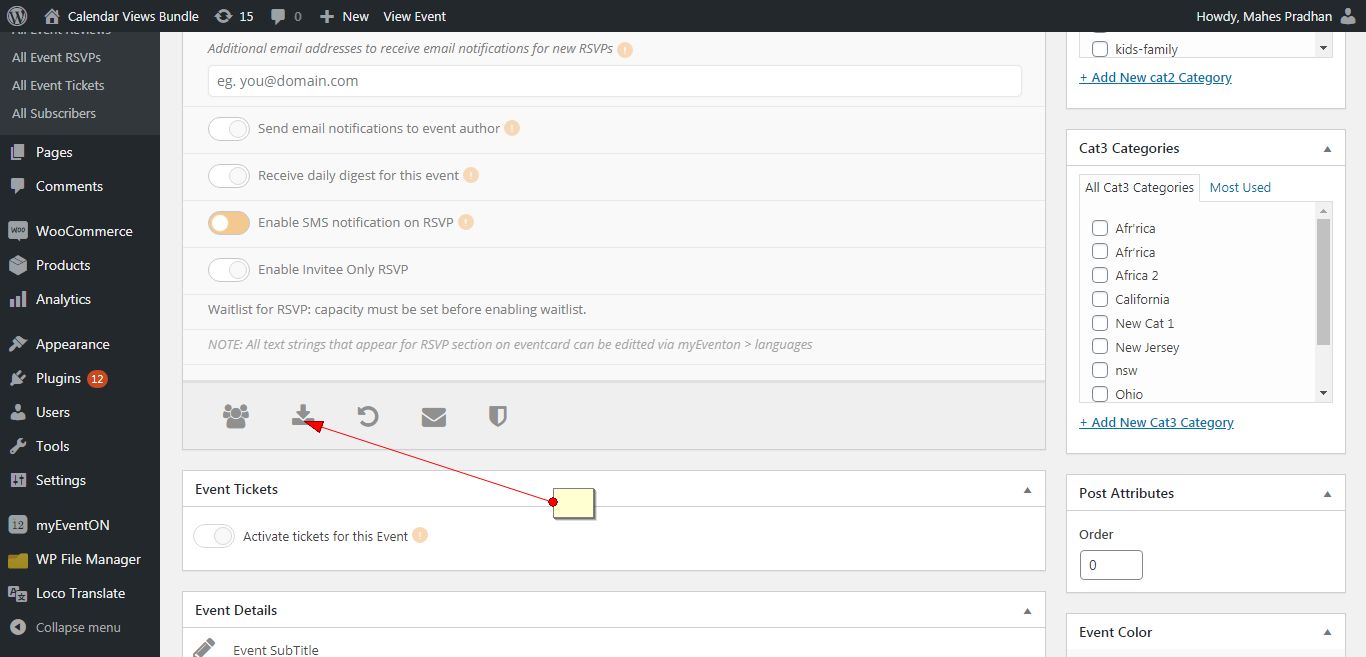
Please check the screenshot.
You have the option to download it in csv format.