Hello,
I enabled WP_DEBUG on your website and it doesn’t show any errors.
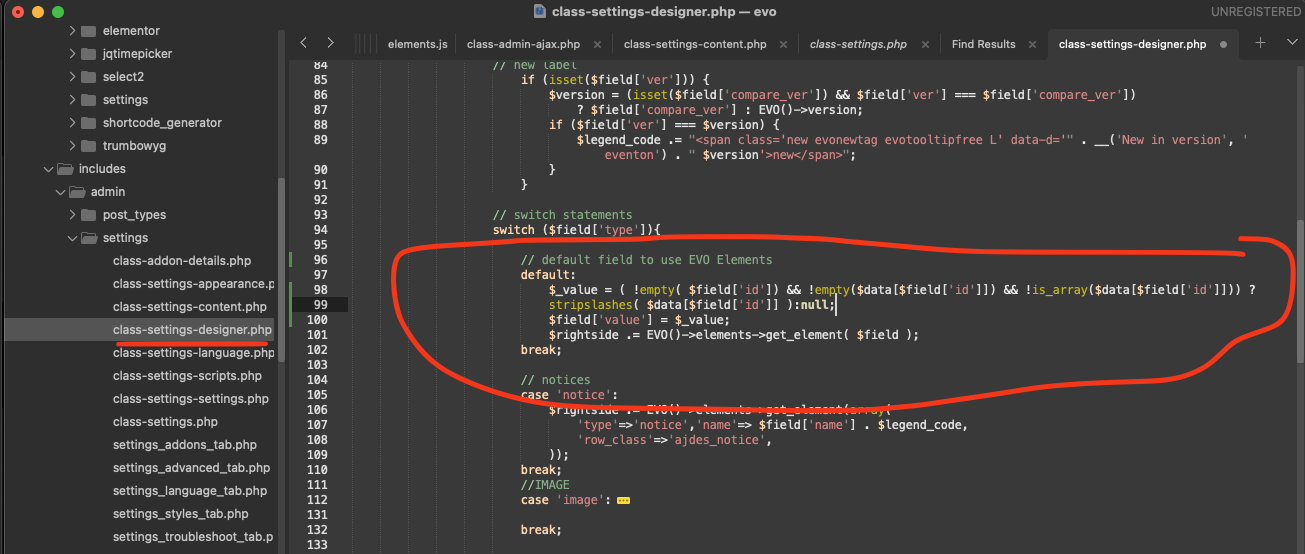
But at the same time you can make the footer visible again if you use this code. Please add this CSS code to EventON > Styles (If you don’t see any change, EventON > Scripts & Styling > turn off Write dynamic styles to header > save settings > turn on Write dynamic styles to header):
.evo_page_body { padding-bottom: 300px; }
Warnings on the single event page can be hidden by enabling WP_DEBUG this way:
https://docs.myeventon.com/documentations/how-to-debug-for-php-code-errors/
Hello,
Perfect! If you have any further questions or concerns please create a new ticket.
Perfect! If you have any further questions or concerns please create a new ticket.
Is it possible to downgrade EventON and Elementor as well to see if it’ll fix the issue?
From the error we can see that more memory is needed and since this started from plugins update, then solutions are downgrade or increase the memory limit.
I checked events again and when I set this one to Draft
https://www.networkmyclub.co.uk/wp-admin/post.php?post=84499&action=edit
The calendar starts showing correctly.
Could you try removing the text in Event Details line by line to see which one causes the issue?
Thank you for your messages, I am going to assign this ticket to Ashan and he will be able to take it from here and find you a solution. Please allow some time for him to get back to you, we greatly appreciate your patience and thank you for being a eventon customer! Also please disable any IP blocking on your site if there are any.
We are glad your issue is resolved, if you have any further questions or concerns please create a new ticket. If you have a moment, we would greatly appreciate if you could kindly leave us a review at Codecanyon. By going to your account > Downloads. We are very grateful for your kind review!
Ok, maybe it’s not when the ICS importer runs, it’s just always showing on both months despite the virtual end time.
Thank you for letting us know. Event though it shows as london the value is saved in settings. Just the correct saved value is not showing. We will correct this in the next version update. In the mean time here is the patch fix to resolve this issue.
code:
https://dev2.myeventon.com/codeshare/Wv1YD1jvnKMN/
Hello, thank you for you reply.
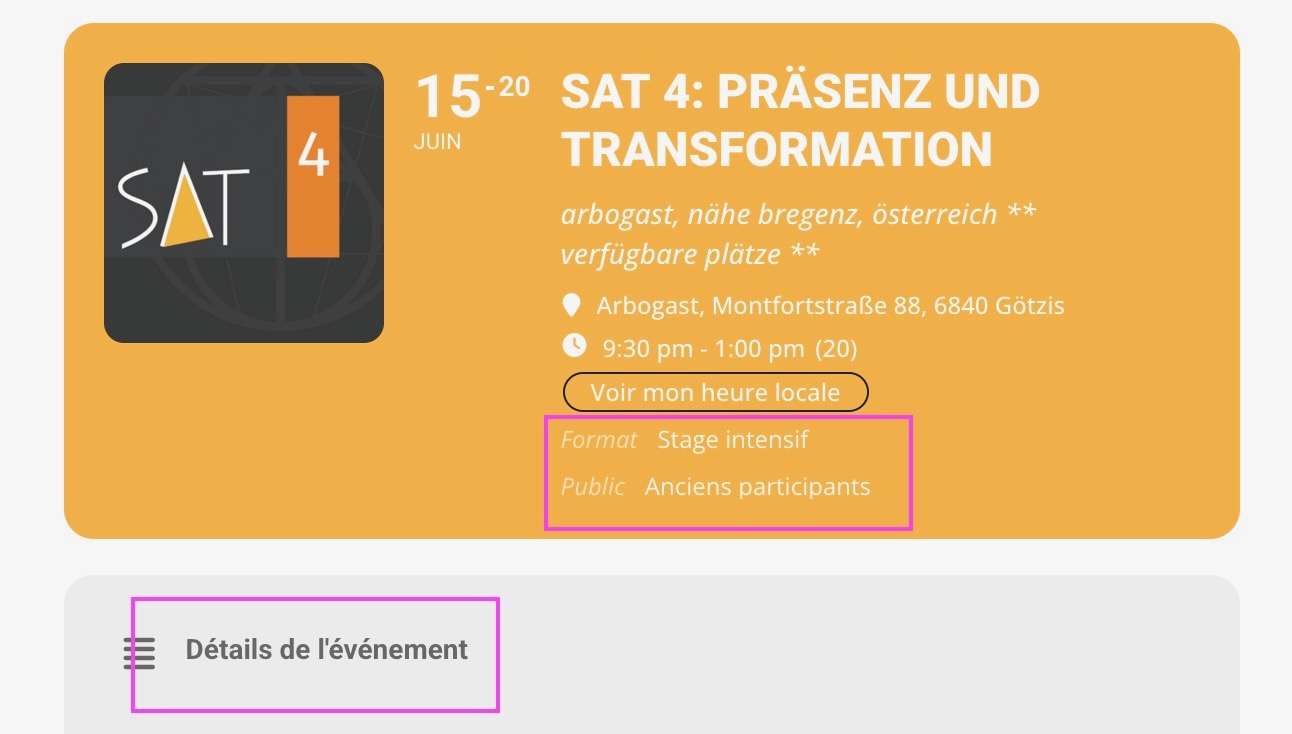
I’m sorry but I still have the same problem ONLY in the
EventCard single page items translations
Exemple :
https://www.naranjo-sat.com/de/events/sat-4-prasenz-und-transformation/
Regards,
Sarah