Thank you for your messages, I am going to assign this ticket to Ashan and he will be able to take it from here and find you a solution. Please allow some time for him to get back to you, we greatly appreciate your patience and thank you for being a eventon customer! Also please disable any IP blocking on your site if there are any.
Archives: Replies
Replies for tickets on suppota
Reply to: tickets(382143)
Hello,
Could you also update Event Tickets add-on?
To update eventon addons: You can download latest eventon addons from myeventon > my account. Then you can go to your website, deactivate old addon and install new one and activate then delete the old addon. This link will further explain the process. Also you can follow us on twitter to get real-time announcements on updates!
If the issue continues, please follow the instructions in this documentation to activate debug in your site to see any PHP errors recorded that can provide insight on to whats going on. Please reply with a link to debug.log file. If you are not able to do this please send us FTP access to your site so we can do this for you.
Reply to: tickets(379989)
Do you click on Save here to save changes: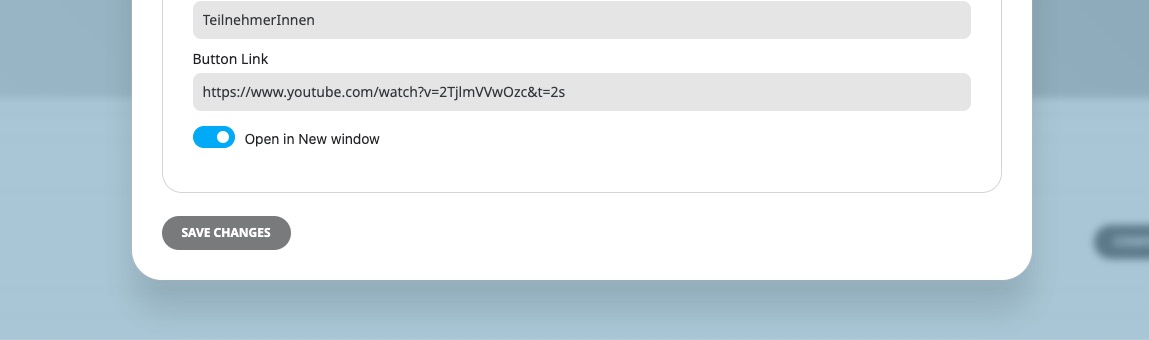
And then click on Save here to update the event itself:
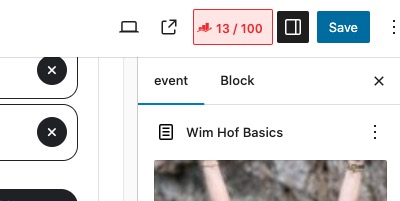
Reply to: tickets(382038)
We are glad your issue is resolved, if you have any further questions or concerns please create a new ticket.
If you have a moment, we would greatly appreciate if you could kindly leave us a review at Codecanyon. By going to your account > Downloads. We are very grateful for your kind review!
Reply to: tickets(381399)
Please add this CSS code to EventON > Styles (If you don’t see any change, EventON > Scripts & Styling > turn off Write dynamic styles to header > save settings > turn on Write dynamic styles to header):
https://pastebin.com/yyaD6s1a
Reply to: tickets(382044)
Thank you very much, I would like to know if it is possible to access version 4.8.2 to solve the problem. I have the site broken right now because of this situation and if it fixes it I will create a copy to see what happens with the new version and you can help me.
What you are proposing has not been successful
Thanks
Reply to: tickets(382138)
Hello,
This is mostly related to WooCommerce, so not sure if we can help.
However, please take a look at this guide:
https://woocommerce.com/posts/how-to-customize-emails-in-woocommerce/
Also also check
https://woocommerce.com/document/customizing-woocommerce-best-practices/
Reply to: tickets(380263)
Hello Adnan Biber,
Could you create a new ticket with included login info?
Also try the instructions mentioned in this documentation.
Reply to: tickets(380628)
Unfortunately, we unable to help with issues related to third-party plugins since it.
However, it seems that when Gravity Forms is loaded it’s HTML structure somehow breaks FullCal calendar. Could you try EventON > Advanced > try a different Select calendar event content filter type?
Reply to: tickets(381688)
I dont think it was displaying the sidebar either, but get rid of it. It’s not needed.