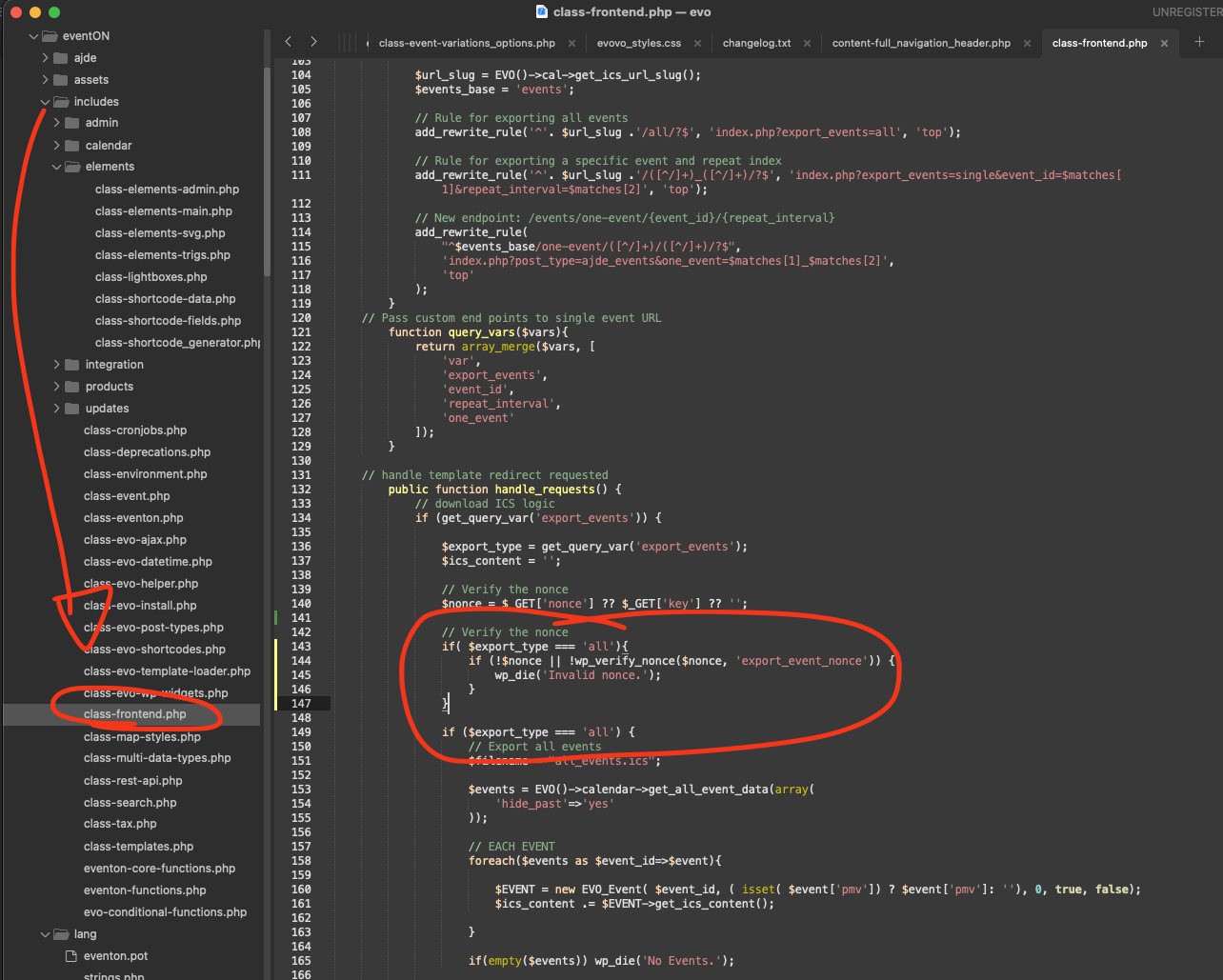
code:
if( $export_type === ‘all’){
if (!$nonce || !wp_verify_nonce($nonce, ‘export_event_nonce’)) {
wp_die(‘Invalid nonce.’);
}
}
Please change the code as shown in the screenshot. This would be the best approach as event ICS file link can come from old confirmation emails so nonce verification does not work.
THis code will bypass nonce verification just for single event’s ICS
Hello,
You also need to add show_et_ft_img=”yes” to your shortcode to show the featured image on EventTop.
Please check and let me know.
Q: Where in admin or function can I set css path to Child Theme css assets?
You can add custom CSS code directly to EventON > Styles. If you don’t see any change, EventON > Scripts & Styling > turn off Write dynamic styles to header > save settings > turn on Write dynamic styles to header.
After you updated EventON did you also update Tickets and Seats add-ons?
I believe that if you updated everything and then re-save the seat and the event itself, it should fix the issue.
Could you try and let me know?
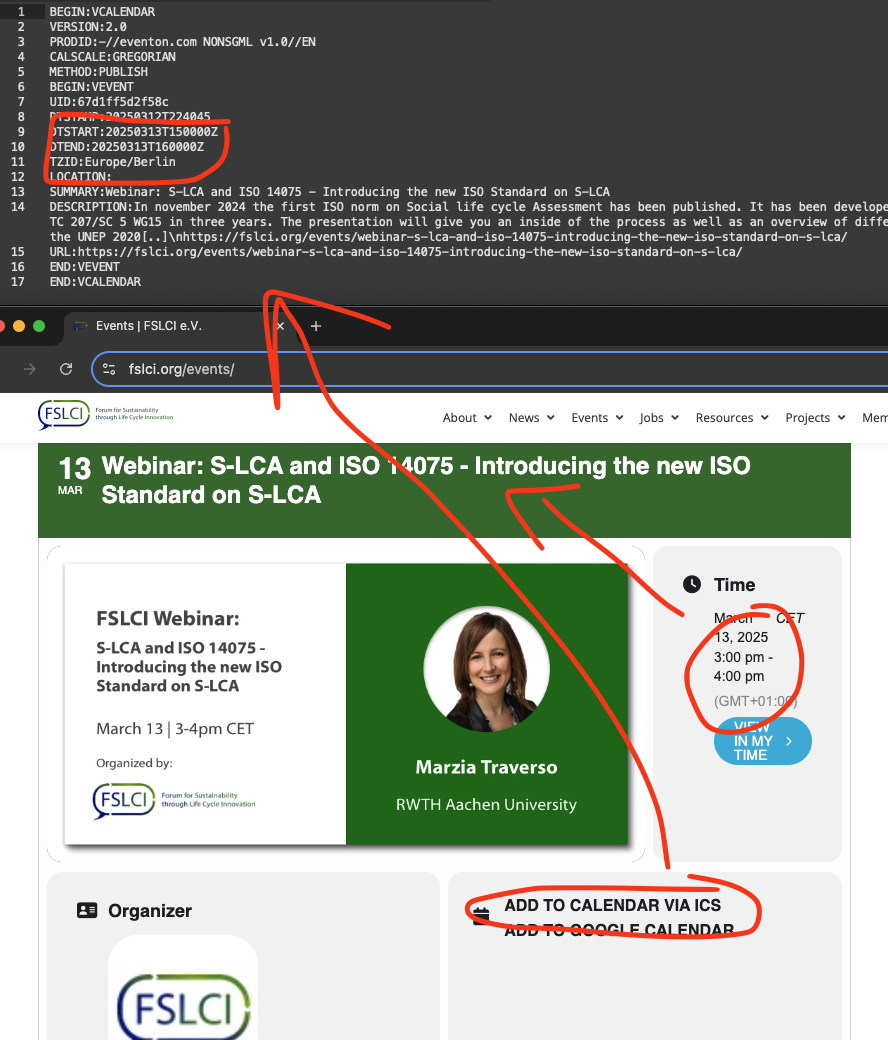
Actually the ICS file is downloading the event data correctly as it should. Event time 1500 – 1600 for this event as it should with correct timezone. The timezone helps the calendar client to adjust the event time according to timezone.
thank you for letting us know. would you mind sharing a direct link to event where we can see this off time.
Hello,
One of your “To” emails is the same as “From” – visitwoodland@gmail.com. Could you try changing or removing it for a test?
I believe that it should be in EventON > Styles.
Please send us wp-admin access to your site as a private message for us to further assist your situation.
Sorry about the issue. Please re-download 4.9.1 and update it again. We’ve included the fix in the same version but updated the archive.
As my colleagues have identified, at the moment the maps addon can not just show the location. It shows locations with events.
But this is a good idea. We will add this to next big version for maps addon 1.6 which is already underway. So it will show all the locations with markers. and hover on marker will show infor box with a link “Find events at this location” which will open lightbox with upcoming events list. Just like how a event location lightbox open from eventcard.
No ETA as of now when this will be ready as we got quite a bit in the pipeline. BTW do check out our new AI addon https://www.myeventon.com/addons/ai — I am personally pretty excited about this 🙂