We are glad your issue is resolved, if you have any further questions or concerns please create a new ticket.
Archives: Replies
Replies for tickets on suppota
Reply to: tickets(381165)
I updated the plugin. Please check and let me know.
Reply to: tickets(380809)
This custom CSS code turns the calendar month header to white: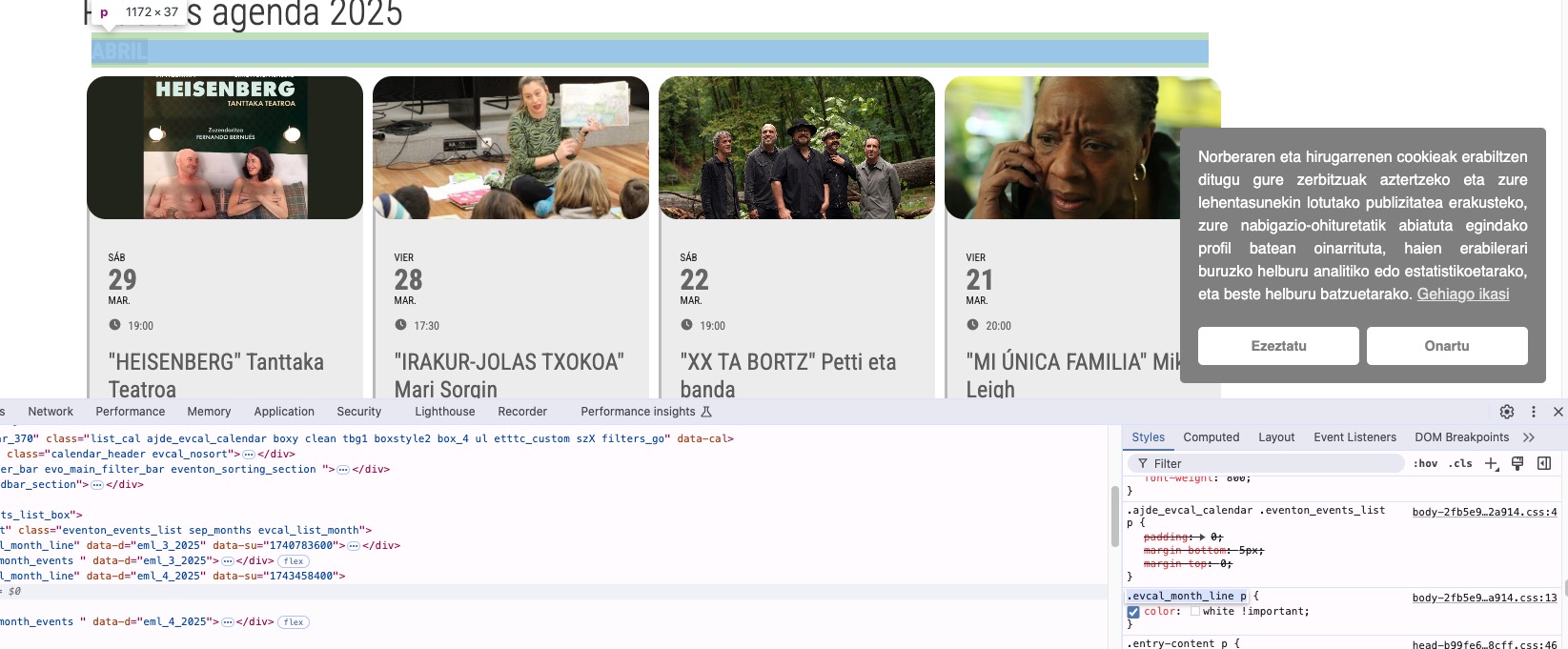
Could you remove it?
Login info stopped working.
Please check them and post the correct login information as a private message, thank you!
Reply to: tickets(380956)
ok thanks.
Reply to: tickets(380496)
Please send us wp-admin access to your site as a private message for us to further assist your situation.
Also make sure to update to 4.9.1.
Reply to: tickets(381296)
Hello,
Perfect! If you have any further questions or concerns please create a new ticket.
Reply to: tickets(381296)
Sorry for the hassle but it was a clash with another plugin using also select2 and which was overriding the z-index of the dropdown. It works now.
Reply to: tickets(380496)
Hello,
We have updated EventON to version 4.9 as well as Elementor to the latest available version. However, the initial issue still persists.
After several tests, we have identified a conflict between EventON and Elementor. In the back-end, Elementor loads indefinitely and only works properly after disabling EventON. This confirms that there is still a conflict between the two plugins.
Additionally, with this new version of EventON, another bug has appeared: when adding an item to the cart, the “validation” icon has disappeared. This issue seems to be related to the recent update.
Could you help us resolve these two issues?
Thank you in advance for your support.
Best regards,
Reply to: tickets(380809)
Is it possible to show, in the main calendar, show on month, and with the arrows, go to the next month. But when you are in the currentmonth+ 1 , the arrows disappear or you can not going ahead to other month?
like tthis: https://kulturagernika-lumo.eus/es/agenda-kultur-etxea-gernika/
When you want to go to the current month+2, you have to go to another calendar.
like tthis: https://kulturagernika-lumo.eus/es/eventos-futuros/
Sorry about my english….
Regards, Pedro.
Reply to: tickets(380809)
First of all, thank for your help.
Im trying with this solution:
[add_eventon_list number_of_months=”2″ event_past_future=”future” hide_past_by=”ss” tiles=”yes” tile_count=”4″ tile_bg=”1″ tile_style=”2″ lang=”L2″ event_order=”DESC” hide_mult_occur=”yes” ]
https://kulturagernika-lumo.eus/es/pruebas-agenda-2025/
As you can see, the calendar dont show the moth becouse it is in absolute position by css (i done in the past this). If you can see the solu
Is there any way to insert a css class or ID in the calendar to make changes in the css of this calendar and in only this calendar?
If you can send me the solution, I will be very grateful to you
Regards.
Pedro.