Sorry for the delay. Ashan will reply ASAP.
Archives: Replies
Replies for tickets on suppota
Reply to: tickets(381138)
Hello,
Could you send us wp-admin Username?
2. You go to Edit Event > select a different Event Timezone > Update > Refresh the page > the timezone resets to London?
Reply to: tickets(381139)
What’s Username to login to wp-admin? You put /wp-login.php there.
Reply to: tickets(377443)
Please send us wp-admin access to your site as a private message for us to further assist your situation.
Also try adding the code to wp-admin > Appearance > Customize > Additional CSS.
Reply to: tickets(380956)
Not possible, I am afraid. Main Calendar [add_eventon] has Jumper while Event Lists [add_eventon_list] doesn’t have one.
Reply to: tickets(380960)
We are glad your issue is resolved, if you have any further questions or concerns please create a new ticket.
Reply to: tickets(380896)
I added the custom CSS code to EventON > Styles and also added space between these two: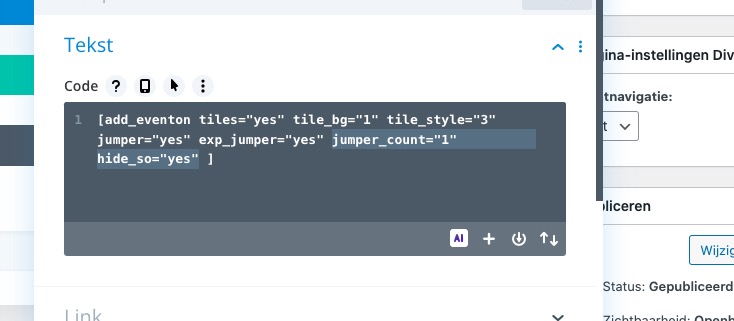 Seems to be working: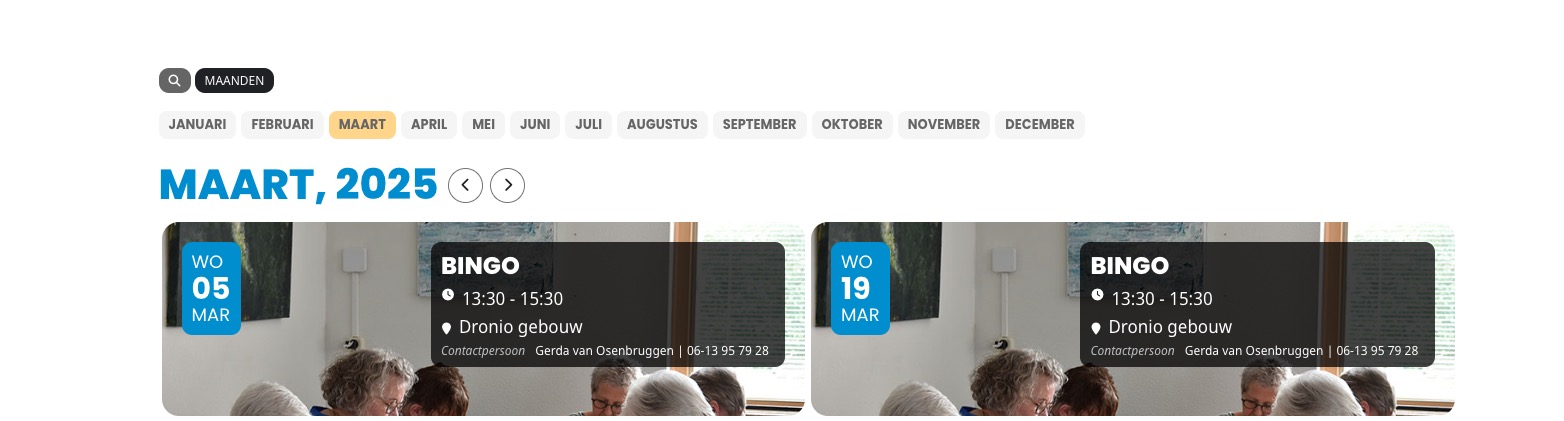
Reply to: tickets(381122)
Thank you for the info! Ashan will check this ASAP.
Also make sure to cancel your subscription:
https://docs.myeventon.com/documentations/how-to-cancel-addon-subscription-before-auto-renew/
Reply to: tickets(381165)
Could you upload the downloaded archive somewhere and then send us a link, so we can check it?
Also check this instruction:
To update eventon to latest version: If you are unable to do autoupdate, you can go to codecanyon your account > download and get the latest eventon version as zip file. Then you can go to your website > make sure “Delete eventon settings & data when EventON is uninstalled” is Deslected from eventon settings, delete old eventon, install new one and activate. This link will further explain the process it. Also you can follow us on twitter to get real-time announcements on updates!
Reply to: tickets(381220)