I changed quotes, so the shortcode opens events as Single Event Page:
https://staging.electronicgroove.com/event-directory/
Please check and let me know if it works on your side.
Replies for tickets on suppota
I changed quotes, so the shortcode opens events as Single Event Page:
https://staging.electronicgroove.com/event-directory/
Please check and let me know if it works on your side.
Hello,
Please send us wp-admin access to your site as a private message for us to further assist your situation.
I need to check your current timezones, so I can re-create the issue on our test site.
Hello,
1. Please go to wp-admin > Events > All Event Tickets > Edit. Change fields that are editable.
2. The email is coming from WooCommerce and not EventON, so please follow this guide:
https://woocommerce.com/posts/how-to-customize-emails-in-woocommerce/
Hello,
1. I replaced Main Calendar shortcode (add_eventon) with Event Lists shortcode (add_eventon_list) to show events from multiple months.
2. Your events except one are all from February, even so on wp-admin > Events they are from March.
https://bolivarbar.com/events/uncle-bubus-pre-drink-fridays/
It seems that when I try to update events, the server doesn’t save them correctly. So please follow the instructions in this documentation to activate debug in your site to see any PHP errors recorded that can provide insight on to whats going on. Please reply with a link to debug.log file. If you are not able to do this please send us FTP access to your site so we can do this for you.
Hi 🙂
Oh, Event Aggregator was supposed to create google address when it imports events from facebook. I hvae tried updating some events with correct address. Still no map showing in Event Card ?
Hello,
What’s your current version of EventON and DailyView? Could you make sure to update to latest versions both?
Here’s the issue: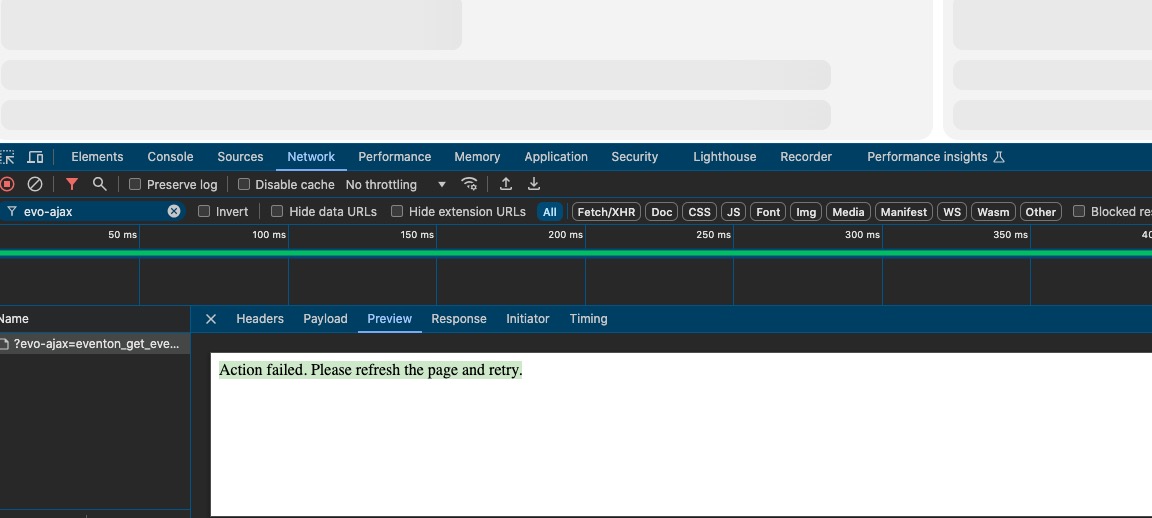
Happens only when I am not logged-in.
Could you please try the instructions mentioned in this documentation?
There is nothing in the message. Could you send it again?
Thank you very much!
Hello,
Action User add-on has two shortcodes: one for submission and the other for submitted events management.

If you want to allow people to add events, please use “Action User – Event Submission Form”:
[add_evo_submission_form]
Using FullCal isn’t different from using any other shortcode. Go to Shortcode Generator and find FullCal. Then select any options you like, copy the shortcode and use it on a page.