1:
so in myeventon>>>>settings>>>shortcodes there is the shortcode generator button
click that and you will see a pop up where you can create your shortcodes
so you can have that form on a page- or you can have the form appear via a pop up from a button
2: this depends on how you are doing langauges- are you using a third party translator or the built in L1 L2 languages of eventon?
3: custom fields are add in myeventon>>>>settings>>>>custom meta data
you activate them- and choose from the drop down of what they are and save
then in Myeventon>>>>action user>>>>form fields- you activate those new fields and position them where you want via drag and drop
4: generally if you just installed action user the default settings are that anyone can submit events- if thats not working then we would neeed wp-admin access to see if you have ticked any of the restriction options
also make sure that in myeventon>>>>action user>>>>form settings that submitted events default post status is set to draft
and in myeventon>>>>action user>>>>emailing that the toggle to recive admin emails is on
1: The multiple columns- You don’t have to use them all – I would say I have only seen one customer use every column for a particular reason that only he would need. they are options- most people don’t need them. Also some customers espeically arabic use right to left language (which is an experience loghing into their admin area- everythings reversed)
2: so for the first event- 22nd sweet charity- the lon and lat fields were incorrect- so it was showing the wrong place- I have changed it to the right lon and lat and its now working right
so right now without any changes- your google maps will display the right address the only thing not working is when creating or editing the location the generate lon and lat coordinates button can’t connect. you can manually insert the lon lat as I did on your first event but to get that button working you’ll need to look at the below paragraph
the error that I am getting from your site you may need to change the application restrictions- now google has a complex documentation
heres one that might help https://wpstorelocator.co/document/create-google-api-keys/ bit easier to read- you might need to create a new one and go through that process. if your current one is restricted by http you might need to get the ip address of your website and choose IP address- all that kind of info is in your google console- I can’t tell from here-
you can use this site to help find your websit4es IP address https://www.nslookup.io/website-to-ip-lookup/
if you are manully wanting to add the lon lat codes- just go to google maps- go to the address you are after and right click that exact location the lon and lat will be the first option and clicking it will copy it
3: the location image will take up the space you set in myeventon>>>>settings>>>>event card- the designer- to show you I have created a new line and put the image in the right column and the location text in the left
I also added some css to apperance>>>customize>>>>>additional css
.evo_metarow_locImg {
height: 150px !important;
min-height: 150px !important;
}
but if you don’t like that we can quickly remove that
4: I think if I understand correctly I have made the edit field white
controlled in your edit page preferences- choosing to look like your theme makes it black (I turned that off)
We are glad your issue is resolved, if you have any further questions or concerns please create a new ticket.
If you have a moment, we would greatly appreciate if you could kindly leave us a review at Codecanyon. By going to your account > Downloads. We are very grateful for your kind review!
Thanks a lot! It works like a charm.
try changing the content type
in myeventon>>>>settings>>>>>advanced settings
try changing the
Select calendar event content filter type
pick a different one- save- clear cache and check
hello
Any updates?
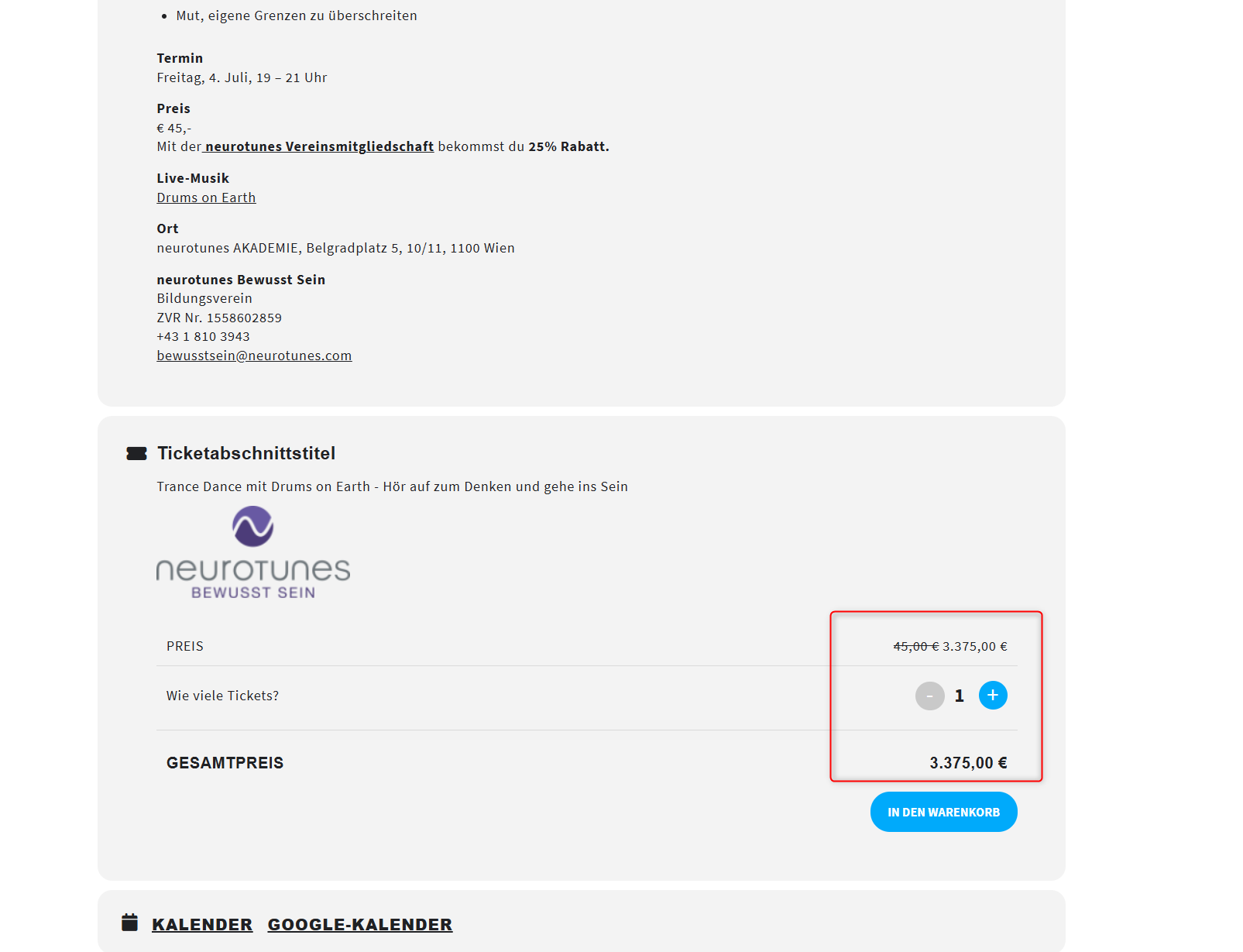
We still have the decimal seperator bug and need to solve this urgent.
Hello: please let me know: when is this problem solved? It looks like the event reminders are not send by email. The mail is not being send at all…
This problem is not solved since December 2024…
PLEASE HELP
Hello,
The login info still doesn’t work.
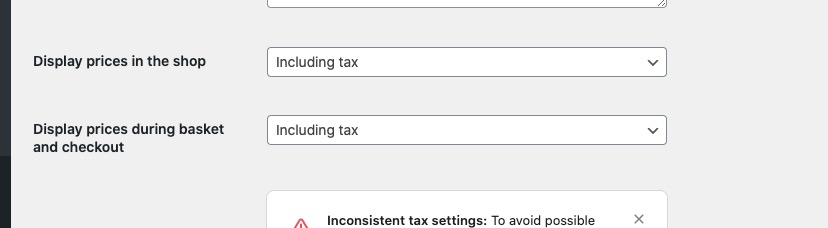
Could you try going to wp-admin > WooCommerce > Settings > make sure to set these the same way:
Please send us wp-admin access to your staging site as a private message for us to further assist your situation.
We just need to figure out the issue itself by enabling WP_DEBUG.
GMT+1 timezone.