There is no need to purchase an additional add-on apart from Tickets.
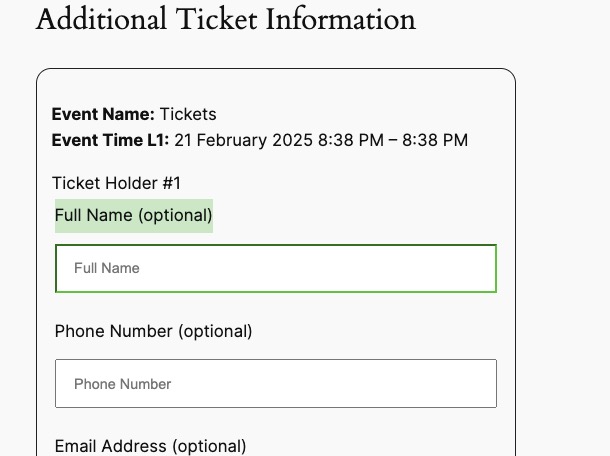
Simply add the birthday field as name is already enabled:
Replies for tickets on suppota
There is no need to purchase an additional add-on apart from Tickets.
Simply add the birthday field as name is already enabled:
FOLLOWUP
Hi,
i but i need to buy another add-on?
i have event-tickets yet, but i found this: https://www.myeventon.com/addons/ticket-variations-options/
let me know
thank you very much
regards
Hi,
here the screenshot:
https://cloud.tecnoprof.eu/eDubZjqD
https://cloud.tecnoprof.eu/4guLG2oZ
my mail subscription is wmt@tecnoprof.it
let me know
thank you very much
best regards
Thanks for your reply, I’ve duplicated the old site on staging and will work on it, so no need to configure a new site.
Warmest regards!
Hello here is the login details
https://dinagyangtickets.com/
username: iloilofestivals
Email: iloilofestivalsfoundationinc@gmail.com
Password: *uO#YSZ1@YEEcMTW)Kl)Ou)2
Artem,
You are a champion. Thank you very much. I would buy you a beer, if I could.
Hello,
I believe that this is what you need:
https://docs.myeventon.com/documentations/how-to-add-additional-fields-at-checkout/
Please try following the guide above and let us know.
Now your events page is this one:
https://katoomba.org/events/
I went to https://katoomba.org/wp-admin/options-permalink.php and changed it to Post name, so now your URLs are more readable.
Also added some custom code to EventON > Styles. Now /events page has white background.
Could you try changing this color: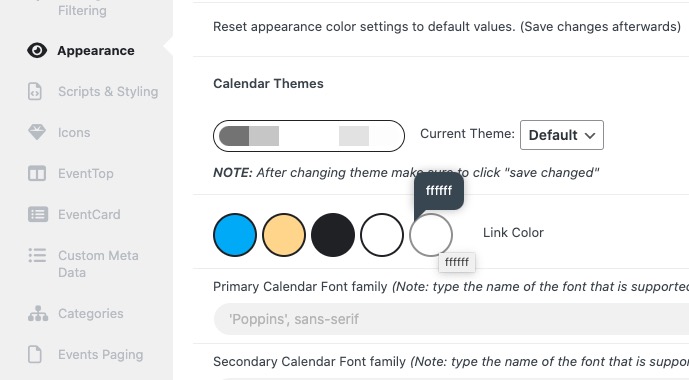
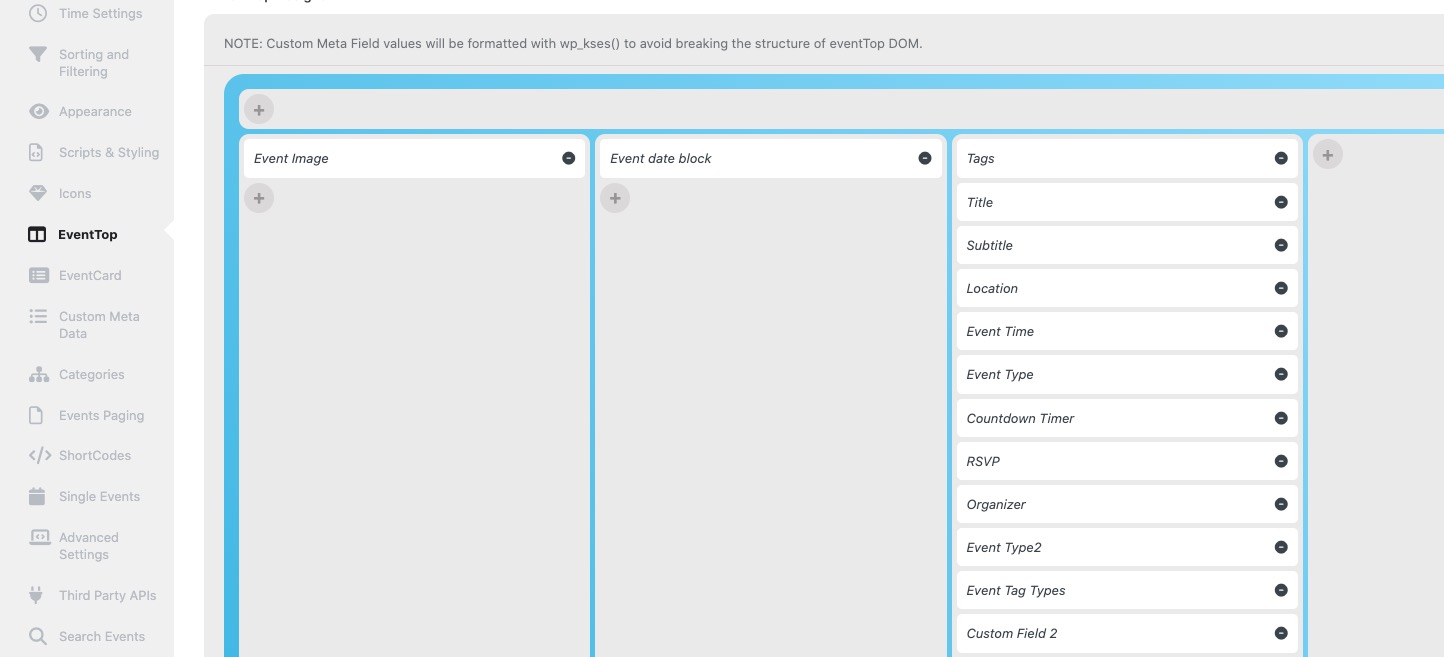
And for EventTop, to make sure that it’s text color will be white, arrange EventON > EventTop like this: