Please add this CSS code to EventON > Styles (If you don’t see any change, EventON > Scripts & Styling > turn off Write dynamic styles to header > save settings > turn on Write dynamic styles to header):
.eventon_events_list .eventon_list_event .evoet_cx span.evcal_desc2, .evo_pop_body .evoet_cx span.evcal_desc2 { font-size: 10px; }
.eventon_events_list .eventon_list_event .evoet_cx span.evcal_event_subtitle, .evo_pop_body .evoet_cx span.evcal_event_subtitle { font-size: 10px; }
First line changes the title, the second – subtitle.
Also, the padding/margin is too wide (.evo_pop_body .evoet_cx {…
This code aligns items differently to remove some of space between title and subtitle:
.eventon_events_list .eventon_list_event .evcal_list_a { align-items: center; }
It’s not really padding, but CSS styling that aligns items correctly.
FYI – there was not an option for ‘show Title and Subtitle’, see screenshot.
What I meant was to change Select eventTop style from Immersive Flow to anything else to show Title and Subtitle.
I contacted Ashan on which action to deregister. He’ll reply me and then I am going to send you the info.
Ashan,
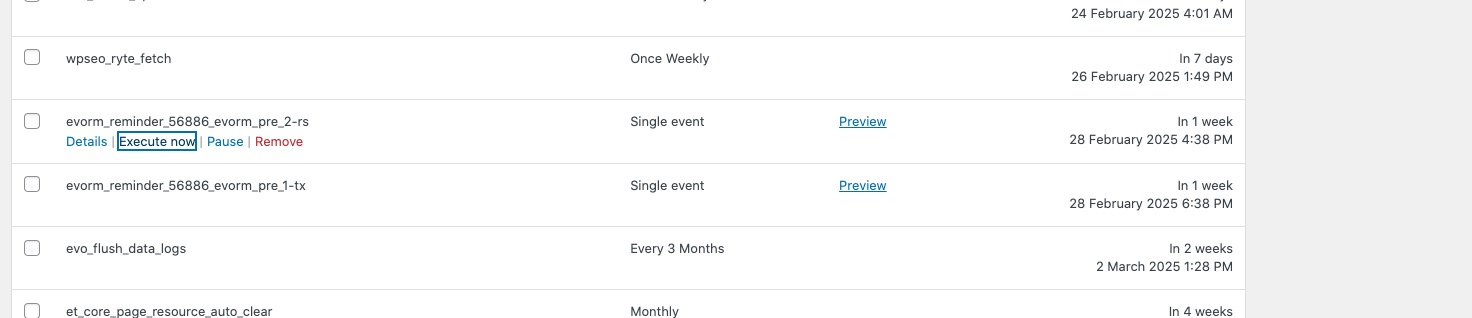
The same (message #379080) on dev2. I don’t receive any reminders (RSVP and Tickets):
https://dev2.myeventon.com/wp-admin/tools.php?page=advanced-cron-manager
https://dev2.myeventon.com/wp-admin/post.php?post=56886&action=edit
Thank you for letting us know! I am going to let Ashan know.
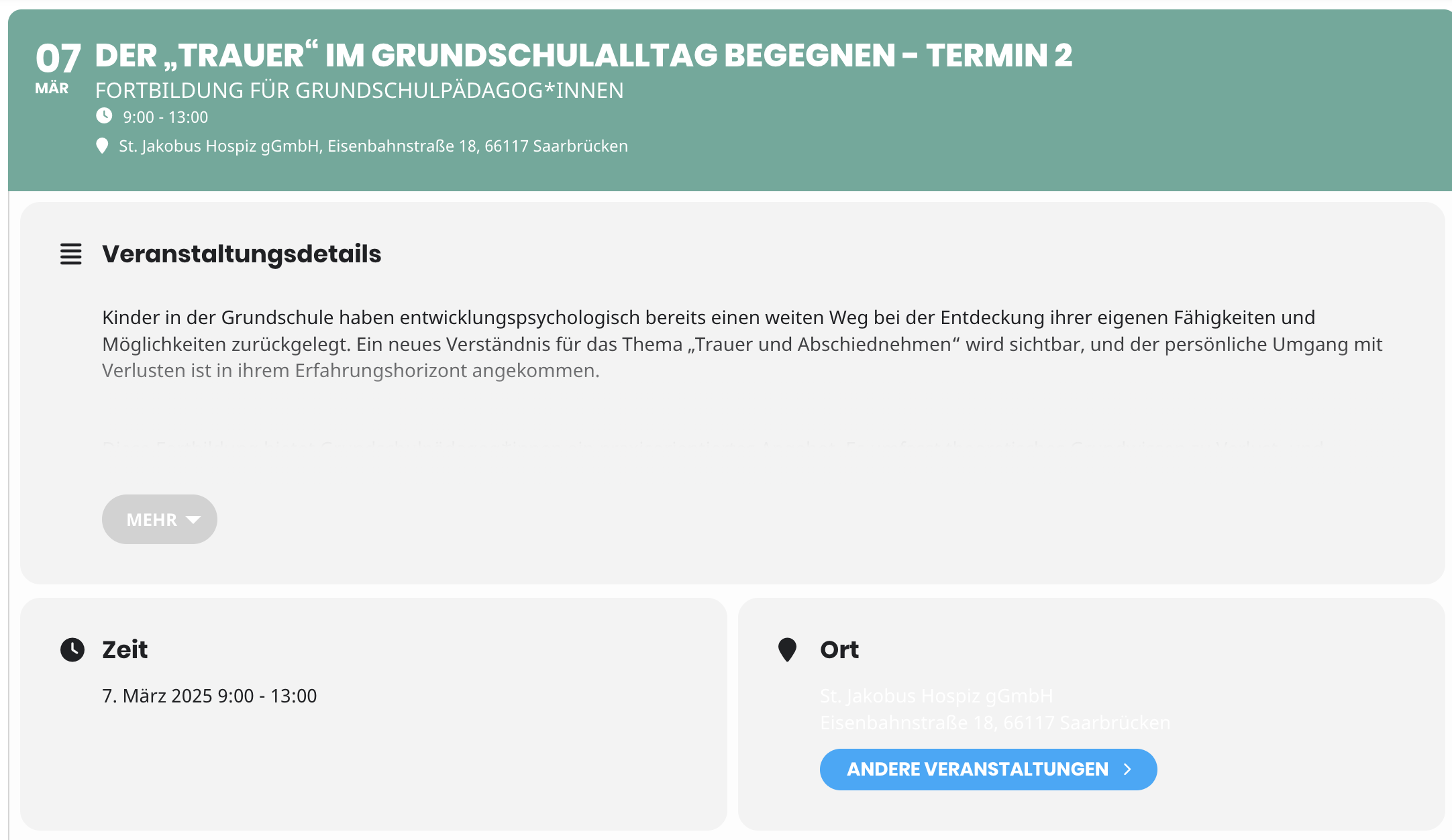
If you change the month (e.g. March) you can see the white font in the locations. I have attached a screenshot.
I try to access wp-admin, but not sure which login Username to use. Could you check and let us know?
After I login, I’ll check the issue from the back-end.
Hello,
I cannot find Order #183627 among your purchases. Could you check and let us know?
Hello,
Thank you for your messages, I am going to assign this ticket to Ashan and he will be able to take it from here and find you a solution. Please allow some time for him to get back to you, we greatly appreciate your patience and thank you for being a eventon customer! Also please disable any IP blocking on your site if there are any.
Hello,
Please go to EventON Settings > check “Import/Export General EventON Settings” at the bottom.