Hi Artem,
Thank you I have come right and its working
Replies for tickets on suppota
Hi Artem,
Thank you I have come right and its working
I did what you sent on this page. I also changed the settings, but it didn't change anything. It hid the locations on the tiles.
Hello,
Thank you for your messages, I am going to assign this ticket to Ashan and he will be able to take it from here and find you a solution. Please allow some time for him to get back to you, we greatly appreciate your patience and thank you for being a eventon customer!
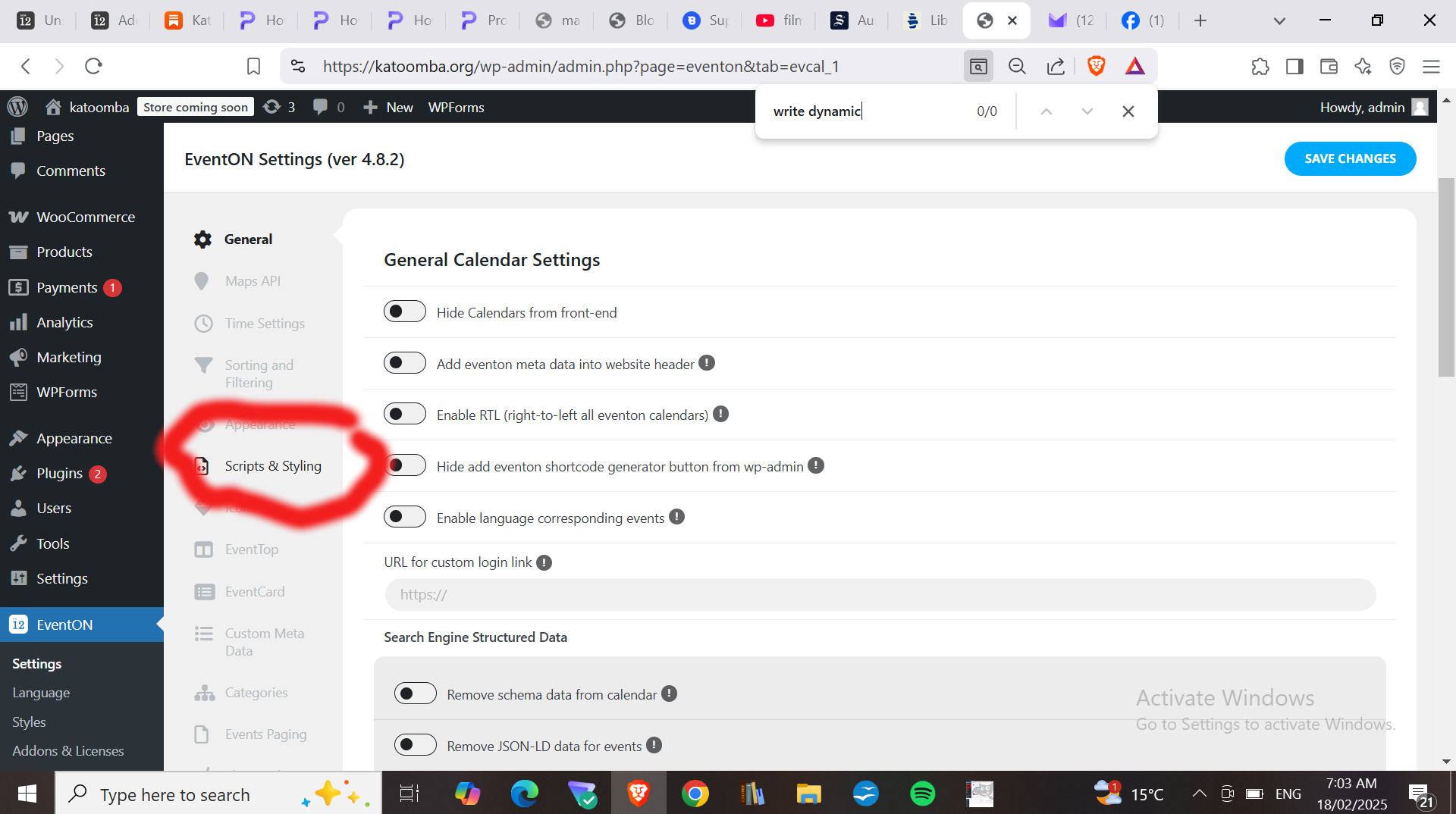
I know that my theme is setting the background that I want to overwrite within EVENTON.
1. I found EVENT > Styles and added the CSS but it did not work.
2. I read the example online that referred Scripts and Styling but I could not find the point where the:
“turn off Write dynamic styles to header” changes should be made.
I tried to explain in my initial statement. All I found was this (see image)
Thanks for your assistance.
Thank you, this helped me to solve my issue 🙂
Hello,
Can we take a look at wp-admin? I just did tests on our test site and it imports the timezone as well as the price field.
Please also send us a link to the .csv file you are trying to import.
Hello,
This will require PHP customization we unable to provide.
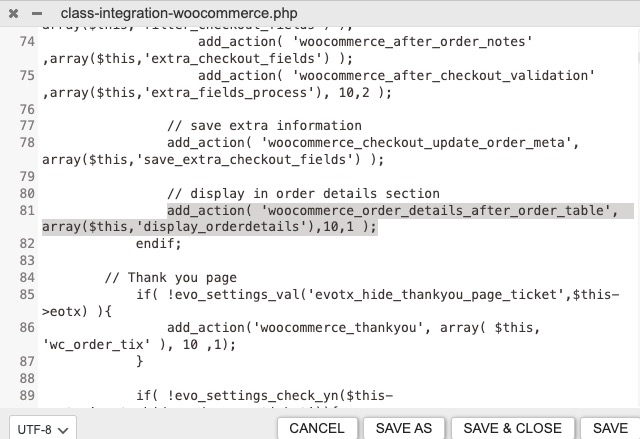
However, you can try completely disable “Ticket Holder Details” on WooCommerce’s emails by removing this action:
We are glad your issue is resolved, if you have any further questions or concerns please create a new ticket. If you have a moment, we would greatly appreciate if you could kindly leave us a review at Codecanyon. By going to your account > Downloads. We are very grateful for your kind review!
Hello,
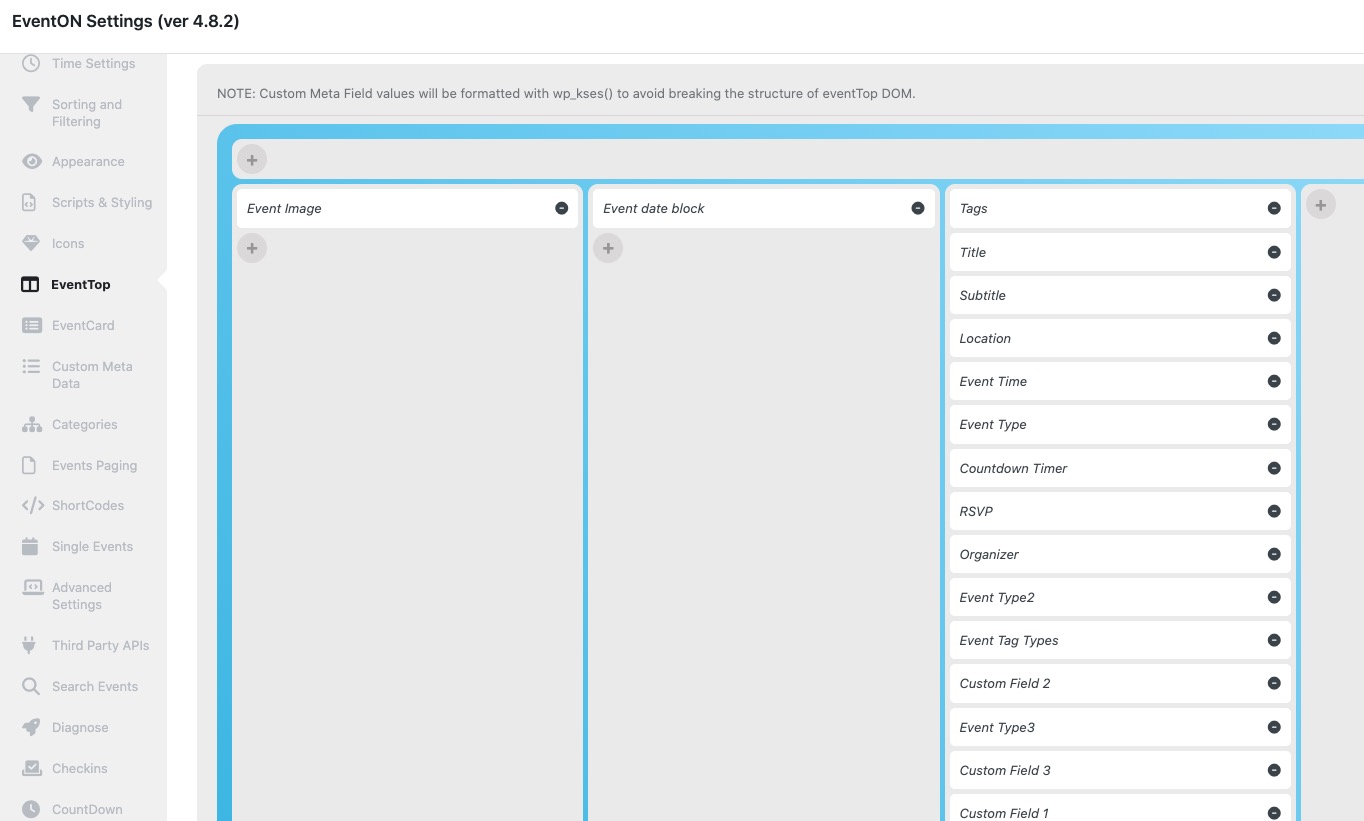
Could you try arranging EventON > EventTop like this:
Thank you for your messages, I am going to assign this ticket to Ashan and he will be able to take it from here and find you a solution. Please allow some time for him to get back to you, we greatly appreciate your patience and thank you for being a eventon customer!