Hi,
Looks like it’s OK on firefox but doesn’t work on Chrome – is there a way you can fix it on this browser?
Thanks
Helen
Replies for tickets on suppota
Hi,
Looks like it’s OK on firefox but doesn’t work on Chrome – is there a way you can fix it on this browser?
Thanks
Helen
Yes, this works for me.
Of course I would have preferred the old arrangement, otherwise I would not have chosen it, but this arrangement works two.
So thank you for your efforts, you got me out of trouble.
Kindly send me a copy of your complete csv file.
Thank you
Ciao,
New year same problems!!!
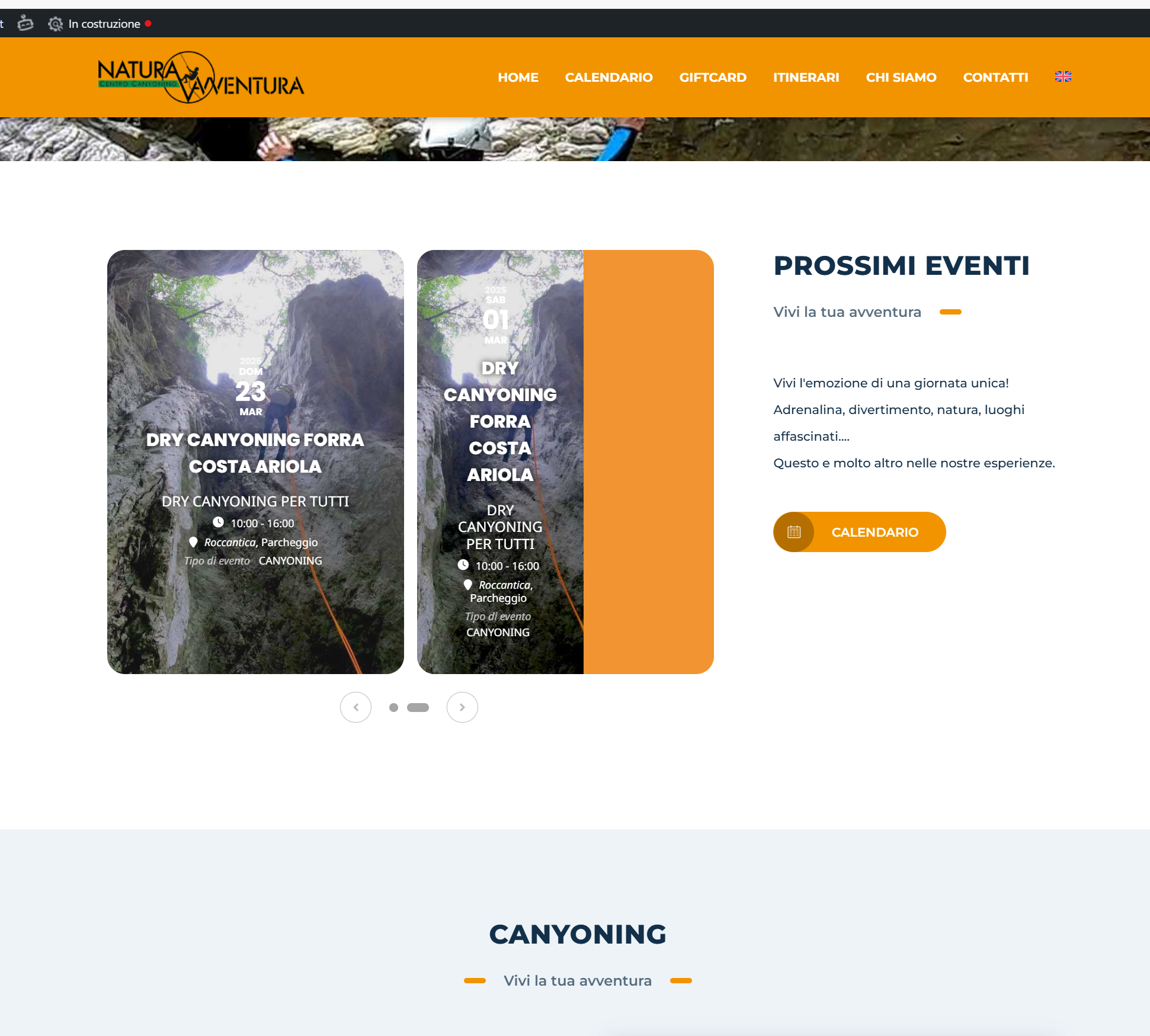
The layout of the slideshow are not displayed correctly:
1) I set slide_style=”imgbg” but the event box is divided into 2 (vertically), half with photos in the background and the event information, half only with the color set in the event.
You can check on my site https://www.canyoning.naturaavventura.it
Thanks fo helping
Hello there Ezry,
Sorry for the delay. We just tested this on our end and it worked perfect.
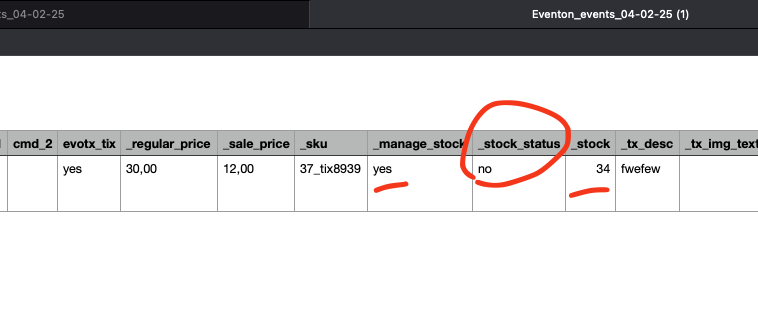
All ticket data was improted correctly from the CSV file, event type taxonomies were imported. Event time was also perfectly imported.
Few things to remember. _manage_stock need to be set to ‘yes’ ‘stock_status’ need to be set to ‘no’ for the stock value and other ticket information to save.
Give it a try and let us know.
Hi Artam,
Tomorrow I have the presentation with the client and I need the search field in the calendar.
Please, would you help me solve it?
Pleaseeeeeee
THANK YOU Ashan! Take care!
Hi Ashan, thanks for the reply.
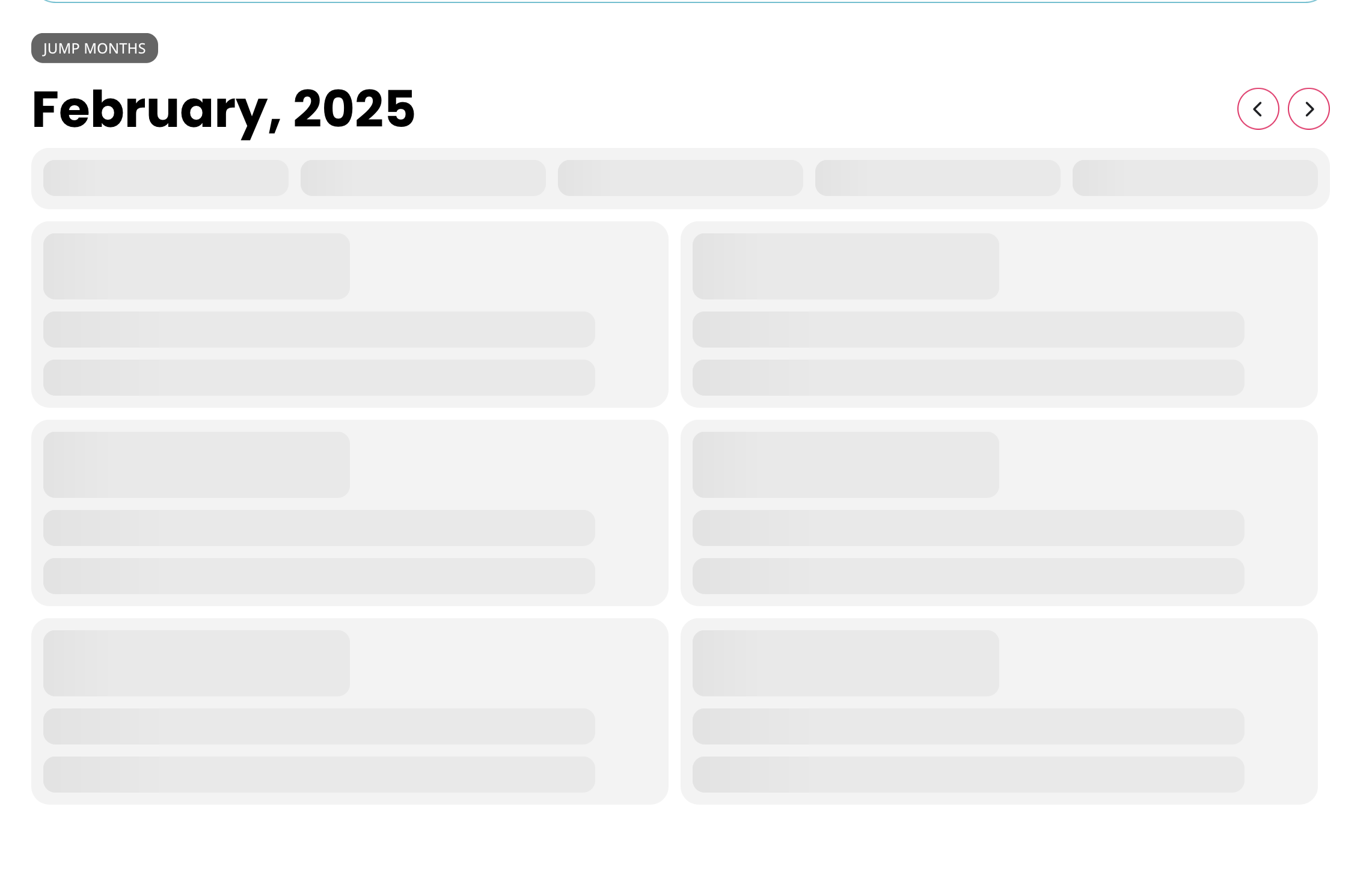
I have added the code, however, it has stopped the event calendar displaying correctly. See attached screenshot.
The links have always been working until the last update of your plugin. I mean it’s not, that I have set up those links or custom build the outcome. They are coming with the event location functionality of your plugin and are not shown correctly anymore since the last update some days ago.
Can you please tell me, why I should try the troubleshooting mode or what it has to do with the bug?
Thanks, Tim