That would be great thanks. FTP details as follows:
ftp server – ftp.gb.stackcp.com
Username – ampthillcamera.club
Password – 4thF€B2025
The FTP server is unlocked for 24 hours.
Regards
Peter
Replies for tickets on suppota
That would be great thanks. FTP details as follows:
ftp server – ftp.gb.stackcp.com
Username – ampthillcamera.club
Password – 4thF€B2025
The FTP server is unlocked for 24 hours.
Regards
Peter
Hello,
Could you please try the instructions mentioned in this documentation to make sure your issue is indeed coming from eventon.
You can use Troubleshooting Mode:
https://www.foodsorcery.co.uk/wp-admin/site-health.php?tab=troubleshoot
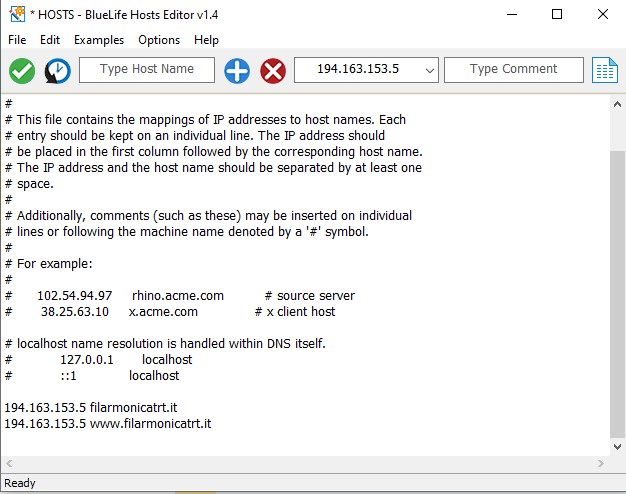
please add also /wp-admin and the login page will be visible.
therefore the correct url will be www.filarmonicatrt.it/wp-admin
we’ve tryed with both chrome and firefox and the login page shows up
Hello,
Please try removing tile_bg_size=”thumb”, so the calendar can show the full image.
Can we rearrange EventTop like this: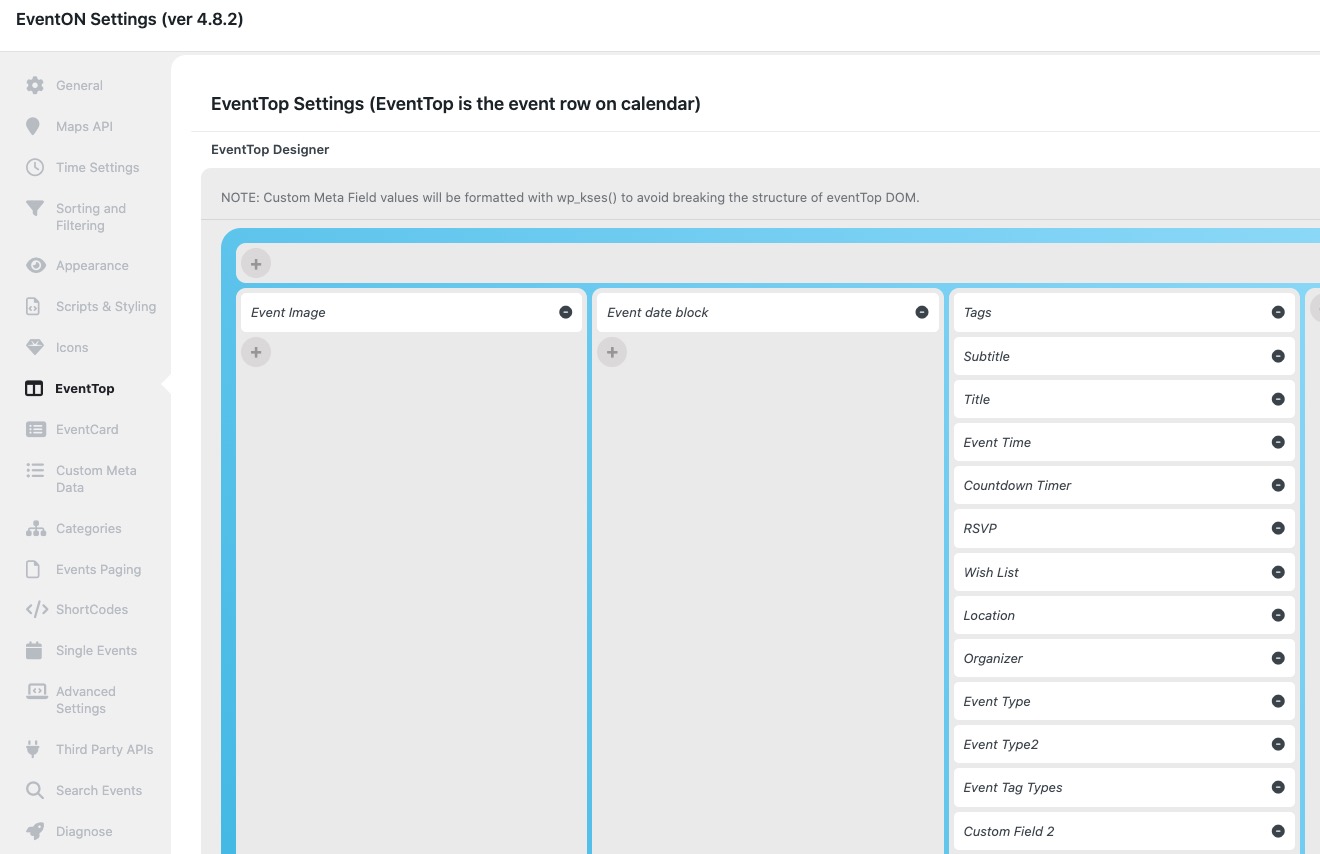
Any update? Is Eventon working on resolving this issue?
Hello,
Could you try following:
https://docs.myeventon.com/documentations/single-events-page-not-working-404-error/
If the issue continues please send us wp-admin access to your site as a private message for us to further assist your situation.
We are glad your issue is resolved, if you have any further questions or concerns please create a new ticket.
Hahaha, thanks 🙂
I probably will!
I've already seen that it works.
Do you know how to make the search engine window visible? because putting code that appears in the demo does not do it.
It's incredible how good the plugin looks ;)