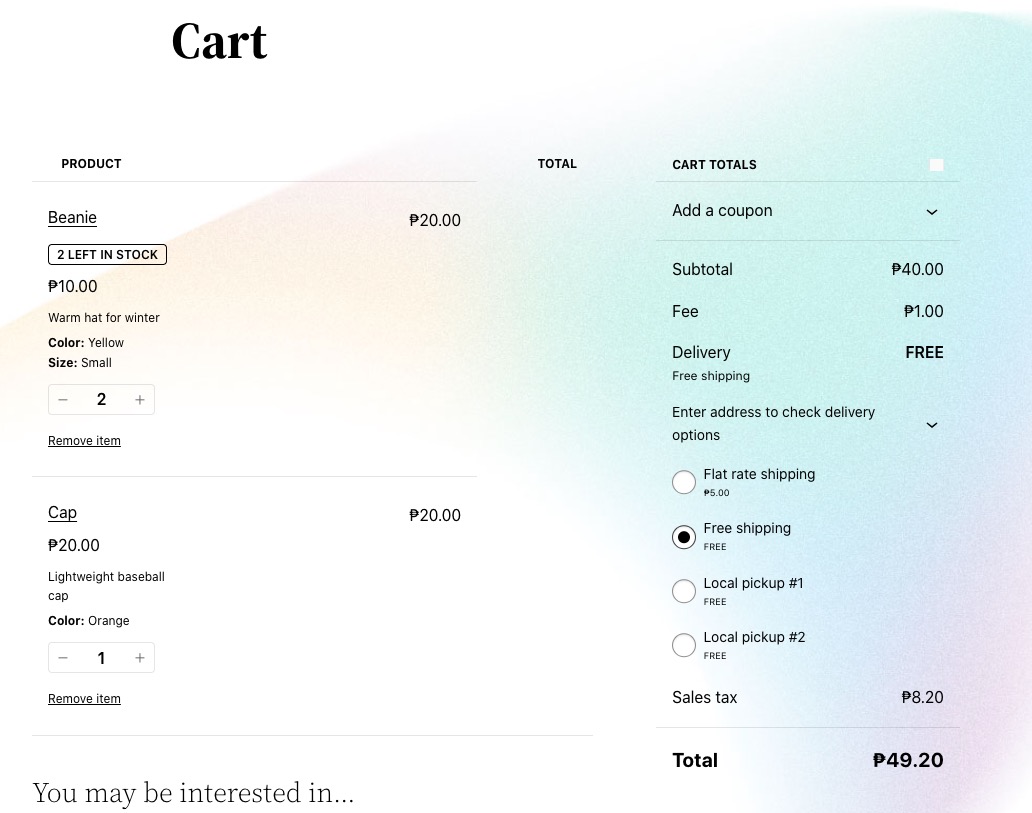
I believe that the issue can be because Cart is made out of Blocks:
https://dinagyangtickets.com/wp-admin/post.php?post=6&action=edit
Could you try replacing it with [woocommerce_cart] shortcode?
I also think that they made the purchase not from the event itself, but directly from
https://dinagyangtickets.com/product/ticket-iloilo-freedom-grandstand-stage-2-november-4-2024-november-4-2024-copy-copy-copy/
Please go to EventON > Tickets > enable “Always redirect individual WC ticket Product page to event page on frontend”.
Ok. I have increased the memory to 512MB and now there is not error (but it is very very slow to show data)
Where did you see the error message?
“..Allowed memory size of 134217728 bytes exhausted (tried to allocate 20480 bytes) in /var/www/vhosts/baeza.net/httpdocs/wp-includes/meta.php on line 1195″
Also the RSS feed does not seem to be working as well
First to the translation: I mean the «REPEATING EVENT» (see attachment). I can’t find a translation for that.
We are aware of the issue and working on the fix. It’ll be included in the next version. Meanwhile, please hide it from EventON > EventTop > “Select below EventTop tags to HIDE (Tags you selected below will be hidden from view on frontend.)”.
The color issue. I still cannot login to check EventON > Appearance.
The update 4.8.2 will be available very soon and should fix the color issue.
As a temporary solution please try adding this CSS code to EventON > Styles (If you don’t see any change, EventON > Scripts & Styling > turn off Write dynamic styles to header > save settings > turn on Write dynamic styles to header):
.eventon_events_list .eventon_list_event a, .evocard_row .evo_metarow_organizer .evo_card_organizer_social a, .evo_lightbox .evo_tax_social_media a { color: white !important; }
Hello,
As for the reply issue, please try manually clearing your browser cache and cookies as well.
The color issue. Please go to EventON > Scripts & Styling > turn off Write dynamic styles to header > save settings > turn on Write dynamic styles to header.
Hello,
Please follow this guide:
https://docs.myeventon.com/documentations/increase-event-type-count/
Yeah thanks I guess there was a setting that shifted as I have no idea why it’s working now.
Appreciate your support!
Marian
It was working fine for the longest time, I’m not sure what happened it just stopped working correctly
Time solved: Got it with the 24hr. time. I had to insert (H:i) to the eventon settings!