I tried it but nothing changes
Archives: Replies
Replies for tickets on suppota
Reply to: tickets(377166)
Yes, I mean this part. Thank you!
The location has no webadress, it’s just a normal post adress. So, I wouldn’t know, what to write in the field. Earlier (with the lite version) it was a link anyways, I didn’t need to write a link in this field. and when I clicked on it, it opened google maps.
Reply to: tickets(376701)
I summited a Ticket to my web hosting service to see if they can increase the memory size in WP
Reply to: tickets(377223)
This is about license key EVEL59a7d303-6c59-48ea-8ac0-133038a14a90 for Event Lists: Ext
License Type2-5 Sites
BUT:
Website Activation Limit 1
Seems to be a mismatch, please correct!
Reply to: tickets(375969)
Please remove my previous code and replace it with
.evcal_list_a .evoet_cx .evcal_tz_time.tzo_trig, .eventon_events_list .evopop_top .evoet_cx .evcal_tz_time.tzo_trig { border: none; background-color: lightblue !important; color: white !important; } .eventon_list_event .evoet_cx em.evo_mytime.tzo_trig, .eventon_list_event .evcal_evdata_cell .evo_mytime.tzo_trig { border: none; background-color: lightblue !important; color: white !important; }
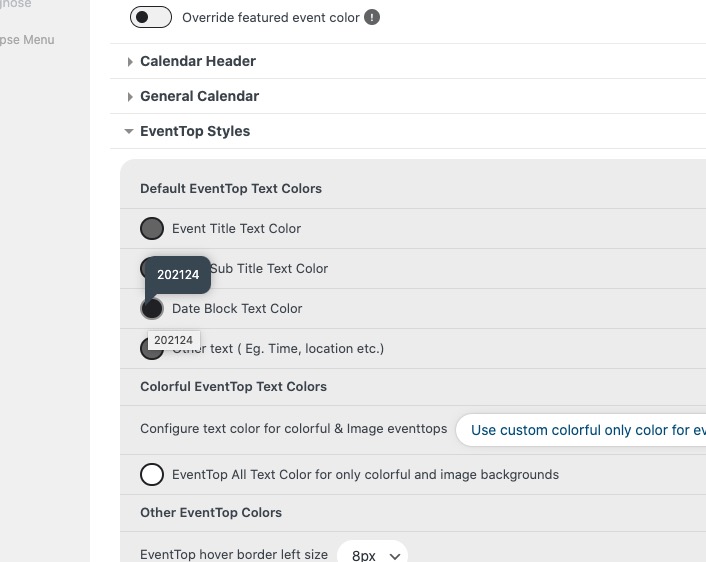
The date color can be changed here (if you don’t see any change, EventON > Scripts & Styling > turn off Write dynamic styles to header > save settings > turn on Write dynamic styles to header):
Reply to: tickets(377062)
The new EventON update will be available very soon.
Besides, I would like it if it was only visible for specific customer or categories (role) I did the featured, but without success.
Thank you for your great suggestion, at the moment it is not supported. However please create a new ticket and select Feature Request as category so others can vote on your idea and get it moved into development faster.
So the original issue has been fixed, correct?
Reply to: tickets(376071)
On higher version if we update the plugin is it possible to do it without custom css?
We wanna reduce the css as much as possible
Reply to: tickets(377166)
Hello,
Are you referring to this part?
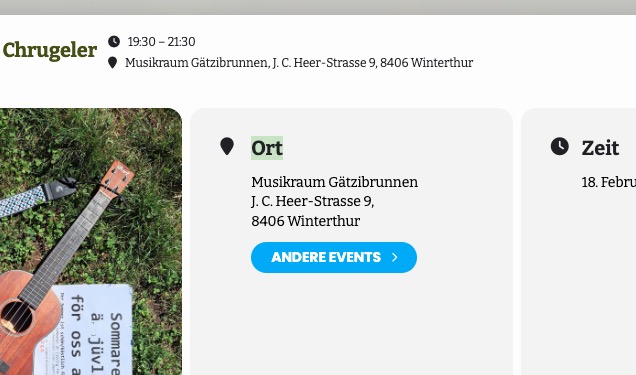
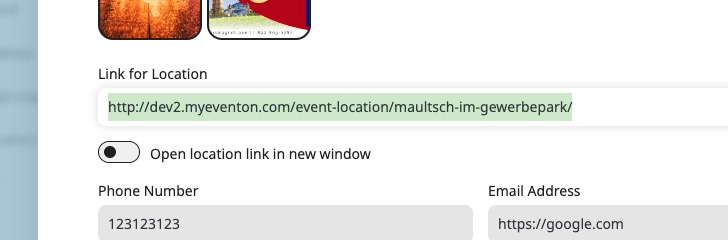
Could you go to Edit Location > make sure that “Link for Location” is added:
Reply to: tickets(376968)
The EventOn editor…
Which part are you referring to? Edit Event or EventON Settings?
There is also a strange issue with icons that is caused by like-dislike-plus-counter plugins:
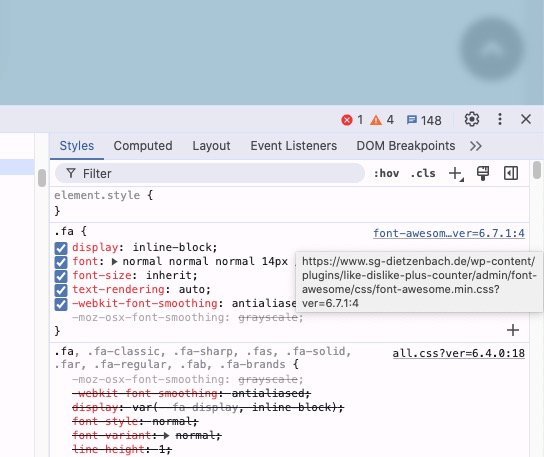
Could you try disabling it?
Reply to: tickets(376701)
Ashan,
When you enable EventON, it’s not possible to edit any Divi elements:

Should look like this:
https://helpdeskx.s3.amazonaws.com/wp-content/uploads/2025/01/27133320/eventon-disabled.png
Can we fix this from our side?