I cannot access EventON Settings and also Plugins pages. Could you give us more access?
Archives: Replies
Replies for tickets on suppota
Reply to: tickets(376384)
I should add that I mostly got the shortcode [add_eventon tiles=”yes” tile_bg=”1″ tile_style=”3″] and [add_eventon tiles=”yes” tile_bg=”1″ tile_style=”1″ ] to work but what I really need here is for it to not only display the current month, but show x amount of events regardless of month OR can specify x amount of months to show like 4 months and it shows all them. When I go into the code builder, there is no actual “tile card” option but it seems only option I see is event list then choose tiles in those settings. But then it does not work or look the same as it does on your demo page.
I tried adding the code in for more months, much like this:
[add_eventon tiles=”yes” tile_bg=”1″ tile_style=”1″ event_past_future=”all” number_of_months=”4″ hide_empty_months=”yes” ]
However, it does not add those functions. Why? What am I doing wrong?
Reply to: tickets(376384)
Hello,
I went to EventON > EventTop > arranged fields differently, so now it looks the same as on our demo page.
The only thing that is left is you need to remove eventtop_style=”3″ from the shortcode to change Tile Design. Could you please check and let me know?
As for the colors, please try going to EventON > Appearance > EventTop Style > try changing Configure text color for colorful & Image eventtops. If you don’t see any change, EventON > Scripts & Styling > turn off Write dynamic styles to header > save settings > turn on Write dynamic styles to header.
We only provide support on this forum. I am afraid. What are other issues that are still waiting our response?
Reply to: tickets(376304)
Hi Artem,
I uploaded the new version to our dev site and tested the CSV importer. I am running into the same issues. I will give you access to the dev site so you can troubleshoot there.
https://dev-revelcomm.pantheonsite.io/wp-admin/
U:eventon
PW:2BFEu#mD!ipQ*M)g2^93myuz
Reply to: tickets(368880)
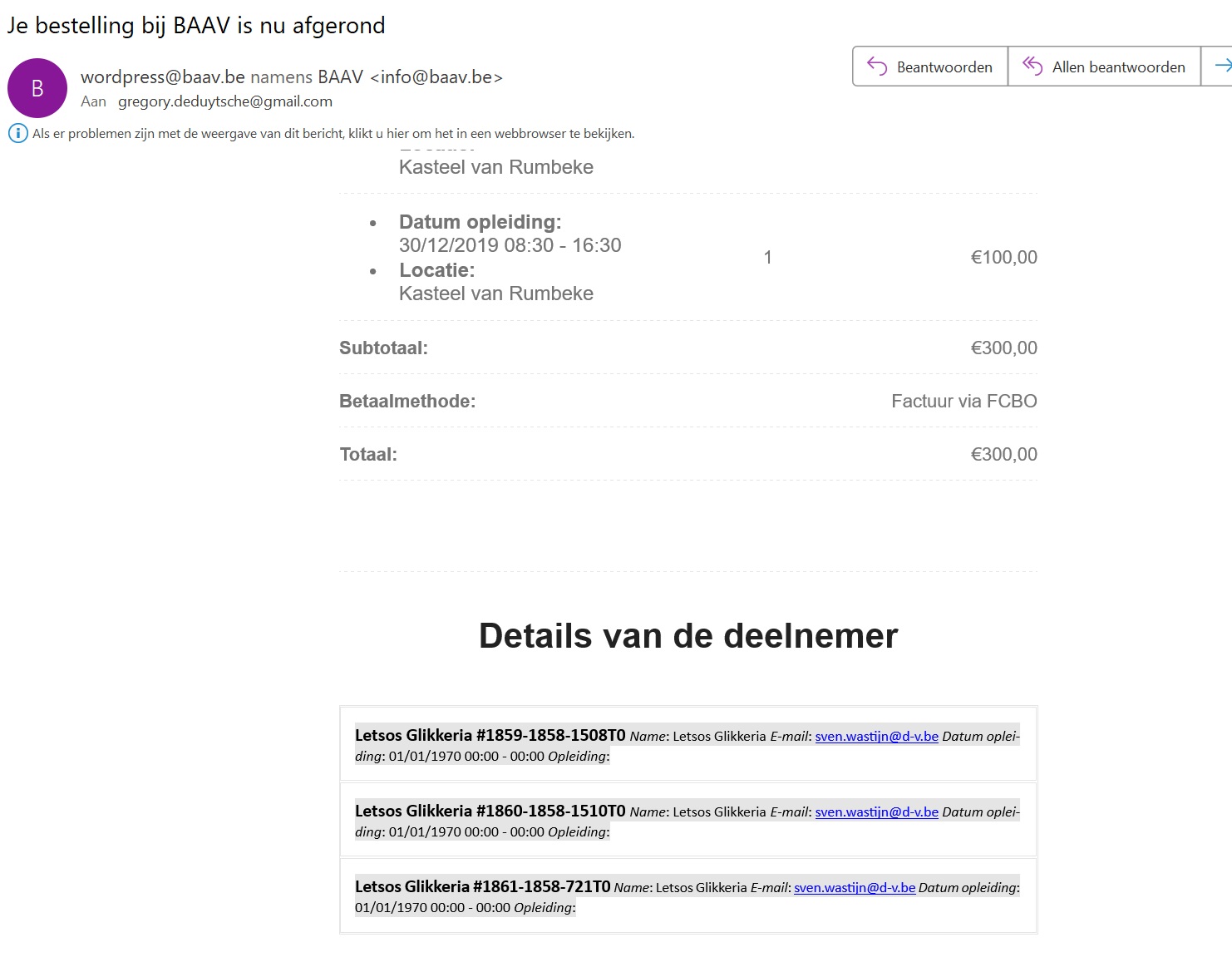
Hi Artem,
Please see the images I’ve sent on Dec 7,2024 AT 8:16AM (adding it here again).
The administrator of Eventon receives an e-mail with a confirmed registration of a customer in an event. This confirmation e-mail shows the extra output fields all next to each other in the Outlook application. (I never go into troubleshooting mode in Outlook)
I’ve recorded it here: https://screenrec.com/share/xUevVDrGPL .
Reply to: tickets(375719)
Thank you that worked
Reply to: tickets(376151)
It means that if there is a recurring event that happens 4 times, the user doesn’t need to buy 4 tickets but just 1, and they will have access to all 4 events. We need that when a ticket is purchased, the user has access to all 4 events, so logically, the 4 dates should appear on the ticket, the cart page, and the checkout. Is this possible?
Reply to: tickets(376071)
PS: the website is in production so better not to do any test that could impact the live pages.
https://cmcm.qc.ca/wp-admin/
u: info@myeventon.com
p: HiBDsS(CUES)EQe@f*FstWM3
url: https://cmcm.qc.ca/formations/ateliers-grand-public/
Reply to: tickets(376325)
Hello Artem,
thank you. I already got this code snippet inside of my shortcode list:
[add_eventon_list number_of_months=”12″ event_count=”99″ hide_month_headers=”yes”]
[add_eventon_list ux_val=”1″ hide_empty_months=”yes” hide_mult_occur=”yes”]
The month still appears. Any other suggestions?
Reply to: tickets(376146)
HI
I have made sure all the plugin are up to date.
Access to the website is
https://theatreexpress.co.uk/wp-admin/
Username – Eventon
Password – R$dcqTLB0MH%fkTQJ6zEukaK