Hello,
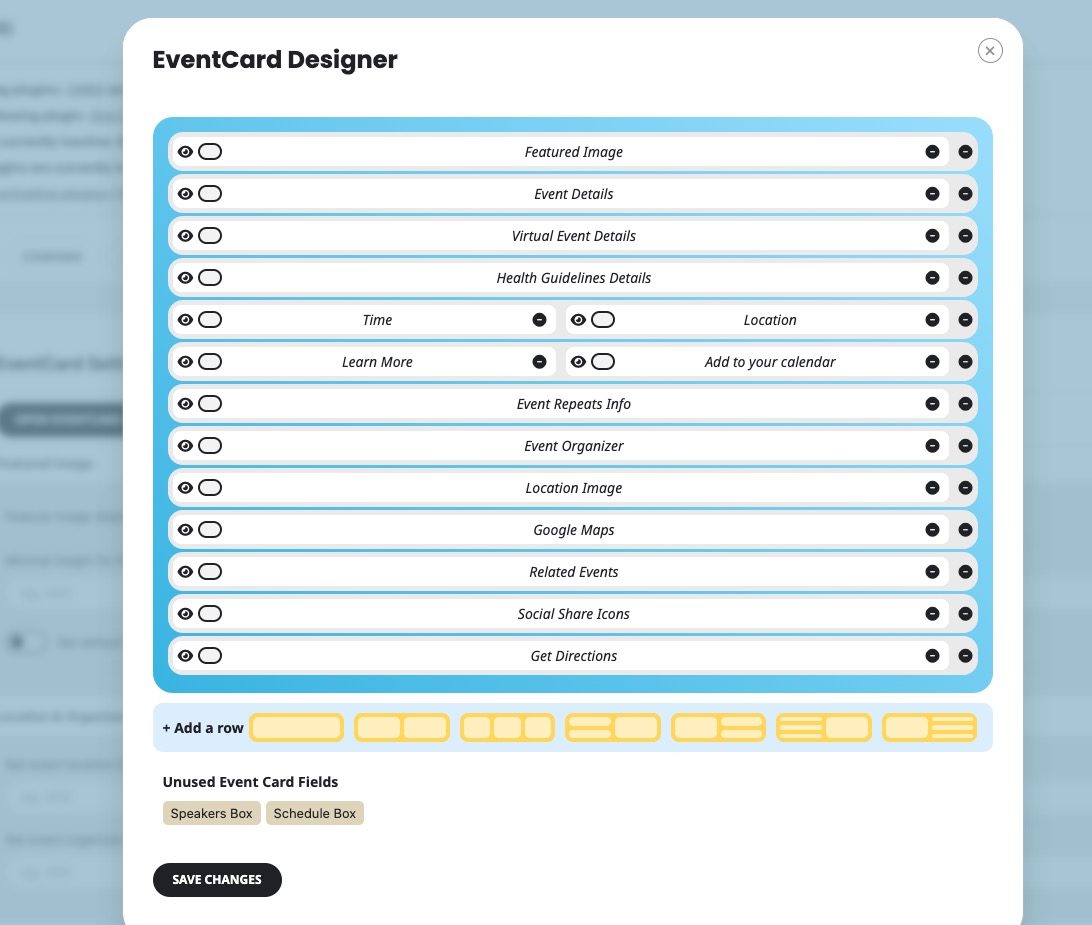
Please update EventON to 4.8.1. Next to go EventON > EventCard > add Speakers Box & Schedule Box fields to:
To update eventon to latest version: If you are unable to do autoupdate, you can go to codecanyon your account > download and get the latest eventon version as zip file. Then you can go to your website > make sure “Delete eventon settings & data when EventON is uninstalled” is Deslected from eventon settings, delete old eventon, install new one and activate. This link will further explain the process it. Also you can follow us on twitter to get real-time announcements on updates!
/wp-admin and /wp-login.php pages are all redirect to 404 page. What’s the login page?
Hello,
Please send us wp-admin access to your site as a private message for us to further assist your situation.
We need to take a look at the issue, also try checking it in Troubleshooting Mode.
We are glad your issue is resolved, if you have any further questions or concerns please create a new ticket.
If you have a moment, we would greatly appreciate if you could kindly leave us a review at Codecanyon. By going to your account > Downloads. We are very grateful for your kind review!
Hello,
Please add to your shortcode:
hide_empty_months=”yes”
We are glad your issue is resolved, if you have any further questions or concerns please create a new ticket.
If you have a moment, we would greatly appreciate if you could kindly leave us a review at Codecanyon. By going to your account > Downloads. We are very grateful for your kind review!
Hi Artem,
thanks for your quick reply. The padding was added manually in the theme. Your question already helped me! 😉 It is an theme issue…
Hello, thank you for your quick response.
This are the credentials:
username: Event On
password: 8J!j5M^Z3BPpXA71)xzQ5m5R