We are glad your issue is resolved, if you have any further questions or concerns please create a new ticket.
Archives: Replies
Replies for tickets on suppota
Reply to: tickets(375485)
Closed as duplicate.
Reply to: tickets(375488)
Ashan,
On dev2 it redirects https://dev2.myeventon.com/wp-admin/user/admin.php to https://dev2.myeventon.com/wp-admin/. The same on customer’s website.
Reply to: tickets(375488)
Hello,
Thank you for your messages, I am going to assign this ticket to Ashan and he will be able to take it from here and find you a solution. Please allow some time for him to get back to you, we greatly appreciate your patience and thank you for being a eventon customer! Also please disable any IP blocking on your site if there are any.
Reply to: tickets(375123)
Can your plugin export events in CSV format of ICS format?
You can use one of our add-ons to import the data:
https://www.myeventon.com/addons/ics-importer/
https://www.myeventon.com/addons/csv-event-importer/
Try both on
dev.myeventon.com/wp-admin/
Reply to: tickets(375471)
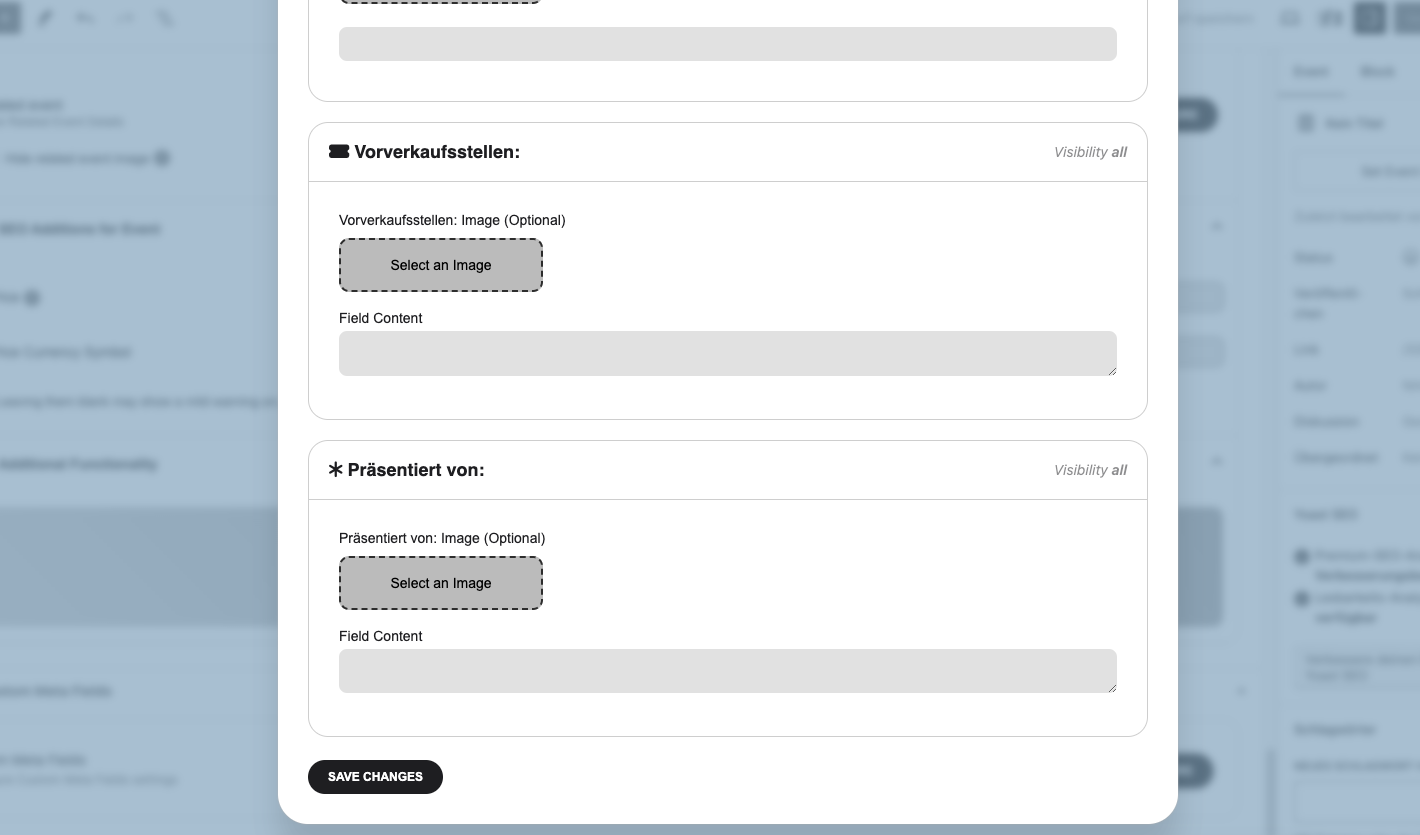
The custom text window isn’t really well thought out. I have to scroll down to the bottom to enter and save, then back to the top to close the window because there is no “save and close” button at the bottom.
That would be great
– Save
– Save and Close
– Cancel
Reply to: tickets(375490)
Hello,
Could you try going to EventON > Scripts & Styling > make sure that Write dynamic styles to header is enabled. If it is, please disable it, save settings, enable it again, save settings.
Also if you are using 4.8 version, please go to EventON > Appearance > EventTop Styles > try changing Configure text color for colorful & Image eventtops.
Reply to: tickets(375492)
Hello,
1. Please follow this guide
https://docs.myeventon.com/documentations/setup-basic-paypal-events/
You can then go to Edit Event > add the price to “Text to show above buy now button”.
Please check and let me know.
You can also use Custom Meta fields:
https://docs.myeventon.com/documentations/setup-use-custom-meta-fields-events/
2. Please go to EventON > Language > search for the text you want to translate.
Reply to: tickets(375493)
Closed as duplicate.
Reply to: tickets(375490)
A little more information…
In the calendar view, the custom field is gray and the event title is white.
In the individual event view (after you click on the event title), the custom field is white and the event title is black.
I’d like all text to be white in both views.