Another clue: Even the Event Author is not recieving RSVP notification emails.
Archives: Replies
Replies for tickets on suppota
Reply to: tickets(402981)
If you recommend, I can install the older version of RSVP plugin to resolve the problem temporarily (Then you will not be able to debug on our website)
I tested many scenarios and it is obviouse that new RSVP notifications is not sent to the list of our staff recipients. But clients recieve the emails. Also, RSVP Update (Change to YES/NO) emails are being delivered.
Please give this high priority and your best advise.
Reply to: tickets(402900)
Hello,
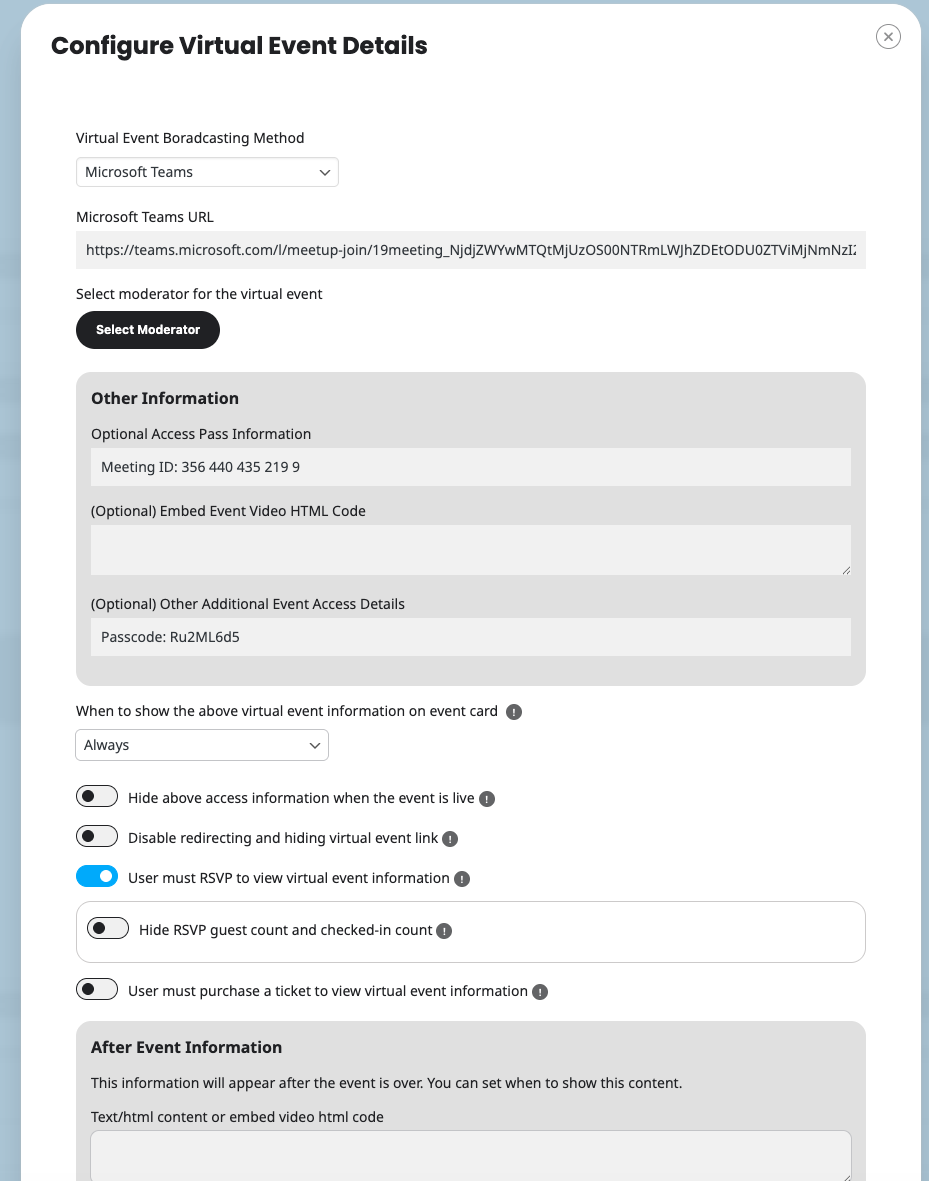
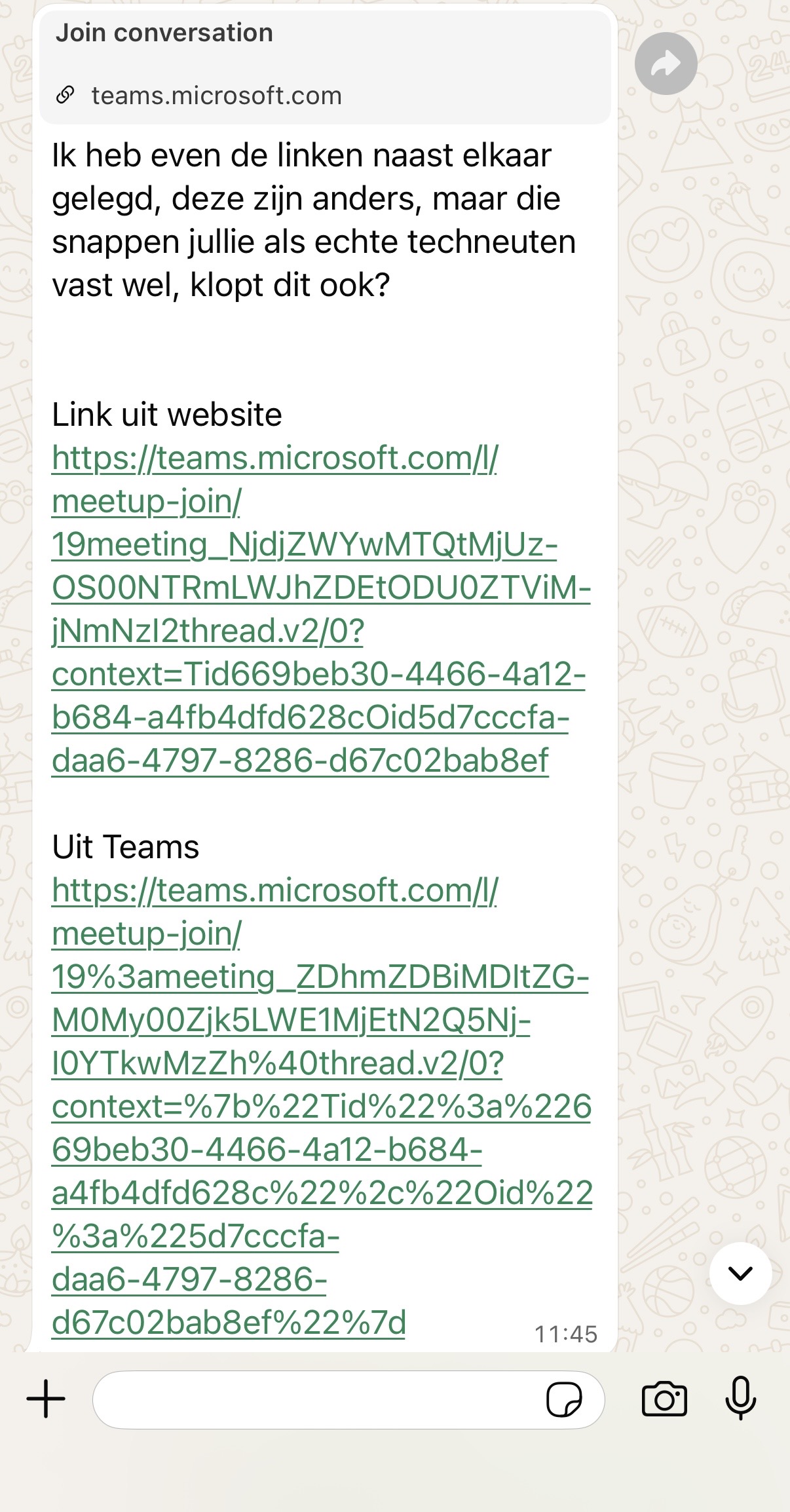
Yes I was referring to that guide. See also enclosed screenshot on how we have added the information requited. The strange thing is that it looks like to url of the meeting is slighty changed when added to EventOn. Please see the difference in links between Event on and Teams on the second image enclosed.
Reply to: tickets(402906)
Hi that is disabled now.
Reply to: tickets(402981)
Hello,
Thank you for your messages!
I am going to escalate this ticket to development to help in here. Please allow us some time to address this, and we truly appreciate your patience. Thank you for being a valued EventON customer!
Additionally, if your site has any IP blocking or security restrictions in place, kindly disable them temporarily to facilitate our support process.
Reply to: tickets(402997)
Ashan,
The same on dev2:
https://dev2.myeventon.com/wp-admin/post.php?post=74457&action=edit
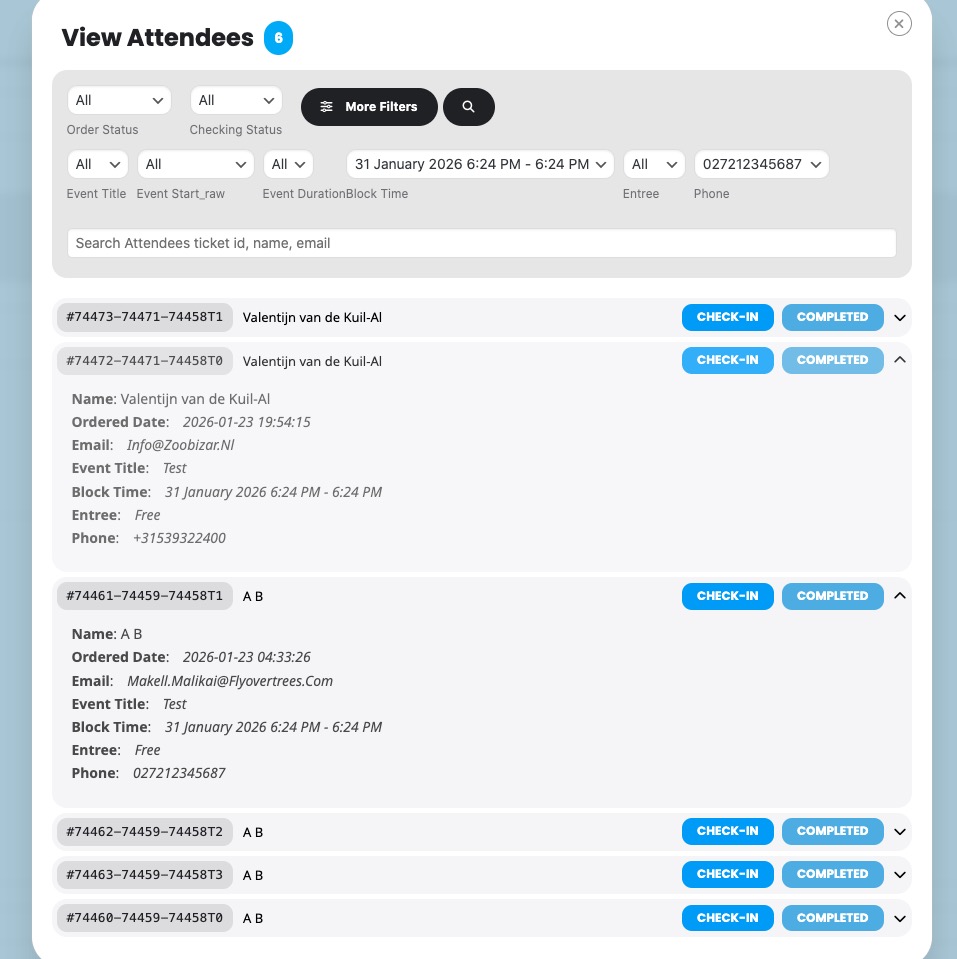
It doesn’t filter attendees when you select any parameters:
Reply to: tickets(402997)
Hello,
Thank you for your messages!
I am going to escalate this ticket to development to help in here. Please allow us some time to address this, and we truly appreciate your patience. Thank you for being a valued EventON customer!
Additionally, if your site has any IP blocking or security restrictions in place, kindly disable them temporarily to facilitate our support process.
Reply to: tickets(402999)
Hello,
Please check for latest version of this software from here Your issue might be related to an older version you are running and we might have resolved this already in the newer version update. If you are on latest version of our software and the issue still persist please let us know.
Reply to: tickets(403000)
Hello,
Please add this CSS code to EventON > Styles (If you don’t see any change, EventON > Scripts & Styling > turn off Write dynamic styles to header > save settings > turn on Write dynamic styles to header).
You can also add this code to wp-admin > Appearance > Customize > Additional CSS.
.evo_bub_box { display: none !important; }
Reply to: tickets(402702)
Thank you!