And finally…it looks like the API functionality stopped working again. I updated all the March event locations with lat/long and the maps do not pull up on the calendar month of March or April….only January and February…
Archives: Replies
Replies for tickets on suppota
Reply to: tickets(364467)
Hi there, I just set up a user profile with the following credentials:
—
marketing@pittsburghbotanicgarden.org
n!MPW8glwO@wWhzo4d#4s4MD
—
Let me know if you need anything else
Reply to: tickets(374379)
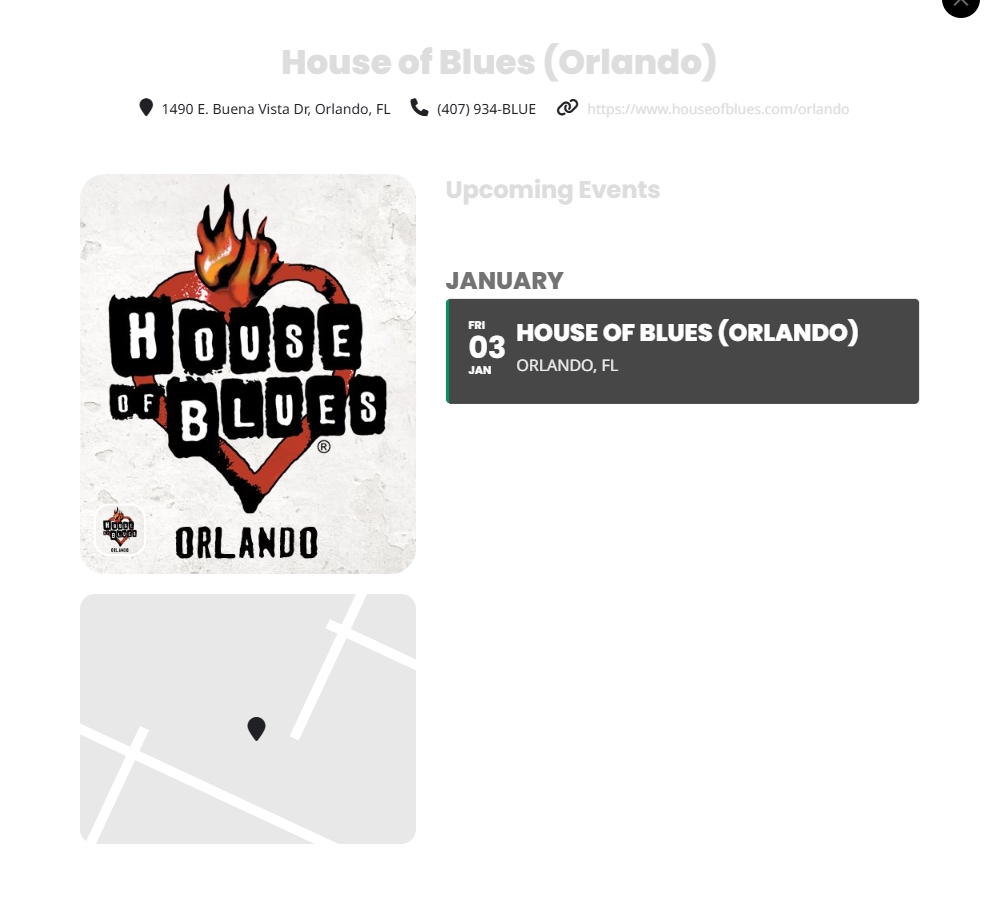
In the meantime…I had one other question…When you go to the “Organizer” in the Event Card, and you click on “Learn More” it provides information about the organizer and there appears to be a “map” there as well….It doesn’t seem to do anything or seem viable…Can that be corrected too? I guess I just don’t see the purpose of the map feature if you can’t configure it to work…screenshot attached…
I’d also be interested in knowing if the color scheme can be fixed for this as well….the text is a light grey and you can barely see the organizer link….No need to change it immediately, I just wanted to know how to make changes…if possible…
Reply to: tickets(374255)
Hi,
Please see this link: https://screenrec.com/share/XMAdOyuic2 .
I can fill in 4-5 items and the rest of the fields it will not ask although all being required, and all having the same code. I suspect it only requires the first 2 fields, and doesn’t check the rest.
Reply to: tickets(373957)
Is there a way to make an event never expire? All the events on this calendar rarely change so I’d rather no have to go in and update the number of repeats so that an event doesn’t disappear from the calendar when it ends.
Reply to: tickets(374379)
Hello Artem,
I updated one of the locations to include lat/long to create the map output, and it worked!! I guess I need to painstakingly go through every event location and turn on this feature…Is there a way to bulk update all of the event locations at once? Would be much easier.. 🙂
Thanks!! 🙂
Reply to: tickets(374329)
yes. and changing it to “last 12 months” solved it.
Reply to: tickets(373957)
I changed the number of repeats for each event from 1000 to 200 and that fixes the slow loading times. Thank you. I also was able to update both the EventOn and EventOn Weekly plugins and events times look correct.
Reply to: tickets(374100)
I keep attaching the invoice not sure if showing up properly