Perfect! Please keep us updated.
Archives: Replies
Replies for tickets on suppota
Reply to: tickets(373628)
Hello,
Could you also add number_of_months=”24″ to the shortcode?
Reply to: tickets(373310)
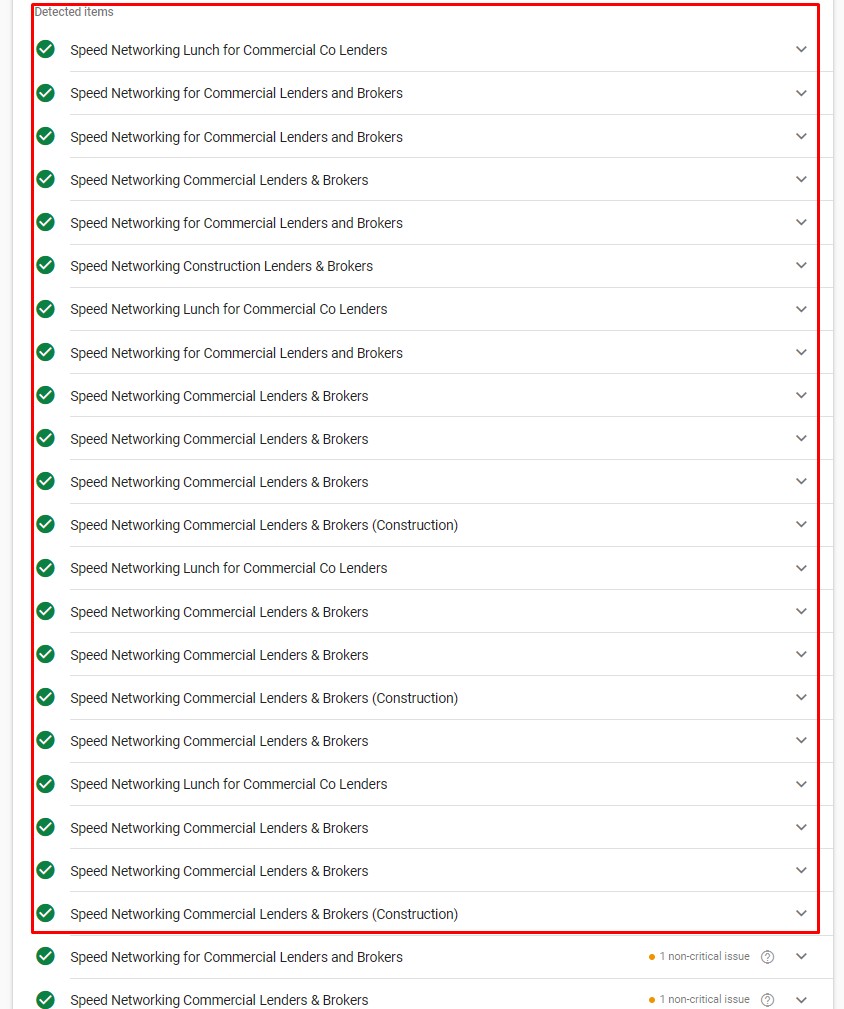
attaching another screenshot showing all working ones.
Reply to: tickets(373310)
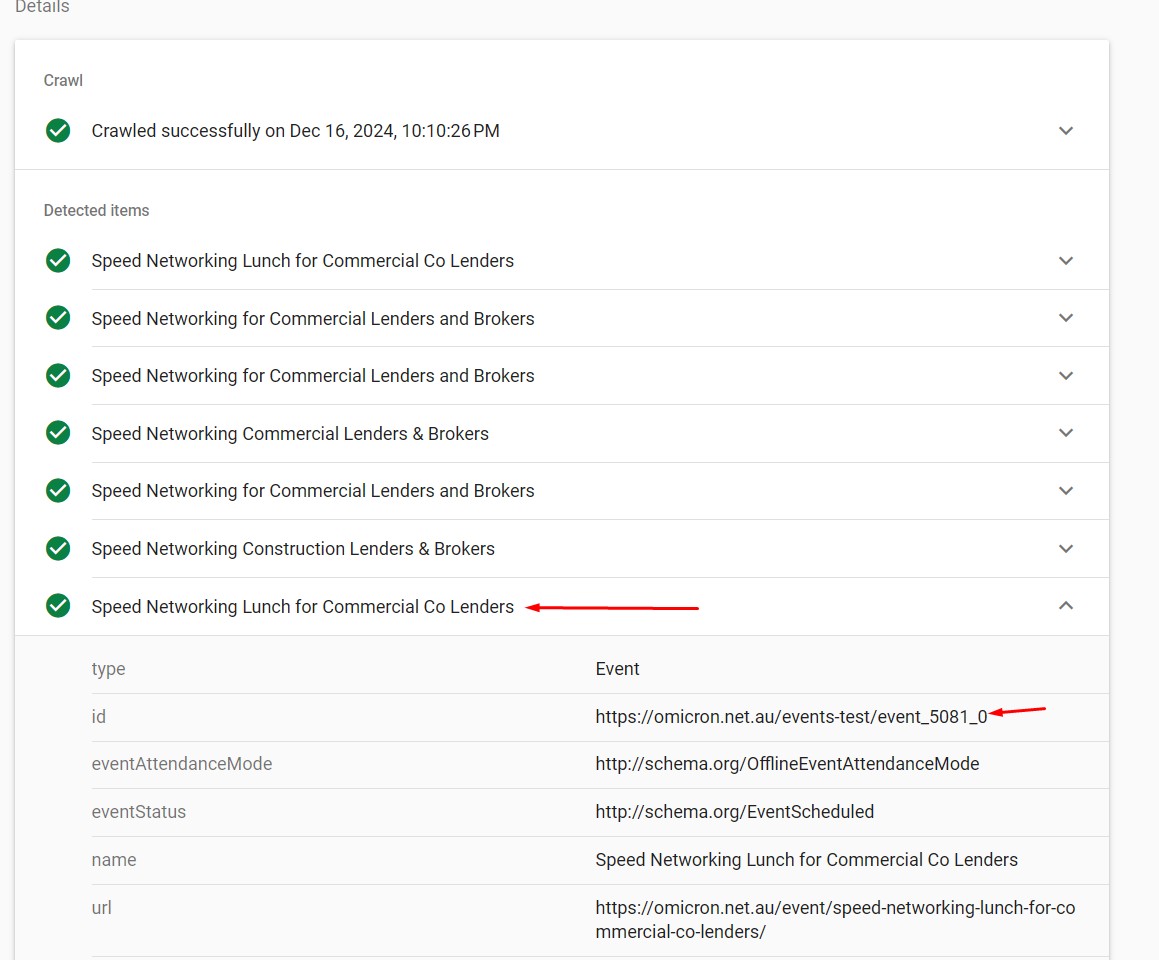
But the URL you mentioned has schema and is working fine. The others I listed in my previous response are also working fine (see screenshot).
https://omicron.net.au/wp-admin/post.php?post=5081&action=edit
This is the problem… Why are some working fine and others are not when they have the same settings?
Reply to: tickets(373162)
Ok thanks, i will do that.
Reply to: tickets(373434)
Hello, we updated rsvp but the issue persists.
no, the email was sent at the right time. You can see that in the activity log data.
also, we tried to change the rsvp now for an event already started and we could do that as well!
Reply to: tickets(373446)
https://www.loom.com/share/9f1bf6f0ba5942c9b18c27ed07317e2b?sid=86cff619-2d3d-461e-922a-fed3c6c24ebe
Reply to: tickets(373421)
Thank you. The css worked fine except for the text color in the buttons. It works for the top event, but not the tiles – https://www.loom.com/share/e51de69bc4ad4478a27ad93df6f2d812?sid=1bfa90cf-07c1-45b1-a5c5-a5e710498720
I am still getting the shortcode disapearing when I open the page in elementor. I will contact elementor about this. Your shortcode generator is a bit buggy as well.
Reply to: tickets(373503)
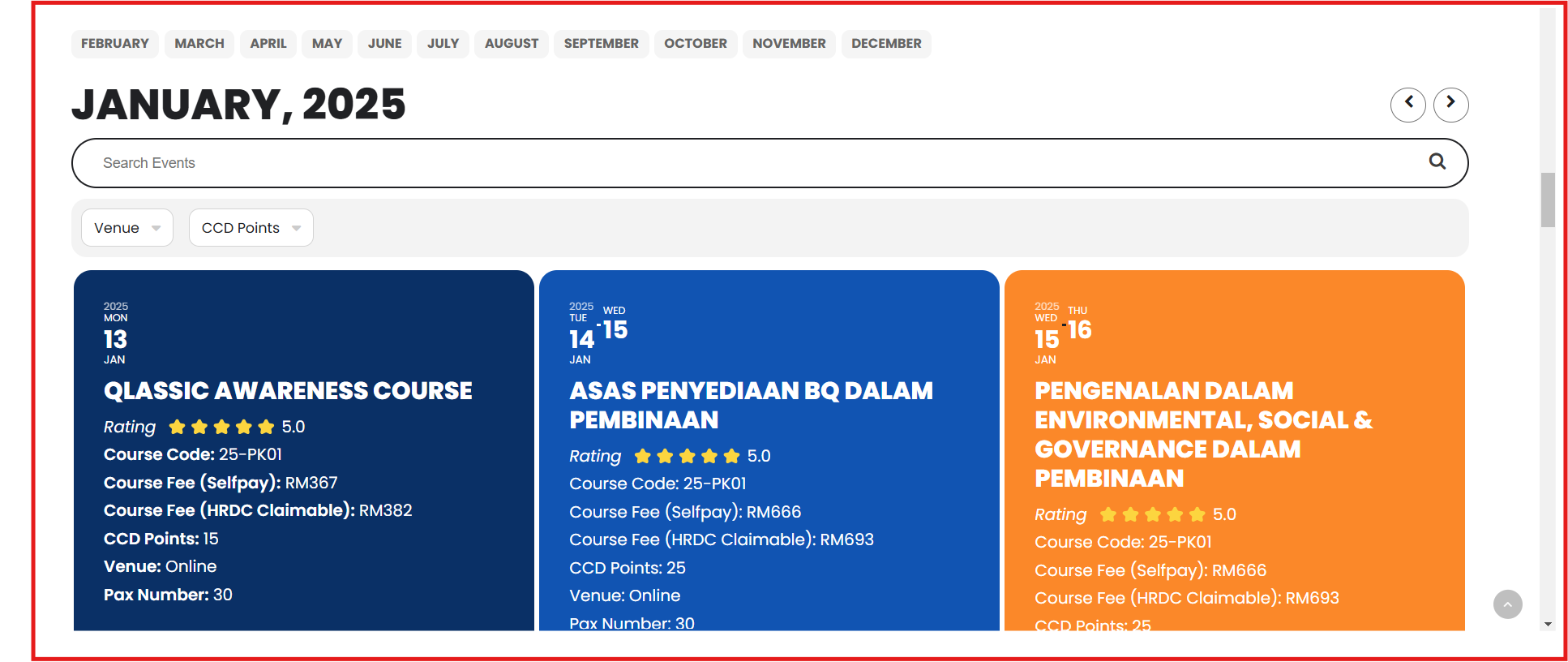
Okay, if I try customizing your code like this:
[add_eventon_list tiles=”yes” tile_count=”3″ tile_height=”250″ exp_so=”yes” jumper=”yes” exp_jumper=”yes” jumper_offset=”2″ jumper_count=”1″ fixed_year=”2025″ month_incre=”1″ hide_empty_months=”yes” event_tag=”94″ search=”yes” number_of_months=”12″ search_all=”yes”]
You can see the result at https://www.razota.com/cidbhold/test/ or in the screenshot https://pasteboard.co/alpoCFylUTjf.png Why is it only showing January? I have already created events from January to March.
I want the final result to look like the image in the attachment. Please see an attachment.
Reply to: tickets(373111)
I rolled back elementor and elementor pro and seems to be running better. The boosted elements plugin just received an update too. I suppose I just wait till more updates arrive, correct?