We are glad your issue is resolved, if you have any further questions or concerns please create a new ticket.
Archives: Replies
Replies for tickets on suppota
Reply to: tickets(376377)
Ashan,
All these links throw 500 error when Google tries to check them:
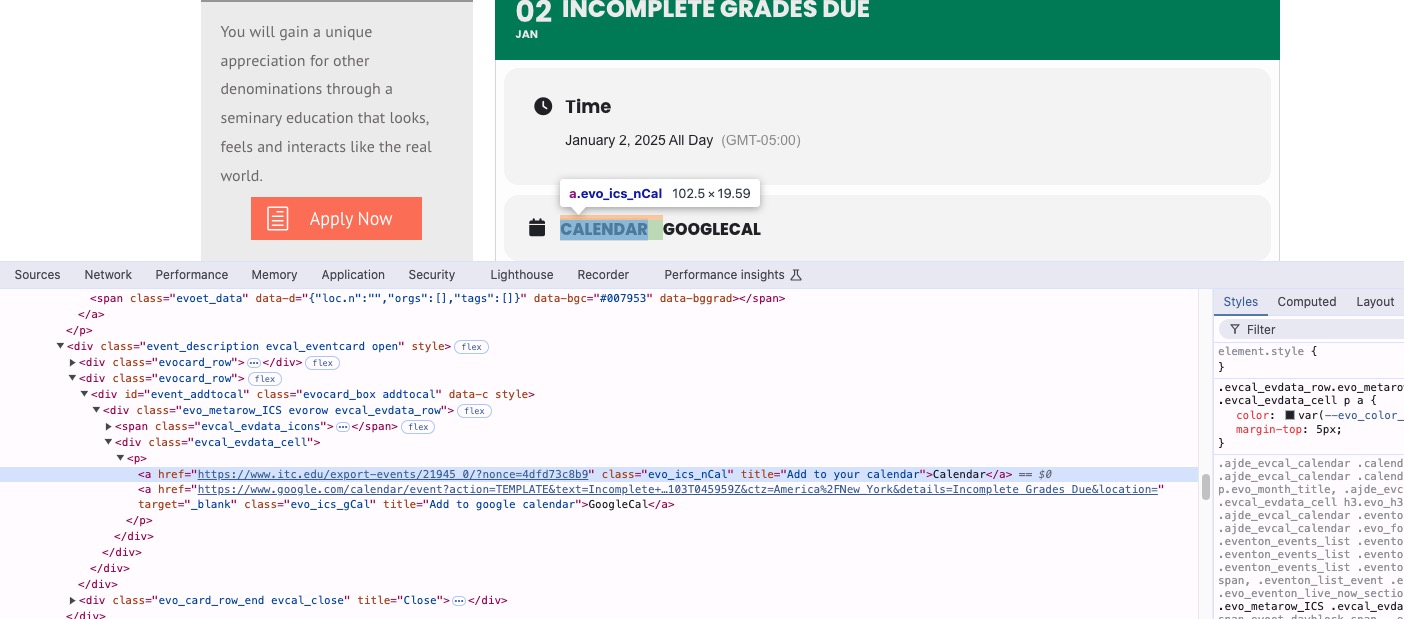
Could you check?
Reply to: tickets(376377)
Hello,
Thank you for your messages, I am going to assign this ticket to Ashan and he will be able to take it from here and find you a solution. Please allow some time for him to get back to you, we greatly appreciate your patience and thank you for being a eventon customer! Also please disable any IP blocking on your site if there are any.
Reply to: tickets(376379)
Hello,
On my side it’s white:
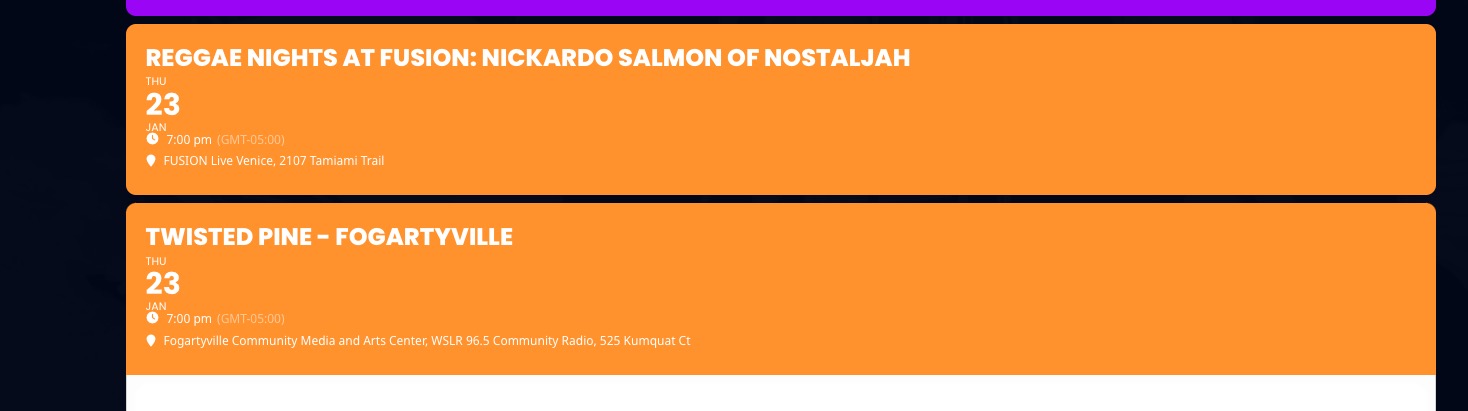
Because you selected this: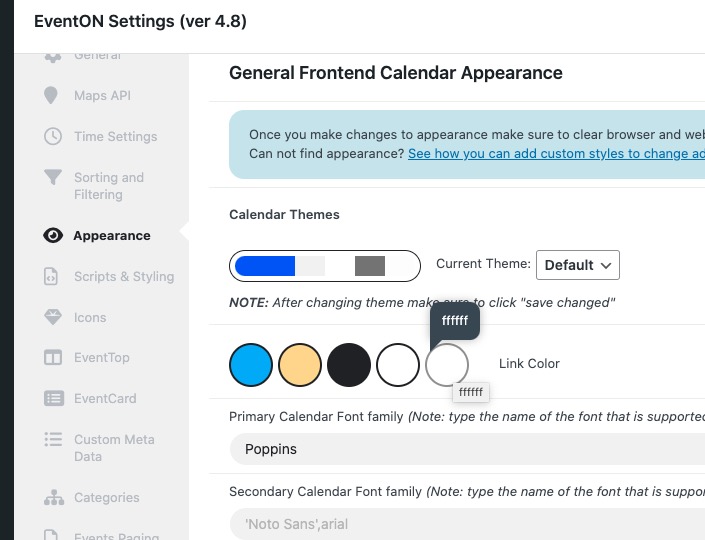
Could you check and let me know?
Please also update EventON to 4.8.1. To update eventon to latest version: If you are unable to do autoupdate, you can go to codecanyon your account > download and get the latest eventon version as zip file. Then you can go to your website > make sure “Delete eventon settings & data when EventON is uninstalled” is Deslected from eventon settings, delete old eventon, install new one and activate. This link will further explain the process it. Also you can follow us on twitter to get real-time announcements on updates!
Reply to: tickets(376304)
I cannot access EventON Settings and also Plugins pages. Could you give us more access?
Reply to: tickets(376384)
I should add that I mostly got the shortcode [add_eventon tiles=”yes” tile_bg=”1″ tile_style=”3″] and [add_eventon tiles=”yes” tile_bg=”1″ tile_style=”1″ ] to work but what I really need here is for it to not only display the current month, but show x amount of events regardless of month OR can specify x amount of months to show like 4 months and it shows all them. When I go into the code builder, there is no actual “tile card” option but it seems only option I see is event list then choose tiles in those settings. But then it does not work or look the same as it does on your demo page.
I tried adding the code in for more months, much like this:
[add_eventon tiles=”yes” tile_bg=”1″ tile_style=”1″ event_past_future=”all” number_of_months=”4″ hide_empty_months=”yes” ]
However, it does not add those functions. Why? What am I doing wrong?
Reply to: tickets(376384)
Hello,
I went to EventON > EventTop > arranged fields differently, so now it looks the same as on our demo page.
The only thing that is left is you need to remove eventtop_style=”3″ from the shortcode to change Tile Design. Could you please check and let me know?
As for the colors, please try going to EventON > Appearance > EventTop Style > try changing Configure text color for colorful & Image eventtops. If you don’t see any change, EventON > Scripts & Styling > turn off Write dynamic styles to header > save settings > turn on Write dynamic styles to header.
We only provide support on this forum. I am afraid. What are other issues that are still waiting our response?
Reply to: tickets(376304)
Hi Artem,
I uploaded the new version to our dev site and tested the CSV importer. I am running into the same issues. I will give you access to the dev site so you can troubleshoot there.
https://dev-revelcomm.pantheonsite.io/wp-admin/
U:eventon
PW:2BFEu#mD!ipQ*M)g2^93myuz
Reply to: tickets(368880)
Hi Artem,
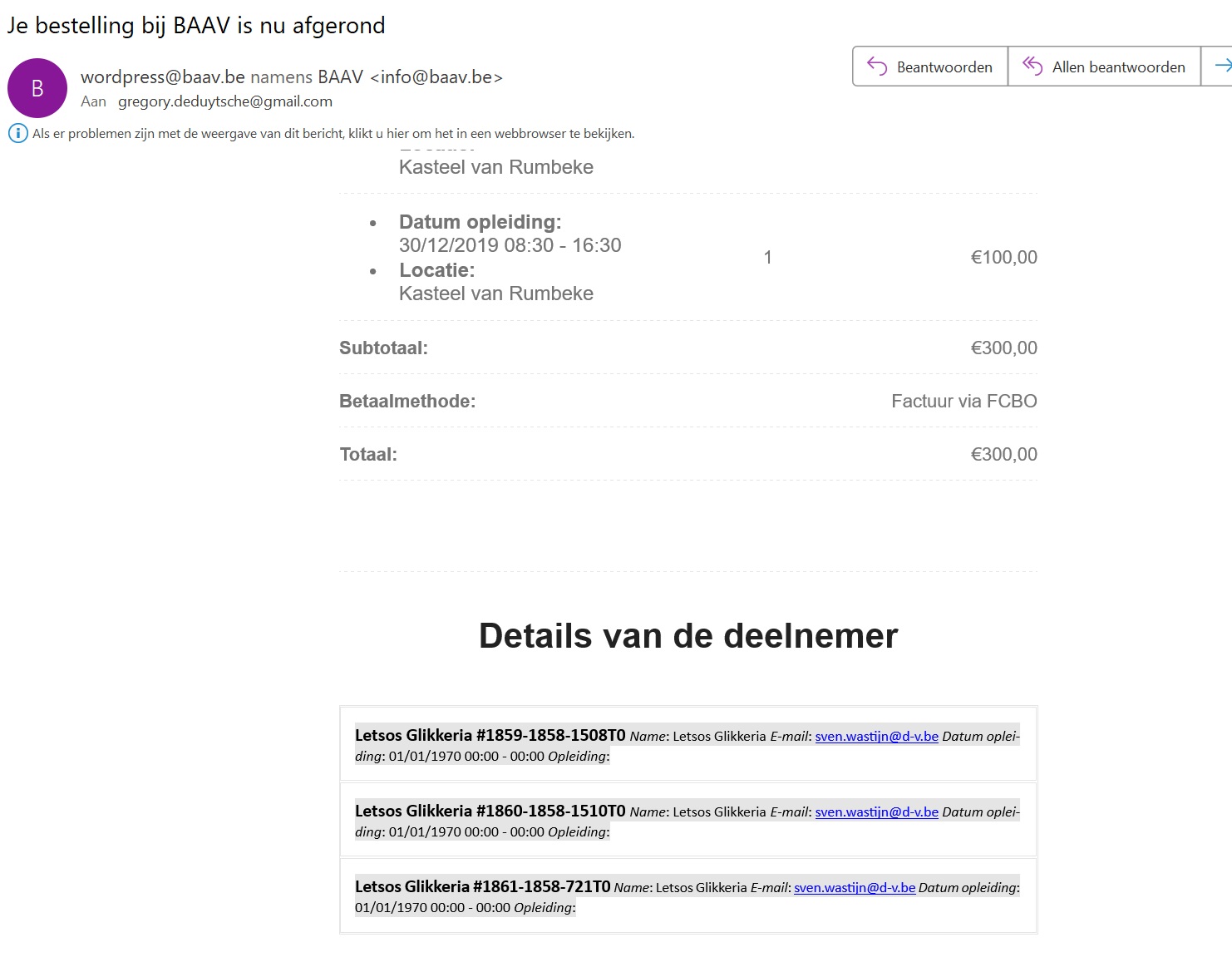
Please see the images I’ve sent on Dec 7,2024 AT 8:16AM (adding it here again).
The administrator of Eventon receives an e-mail with a confirmed registration of a customer in an event. This confirmation e-mail shows the extra output fields all next to each other in the Outlook application. (I never go into troubleshooting mode in Outlook)
I’ve recorded it here: https://screenrec.com/share/xUevVDrGPL .
Reply to: tickets(375719)
Thank you that worked