ok can you please enable the correct shortcode to show 2025
Archives: Replies
Replies for tickets on suppota
Reply to: tickets(374754)
I have made the changes above, cleared the cache, nothing changes.
I have created an admin account for you if you would like to take a look
TempAdmin
akumanopanda@gmail.com
xNiB%Cpze0hfI5NO5FhCeHXC
Reply to: tickets(374766)
Your current shortcode shows 12 months of events into the future: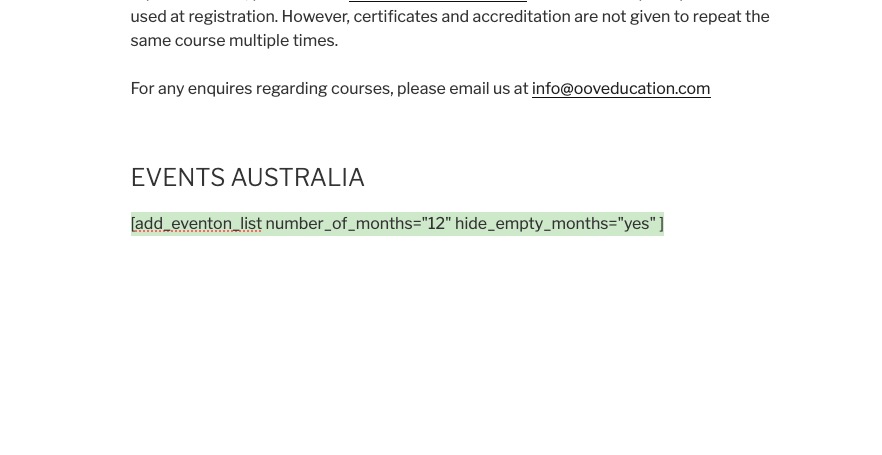
So when 2025 came, the shortcode stopped showing any past events.
Reply to: tickets(374766)
So there is no way to restore what was there previously? You havn’t really explain why this happened after the plugin update so please respond to the original question as to why this happened and to prevent it happening again when we do an update??
Also we have lost the formatting that was originally full screen and now is only using the middle of the screen
https://www.ooveducation.com/us/events/oov-fundamentals-course-hadley-ma-5/
Reply to: tickets(374792)
Please go to Your Account > Downloads.
Should be right under Subscriptions:
https://docs.myeventon.com/wp-content/uploads/2019/06/Screen-Shot-2019-06-07-at-1.41.26-PM.png
Reply to: tickets(374675)
Please add this CSS code to EventON > Styles (If you don’t see any change, EventON > Scripts & Styling > turn off Write dynamic styles to header > save settings > turn on Write dynamic styles to header):
.evocard_main_image span { background-color: #f3f3f3; }
Reply to: tickets(374766)
More info:
https://docs.myeventon.com/documentations/how-to-show-past-events/
Reply to: tickets(374766)
If you want to show past event, then you need to use a different shortcode.
Please take a look at this page:
https://www.ooveducation.com/aus/test/
Reply to: tickets(374825)
Hello,
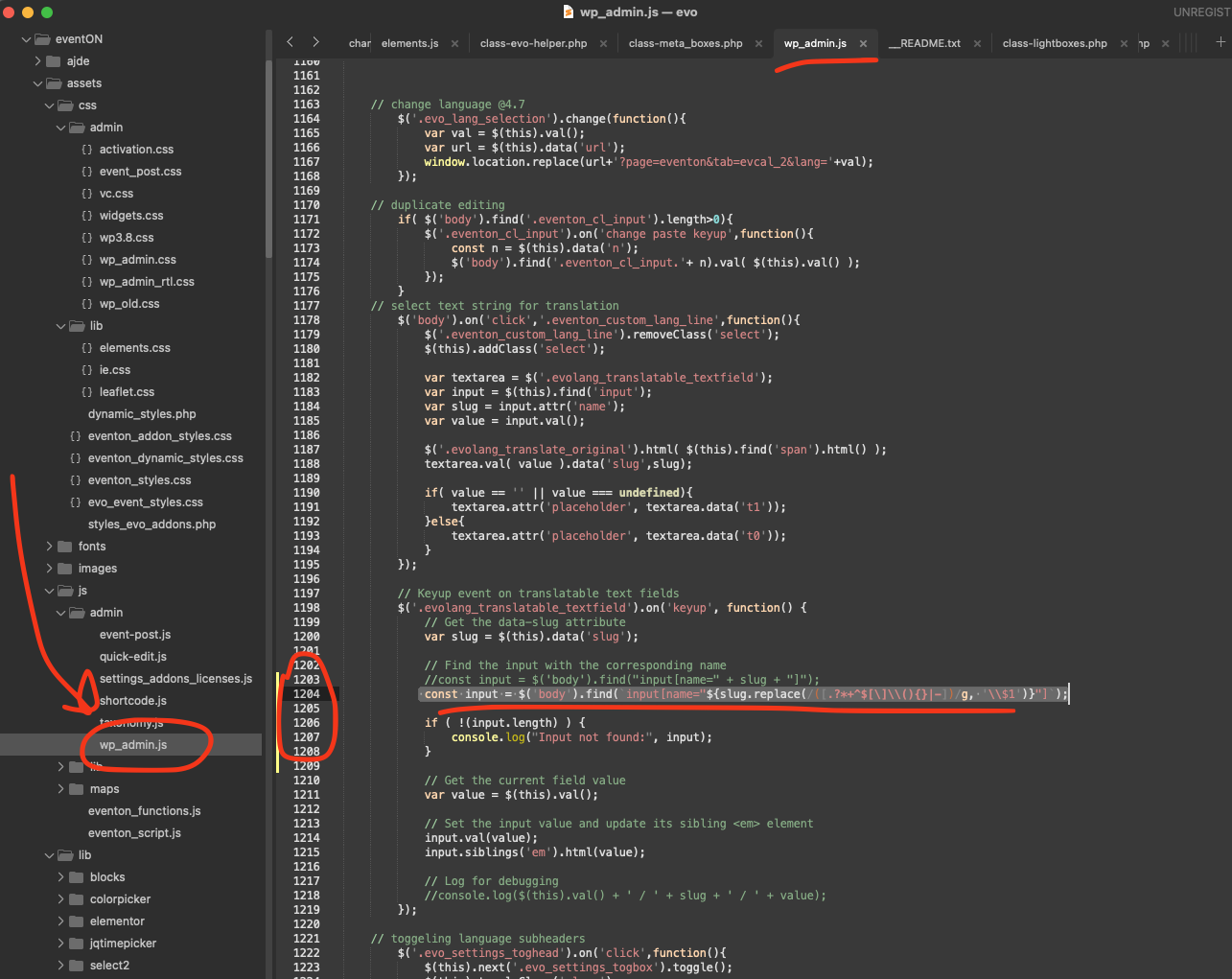
Kindly apply this patch fix.
code: const input = $(‘body’).find(`input[name=”${slug.replace(/([.?*+^$[](){}|-])/g, ‘$1’)}”]`);
More info:
https://docs.myeventon.com/patch-fixes/4-7-3-text-translations-issue/
Reply to: tickets(374843)
Thank you!