Seems to work on the calendar just like other events i’ve made manually except the one i sent the video of.
Archives: Replies
Replies for tickets on suppota
Reply to: tickets(374602)
Thank you for your answer,
I have no IP blocking on my site, I’ll be waiting for a solution.
Regards
Reply to: tickets(374602)
Ashan,
The same on dev2:
https://dev2.myeventon.com/events/test-238/
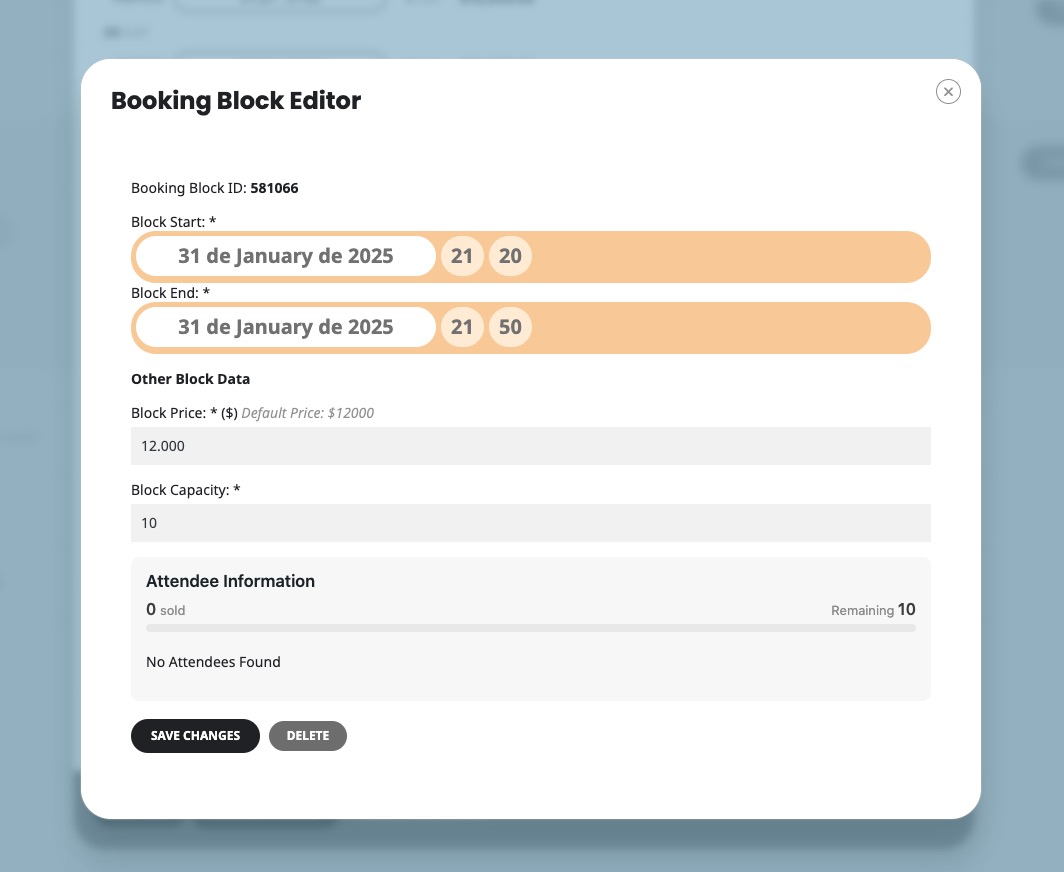
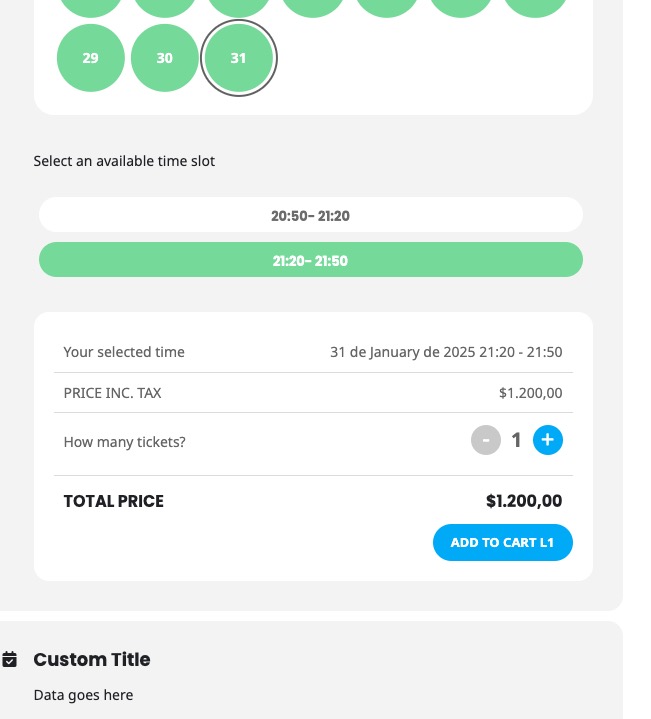
Reply to: tickets(374602)
Thank you for your messages, I am going to assign this ticket to Ashan and he will be able to take it from here and find you a solution. Please allow some time for him to get back to you, we greatly appreciate your patience and thank you for being a eventon customer! Also please disable any IP blocking on your site if there are any.
Reply to: tickets(374766)
Hello,
There are no new events. I added one, so you can see it:

Please check and let me know.
Reply to: tickets(374535)
You need to add (int) to the line on the screenshot if it doesn’t exist.
Reply to: tickets(373759)
We are glad your issue is resolved, if you have any further questions or concerns please create a new ticket.
If you have a moment, we would greatly appreciate if you could kindly leave us a review at Codecanyon. By going to your account > Downloads. We are very grateful for your kind review!
Reply to: tickets(374602)
Hi,
At the moment, I have set “.” for thousands and “,” for decimals on my WooCommerce and everything is fine with Tickets plugin activated, prices are displayed correctly and I don’t want to change this set up.
The issue appears only when I activate Bookings. Modifying WooCommerce settings would solve this problem, but would mess up the prices of all my Tickets-only and no-Tickets products.
Is there a way to make Bookings behave in accordance to Tickets, which is working smooth as always with my WooCommerce settings?
Reply to: tickets(343148)
I would like to delete “Make sure to RSVP to this amazing event!”
I think I did it once, but now it is showing up again.
Reply to: tickets(372304)
Do I really have to set events like I did? Is there no easier way for this?
I have the same schedule for the whole year and I just want to adjust via REPEAT CUSTOMIZER for example when we are closed for holidays.
Because this way I will have to adjust everything again after 52 weeks.