That still doesn’t work. It doesn’t include December which is this month.
I tried changing the shortcode to this:
[add_eventon_list event_order=”DESC” month_order=”DESC” exp_so=”yes” tiles=”yes” tile_bg=”1″ tile_style=”1″ show_upcoming=”1″ month_incre=”-100″ number_of_months=”100″ show_year=”yes” hide_empty_months=”yes” event_past_future=”past”]
If I set month_incre=”-2″, the test event appears but it doesn’t show all of the other pasts event.
So just to confirm, this shortcode will work if I got that extension? If not, can you edit my shortcode? I want to show all of past events in DESC order.
[add_eventon_list month_incre=”-100″ number_of_months=”100″ event_order=”DESC” exp_so=”yes” hide_empty_months=”yes” show_year=”yes” event_past_future=”past”]
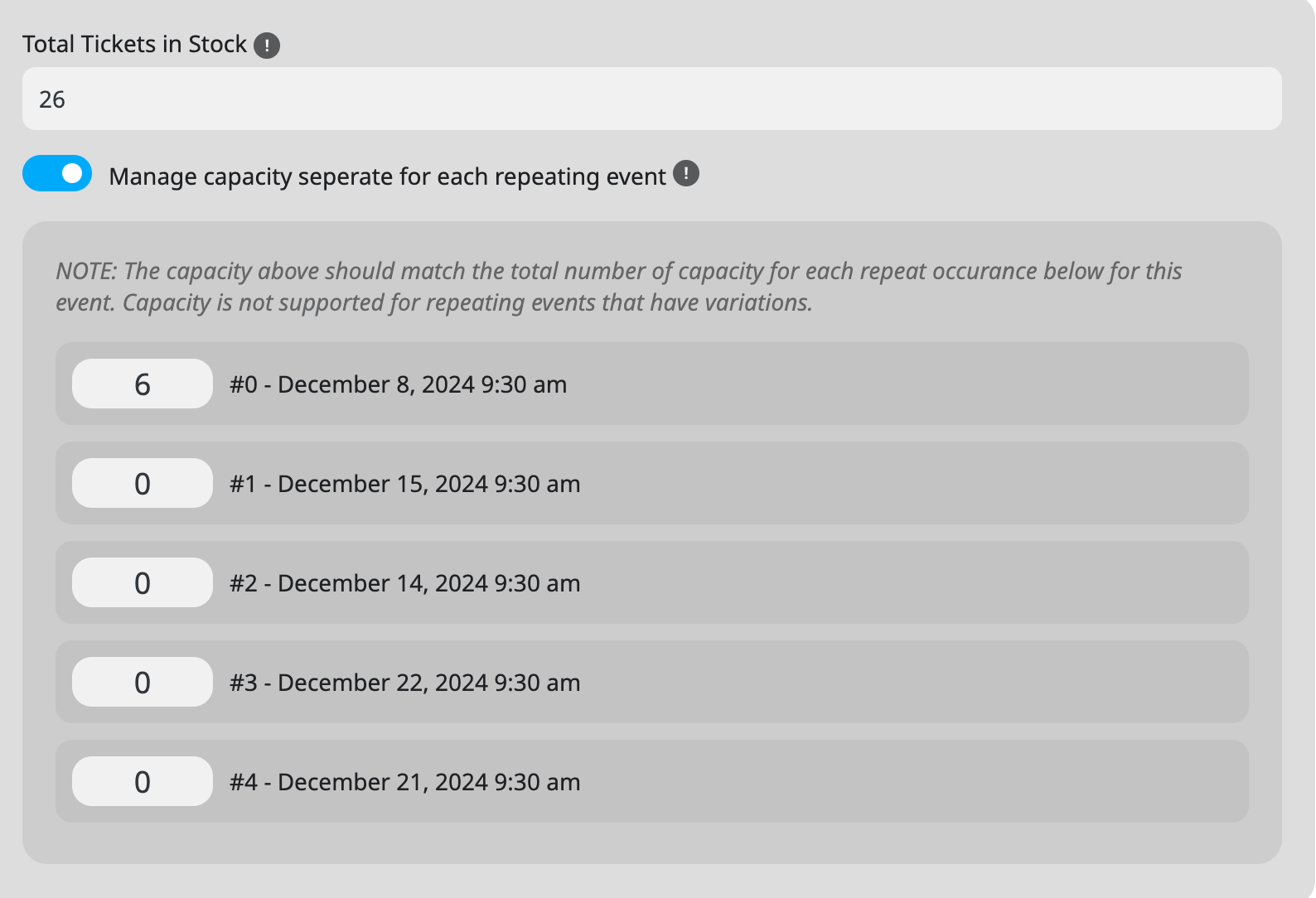
When you enable “Manage capacity seperate for each repeating event”, EventON starts taking the ticket capacity from each individual repeat and not from “Total Tickets in Stock”. Could you go to “#4 – December 21, 2024 9:30 am” and put for example 6 to it?
Hello,
Please send us wp-admin access to your site as a private message for us to further assist your situation.
What are your current versions of EventON and RSVP? Please check for latest version of this software from here Your issue might be related to an older version you are running and we might have resolved this already in the newer version update. If you are on latest version of our software and the issue still persist please let us know.
Hello,
Please only do “click save ticket changes” and don’t save the whole event. We are going to fix this in the next version that we are working on.
Hello,
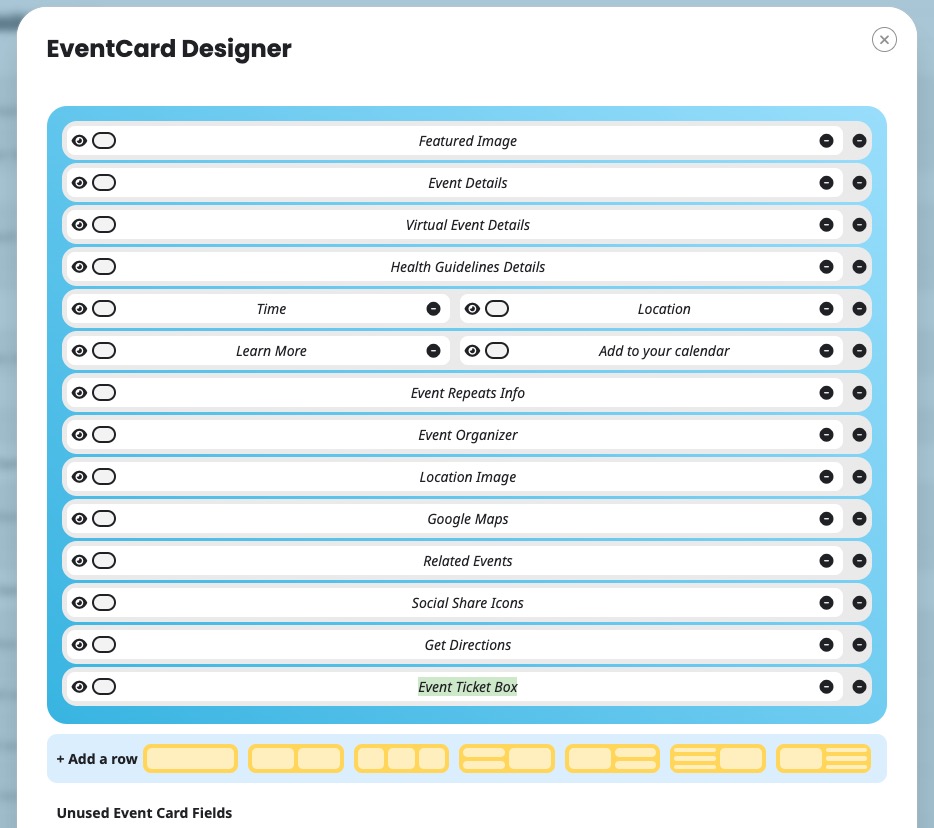
I added Event Ticket Box to Event Card:
Please check now and let me know.
Hello,
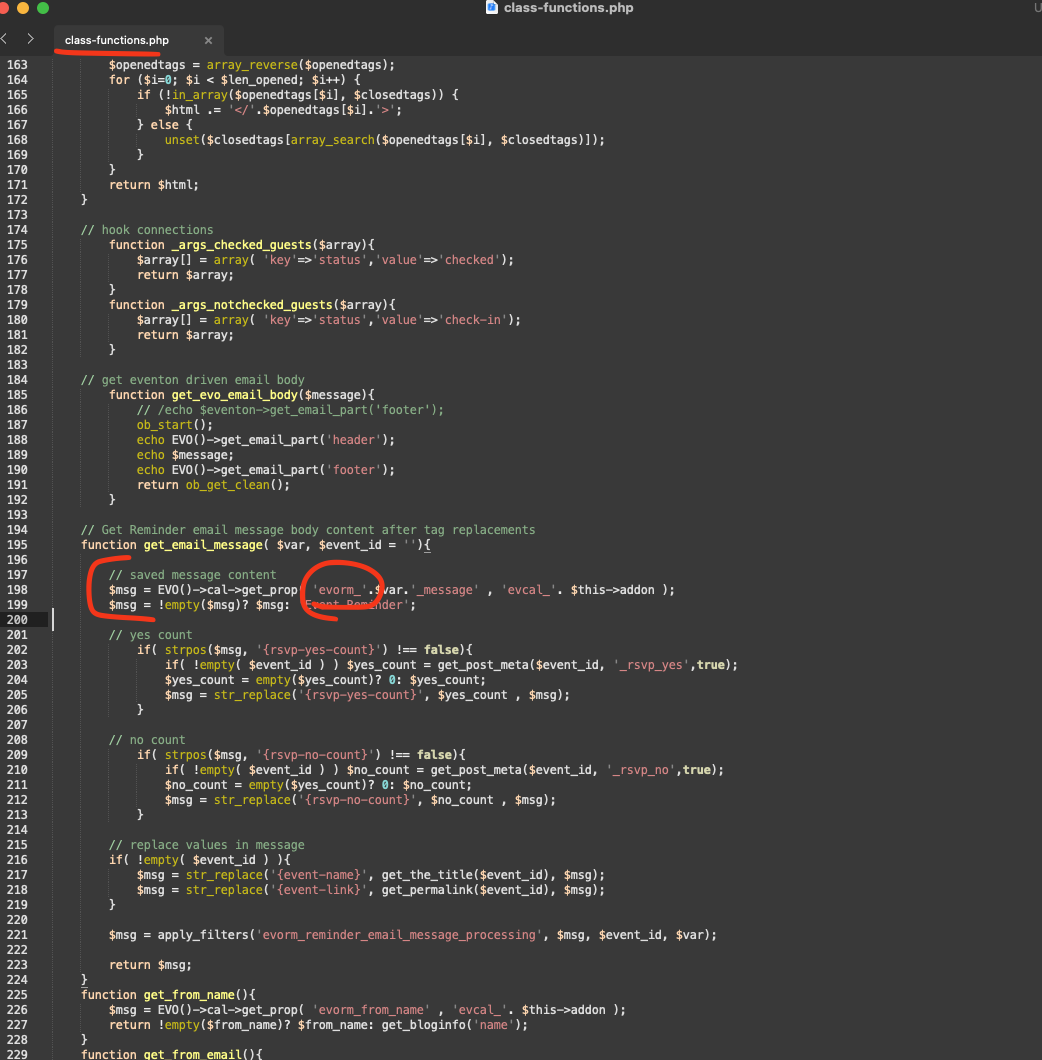
Could you try applying this patch to the code of the latest version of Reminders add-on?
https://helpdeskx.s3.amazonaws.com/wp-content/uploads/2024/12/11143327/Screenshot-2024-12-11-at-1.32.35%E2%80%AFPM.png
We are glad your issue is resolved, if you have any further questions or concerns please create a new ticket. If you have a moment, we would greatly appreciate if you could kindly leave us a review at Codecanyon. By going to your account > Downloads. We are very grateful for your kind review!
The issue has just occurred again.
I have duplicated the event and fixed the issue on the live end of the website.
However, you can see the issue on the Staging website, https://deesstaging.wpengine.com/wp-admin/, the login information is the same that I supplied earlier. As you can see in the Events calendar on the Staging website the tickets are marked as sold out even though if you go onto the backend there should be 26 tickets still available to purchase, but now they all are marked as zero with no purchases in WooCommerce orders
Please let me know how this can be fixed and if you need more information.
Kindly apply this code change and that will resolve the reminder message content not showing up.
We are going to be releasing an update which will include these changes 🙂