Hello,
Please try arranging fields like this:
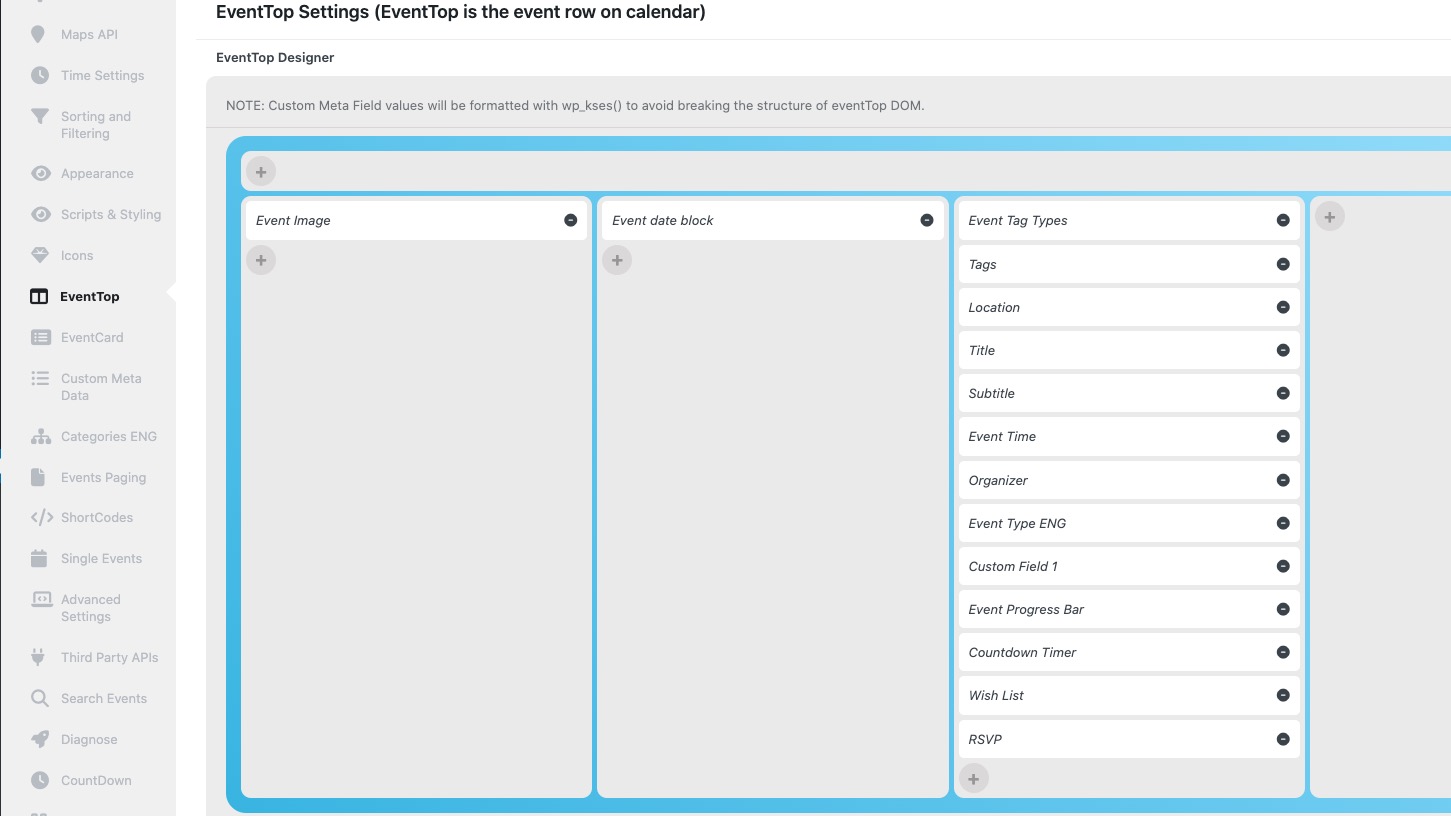
Also could you let us know your resolution on this screenshot?
https://helpdeskx.s3.amazonaws.com/wp-content/uploads/2024/12/06140935/Screenshot-2024-12-06-140841.png
Replies for tickets on suppota
Hello,
Please try arranging fields like this:
Also could you let us know your resolution on this screenshot?
https://helpdeskx.s3.amazonaws.com/wp-content/uploads/2024/12/06140935/Screenshot-2024-12-06-140841.png
It doesn’t save the event at all on my side. Since there are Avada Options on the page, please try following this guide:
https://helpdeskx.s3.amazonaws.com/wp-content/uploads/2024/04/10065230/Screenshot-2024-04-10-at-15.51.02.jpg
Simply find the same line and then comment it.
Ashan will check this ASAP. Meanwhile, please follow
https://docs.myeventon.com/documentations/how-to-cancel-addon-subscription-before-auto-renew/
Hello,
Please add this CSS code to EventON > Styles (If you don’t see any change, EventON > Scripts & Styling > turn off Write dynamic styles to header > save settings > turn on Write dynamic styles to header):
.evocard_main_image { pointer-events: none !important; }
Hello Morten Vestergaard.
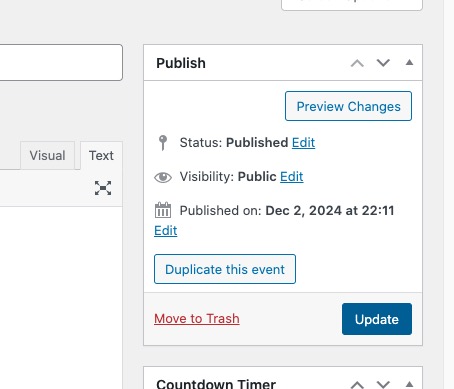
Only save 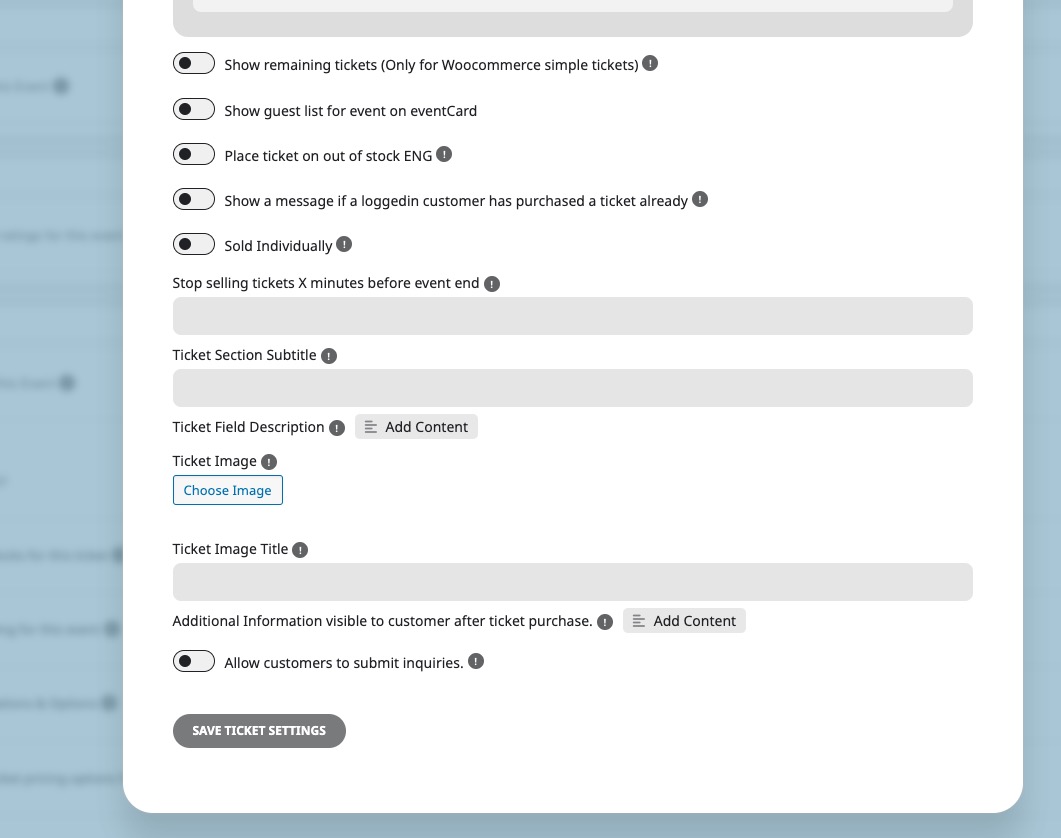
But don’t update the event itself:
Hello,
Could you try going to EventON > Tickets > set Default event ticket stop selling time base: When Event Ends?
I also checked your events and they all (future events) show Tickets correctly and available. Could you give us an example?
Hello,
Thank you for your great suggestion, at the moment it is not supported. However please create a new ticket and select Feature Request as category so others can vote on your idea and get it moved into development faster.
Hello,
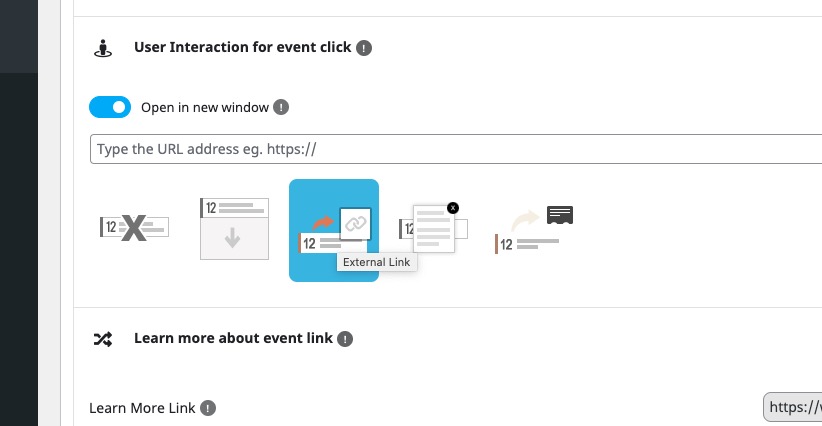
Please use this instead:
Hello,
Please try going to EventON > EventCard > open Designer and save > now save EventON Settings.
Thank you for your messages, I am going to assign this ticket to Ashan and he will be able to take it from here and find you a solution. Please allow some time for him to get back to you, we greatly appreciate your patience and thank you for being a eventon customer!