Any Luck getting in? Any ideas for me to try?
Archives: Replies
Replies for tickets on suppota
Reply to: tickets(402528)
Ashan,
The same on dev2:
https://dev2.myeventon.com/events/default-image-test/var/ri-0.l-L2/
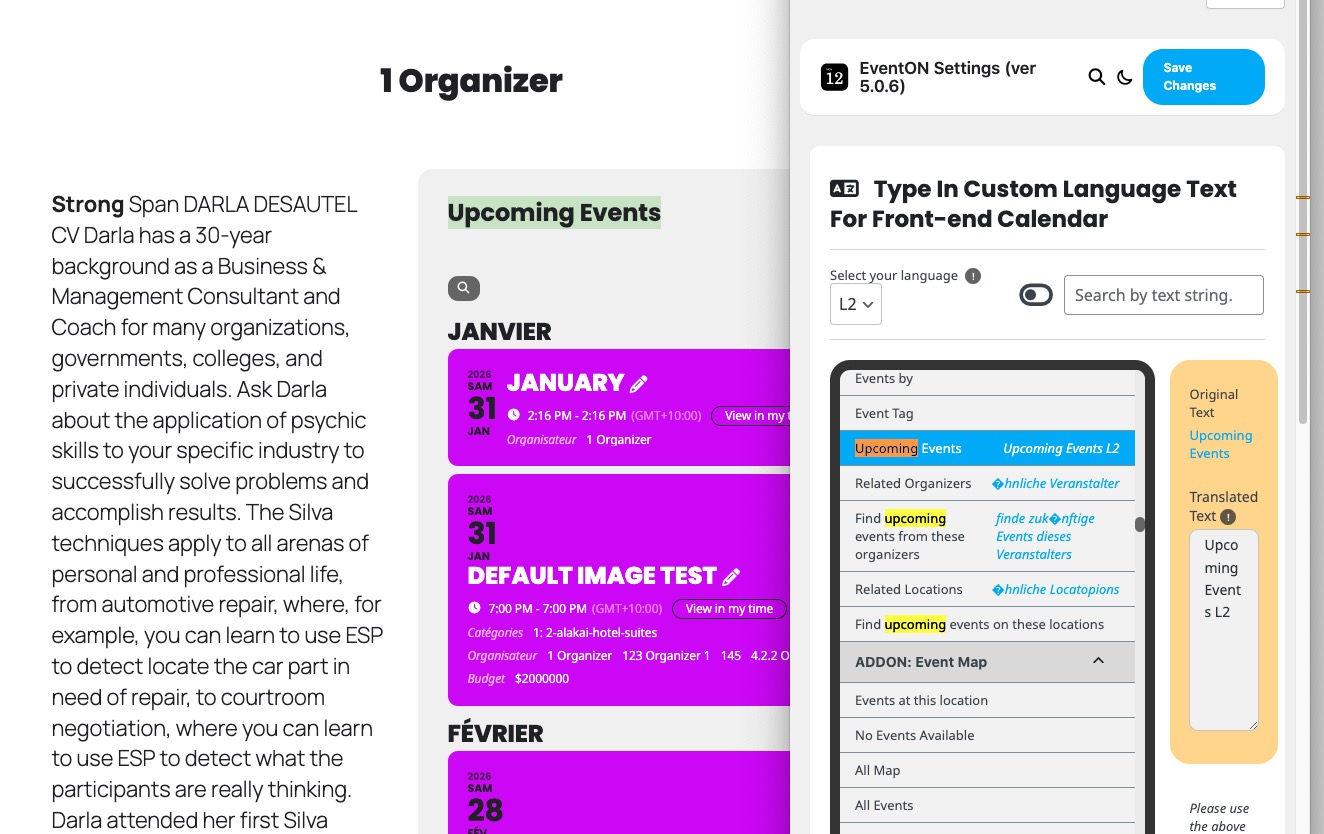
Added ”Upcoming Events L2” translation, but the text is still in L1:
https://dev2.myeventon.com/wp-admin/admin.php?page=eventon&tab=evcal_2&lang=L2
There is also a different issue.
This shortcode with added L2 doesn’t show any events:
https://dev2.myeventon.com/test-149/
”Enable language corresponding events” is enabled and ”Select event calendar WP Query method” is set to ”Query all the event posts”.
Reply to: tickets(402528)
Hello,
Thank you for your messages!
I am going to escalate this ticket to development to help in here. Please allow us some time to address this, and we truly appreciate your patience. Thank you for being a valued EventON customer!
Additionally, if your site has any IP blocking or security restrictions in place, kindly disable them temporarily to facilitate our support process.
Reply to: tickets(402529)
Hello,
Thank you for your messages!
I am going to escalate this ticket to development to help in here. Please allow us some time to address this, and we truly appreciate your patience. Thank you for being a valued EventON customer!
Reply to: tickets(402530)
Closed as duplicate.
Reply to: tickets(402539)
Hello,
Could you send us a screenshot of the ticket?
Reply to: tickets(402234)
Hi,
Please go to https://www.probeerhetmaar.nl/events/test/
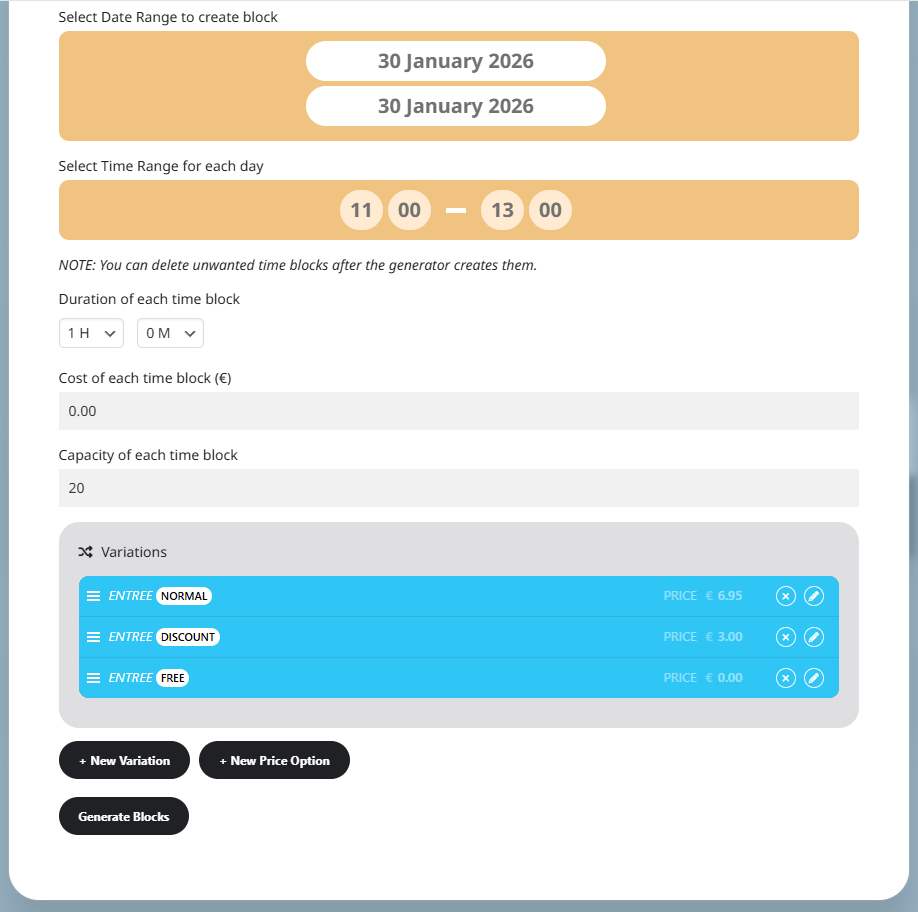
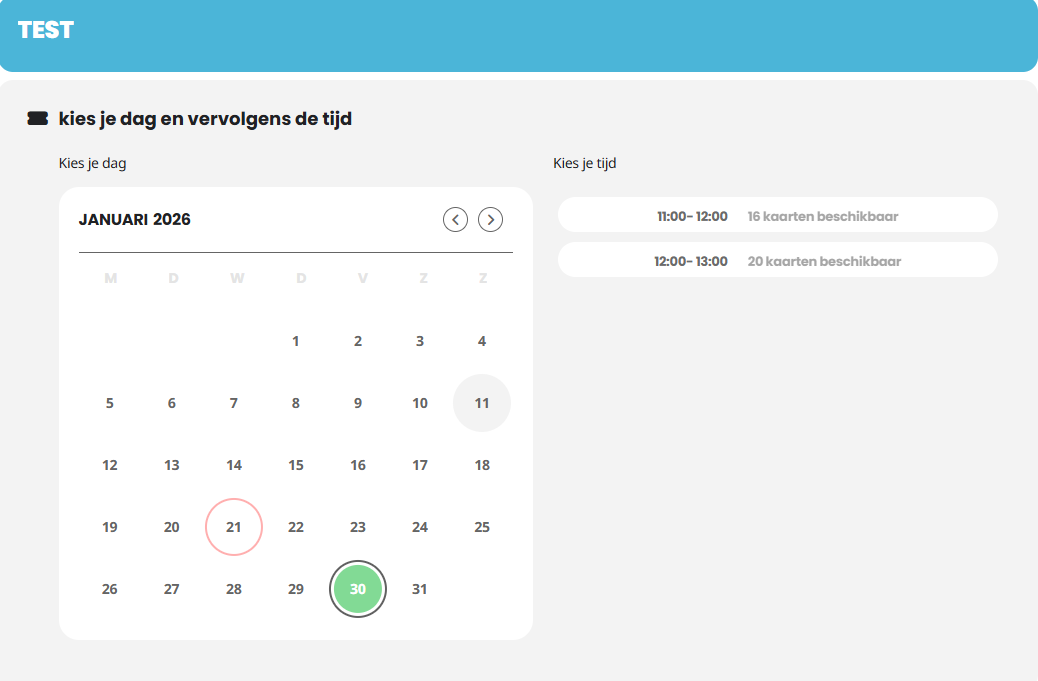
I’ve created an event with two time slots and 3 variations. Max cap. is 20 persons for each time slot (picture 1)
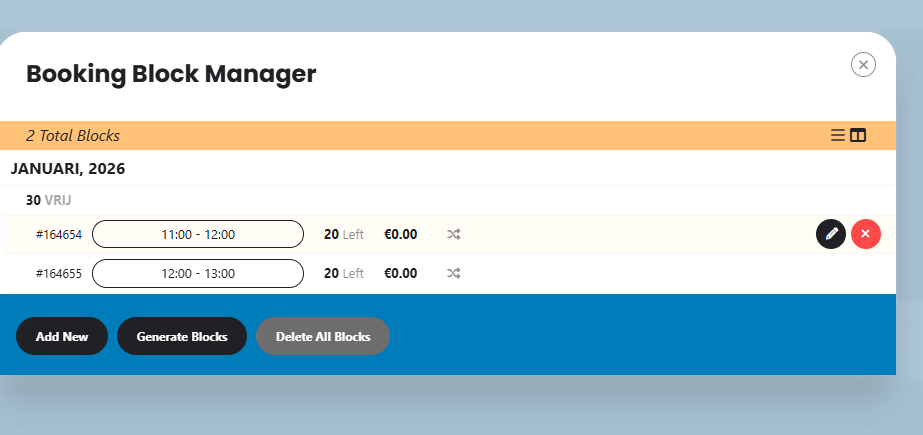
Picture 2 you can see how it looks in the backoffice, looks good to me 🙂
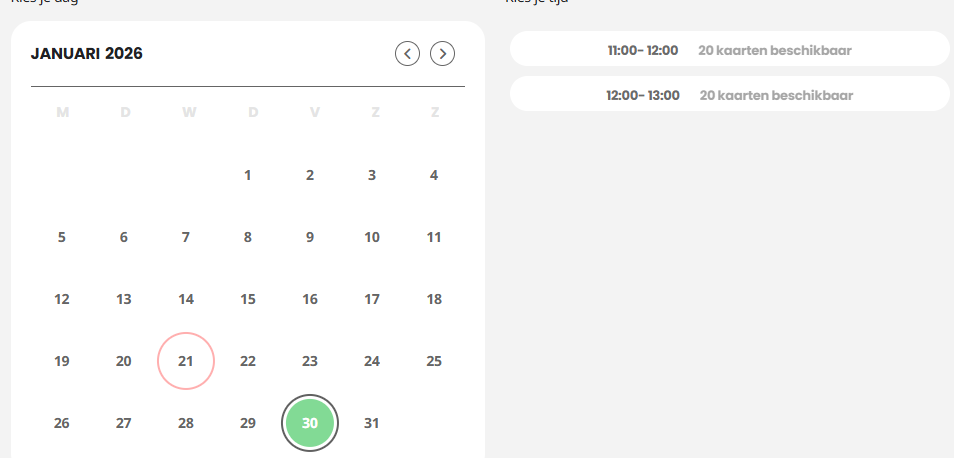
Picture 3 you can see, no tickets sold yet, 20 available foor each time slot.
I have bought 4 tickets ”free” as you van see in picture 4.
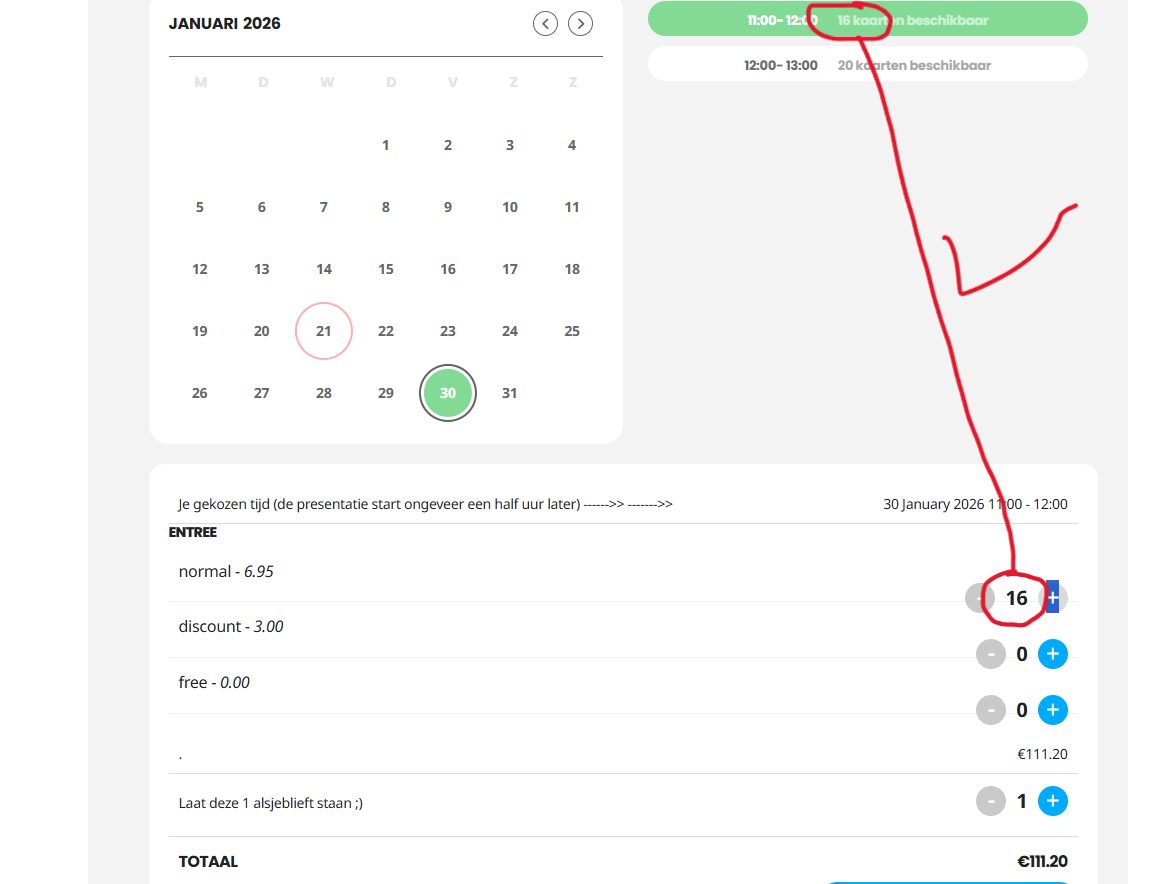
16 tickets remaning, looks okay.
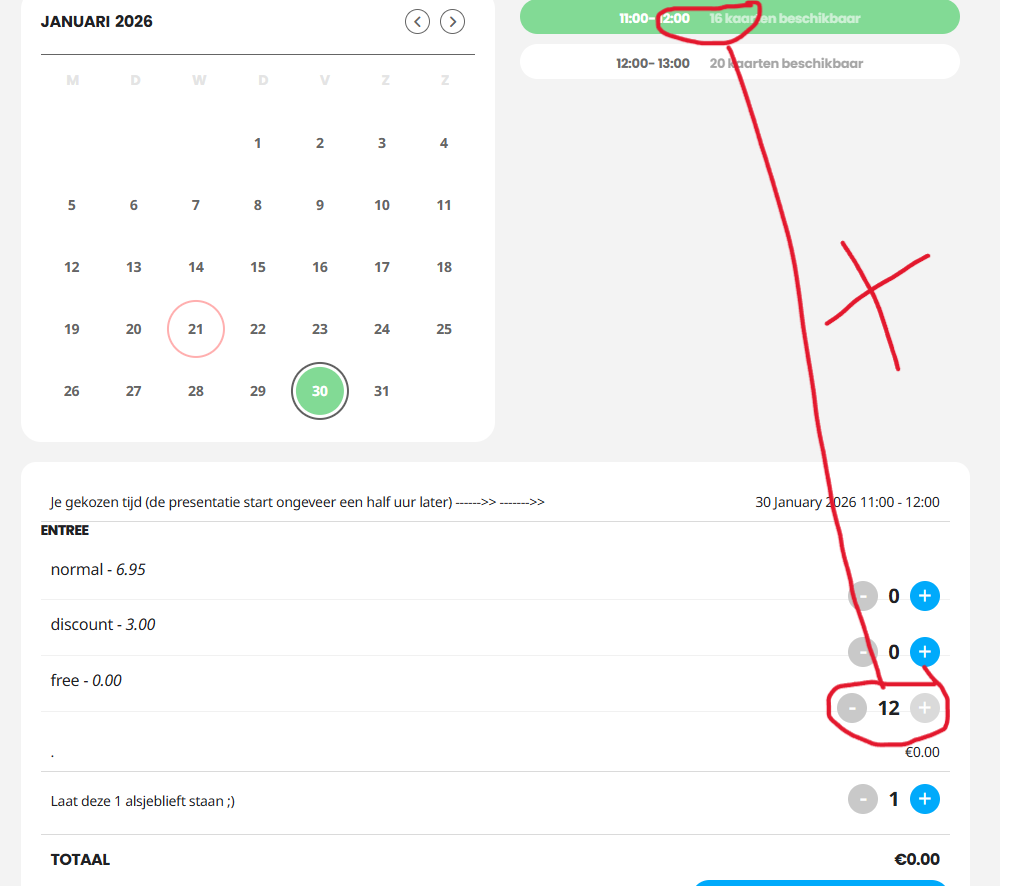
But now the next customer comes and wants to buy a ticket ”free”
As you can see on picture 6, now only 12 tickets are left. So the amount of tickets is deducted twice from ticket stock for this variation.
If the customer chooses another variaton, still 16 tickets are left, whih is correct ( see picture 5)
You can find the order in the backend #233595 Admin
I hope this clarifies the issue.
I am using Eventon for years now and it’s doing great for my business usually!
Thank you,
Valentijn
Reply to: tickets(402492)
Hi Artem,
Update: we were able to get the RSVP popup ”success” form to show correctly as well as the user confirmation email. What we cannot get to work is the admin notification email. We have tried several things with no luck. I am using SendLayer SMTP which is working for all other emails on the website including EventOn user confirmation emails.
What might be causing the admin event notification email from not delivering?
Reply to: tickets(402492)
Hi Artem! Thank you for the quick responce.
I updated to the latest RSVP add-on but still nothing. I do see the RSVP requests are being logged in the backend just fine but that doesn’t help the user to know their submission was accepted (no notification on the front end after clicking submit).
I ran the debug and have the file but am not sure where to upload it. I am also including FTP access here:
FTP
Server: gukm1065.siteground.biz
Username: eventon@brovanture.com
Password: &:+m5cB1c%`1
Port: 21
The WP_debug is still set to ’true’ if you want to log in via FTP and see the file.
To see what I am seeing go to this page: https://brovanture.com/services/oracle-training-events/ >> click on an event >> rsvp >> complete the form.
I think you need to use a business email address rather than ”gmail or yahoo, etc”. I just used a fake one such as ’slade@brovanture.com’.
Thanks
Reply to: tickets(402286)
I accidently pressed upate in admin>plugins, then deactivated and installed new on top. Did not solve the issue, maybe I should have not pressed the update button in plugins and this messed up.